Amazon Product Lookup API
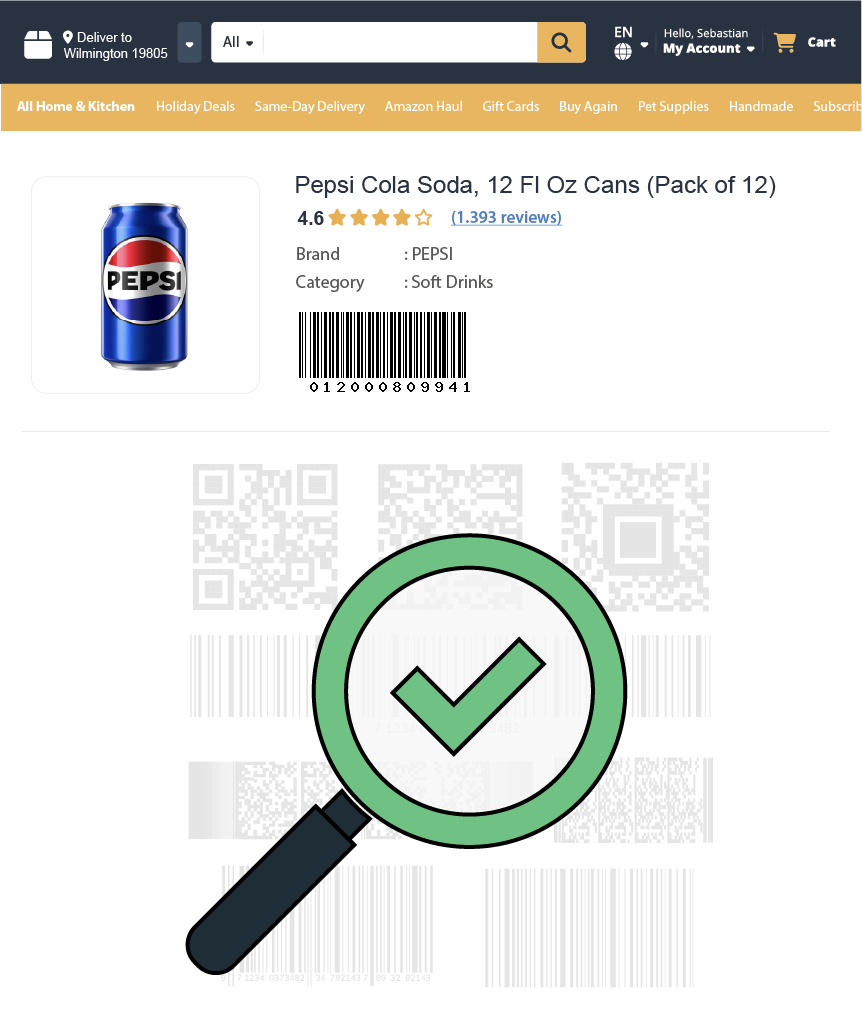
Bidirectional product identifier resolution for converting barcodes (UPC, EAN, GTIN) to ASIN and converting an ASIN to UPC and EAN. Get product data including title, brand, manufacturer, links, and images.


• Monthly 100 free credit!
All features No credit card
Bidirectional Product Identifier Resolution
The Product Lookup operation now supports two-way identifier conversion. Send your value through identifier and define the type with identifier_type (ASIN, UPC, EAN, ISBN, JAN, MINSAN, GTIN). This endpoint functions as a powerful asin to upc converter and barcode-to-ASIN resolver in a single call. With Easyparser's real time amazon product lookup api, you receive consistent, machine-readable results built for automation and scale.
- Barcode to ASIN, resolve UPC, EAN, and GTIN to Amazon ASIN
- ASIN to barcode, retrieve UPC, EAN, and other identifiers from ASIN
- Official product title, brand, and manufacturer information
- Matched identifiers such as UPC and EAN
- Product page links and Amazon detail URLs
- Main image, thumbnail image, and image URLs
- Country code and total product count metadata
- And More Fields...
No credit card  100 credit free Real-time or Bulk

Amazon Product Lookup API How-to
How to start bidirectional product lookup operations?
- 1 Create your account
Create an account to receive 100 free monthly credits and test our bidirectional product lookup api.
- 2 Get your API token
Retrieve your auto-generated token from the Plan Page to securely access all lookup features, including barcode to ASIN and asin to upc conversion.
- 3 Choose your lookup direction
Send a barcode (UPC, EAN, GTIN) to find ASINs, or send an ASIN to retrieve its UPC and EAN identifiers. Try it in the playground now.
Use the API as a reliable asin to upc converter, a barcode-to-ASIN resolver, or a product identifier enrichment tool from a single endpoint.
⚡No IP blocks, no CAPTCHAs, and fast bidirectional identifier resolution!
curl -X GET \
"https://realtime.easyparser.com/v1/request" \
-G \
-d api_key=YOUR_API_KEY \
-d platform=AMZ \
-d operation=PRODUCT_LOOKUP \
-d domain=.com \
-d identifier=0012000809941 \
-d identifier_type=EAN
# ASIN, UPC, EAN, ISBN, JAN, MINSAN or GTIN, works both ways
import requests
import json
# set up the request parameters
params = {
"api_key": "YOUR_API_KEY",
"platform": "AMZ",
"operation": "PRODUCT_LOOKUP",
"domain": ".com",
"identifier": "0012000809941",
"identifier_type": "EAN" # ASIN, UPC, EAN, ISBN, JAN, MINSAN or GTIN, works both ways
}
# make the http GET request to Easyparser API
api_result = requests.get("https://realtime.easyparser.com/v1/request", params=params)
# print the JSON response from Easyparser API
print(json.dumps(api_result.json()))
const axios = require('axios');
// set up the request parameters
const params = {
api_key: 'YOUR_API_KEY',
platform: 'AMZ',
operation: 'PRODUCT_LOOKUP',
domain: '.com',
identifier: '0012000809941',
identifier_type: 'EAN' // ASIN, UPC, EAN, ISBN, JAN, MINSAN or GTIN, works both ways
};
// make the http GET request to Easyparser API
axios.get('https://realtime.easyparser.com/v1/request', { params })
.then(response => console.log(response.data));
<?php
// set up the request parameters
$params = array(
'api_key' => 'YOUR_API_KEY',
'platform' => 'AMZ',
'operation' => 'PRODUCT_LOOKUP',
'domain' => '.com',
'identifier' => '0012000809941',
'identifier_type' => 'EAN' // ASIN, UPC, EAN, ISBN, JAN, MINSAN or GTIN, works both ways
);
// make the http GET request to Easyparser API
$url = 'https://realtime.easyparser.com/v1/request?' . http_build_query($params);
$response = file_get_contents($url);
echo $response;
?>
package main
import (
"fmt"
"io"
"net/http"
"net/url"
)
func main() {
// set up the request parameters
params := url.Values{}
params.Add("api_key", "YOUR_API_KEY")
params.Add("platform", "AMZ")
params.Add("operation", "PRODUCT_LOOKUP")
params.Add("domain", ".com")
params.Add("identifier", "0012000809941")
params.Add("identifier_type", "EAN") // ASIN, UPC, EAN, ISBN, JAN, MINSAN or GTIN, works both ways
requestUrl := "https://realtime.easyparser.com/v1/request?" + params.Encode()
// make the request to Easyparser API
resp, _ := http.Get(requestUrl)
defer resp.Body.Close()
body, _ := io.ReadAll(resp.Body)
fmt.Println(string(body))
}
using System;
using System.Net.Http;
using System.Threading.Tasks;
using System.Collections.Generic;
class Program
{
static async Task Main(string[] args)
{
// set up the request parameters
var client = new HttpClient();
var query = new Dictionary<string, string> {
{ "api_key", "YOUR_API_KEY" },
{ "platform", "AMZ" },
{ "operation", "PRODUCT_LOOKUP" },
{ "domain", ".com" },
{ "identifier", "0012000809941" },
{ "identifier_type", "EAN" } // ASIN, UPC, EAN, ISBN, JAN, MINSAN or GTIN, works both ways
};
var queryString = await new FormUrlEncodedContent(query).ReadAsStringAsync();
var url = "https://realtime.easyparser.com/v1/request?" + queryString;
// make the request to Easyparser API
var response = await client.GetStringAsync(url);
Console.WriteLine(response);
}
}
import java.net.URI;
import java.net.http.HttpClient;
import java.net.http.HttpRequest;
import java.net.http.HttpResponse;
import java.net.URLEncoder;
import java.nio.charset.StandardCharsets;
import java.util.Map;
import java.util.LinkedHashMap;
public class EasyparserExample {
public static void main(String[] args) {
// set up the request parameters
HttpClient client = HttpClient.newHttpClient();
Map<String, String> params = new LinkedHashMap<>();
params.put("api_key", "YOUR_API_KEY");
params.put("platform", "AMZ");
params.put("operation", "PRODUCT_LOOKUP");
params.put("domain", ".com");
params.put("identifier", "0012000809941");
params.put("identifier_type", "EAN"); // ASIN, UPC, EAN, ISBN, JAN, MINSAN or GTIN, works both ways
StringBuilder sb = new StringBuilder();
for (Map.Entry<String, String> entry : params.entrySet()) {
if (sb.length() > 0) sb.append("&");
sb.append(URLEncoder.encode(entry.getKey(), StandardCharsets.UTF_8))
.append("=")
.append(URLEncoder.encode(entry.getValue(), StandardCharsets.UTF_8));
}
String url = "https://realtime.easyparser.com/v1/request?" + sb.toString();
// make the request to Easyparser API
HttpRequest request = HttpRequest.newBuilder().uri(URI.create(url)).build();
HttpResponse<String> response = client.send(request, HttpResponse.BodyHandlers.ofString());
System.out.println(response.body());
}
}

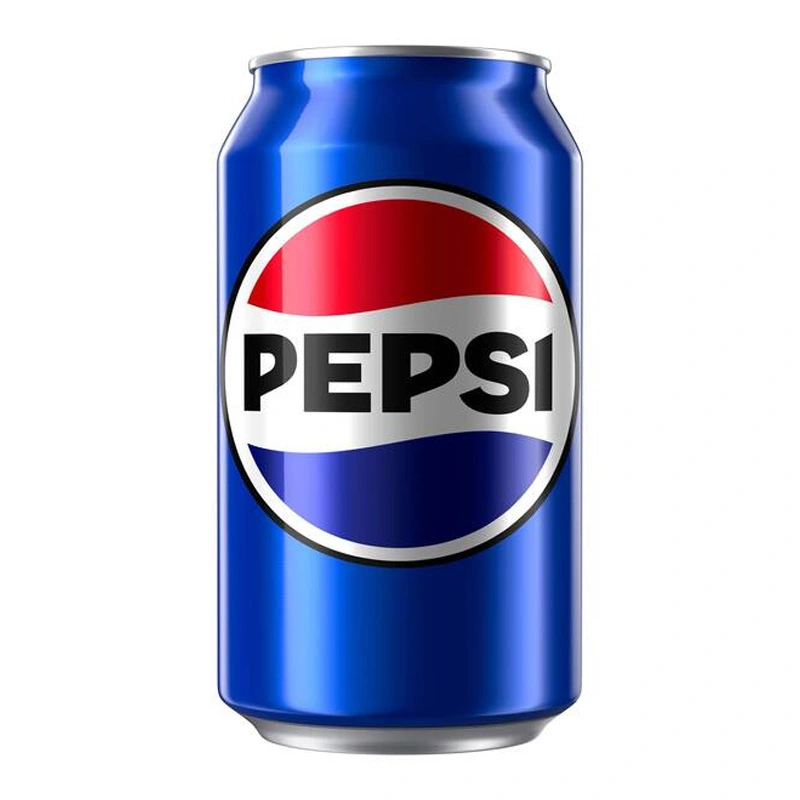
Pepsi, 12 Oz Per Can, Case Of 24 Cans
Key API Features
Use Cases for the Bidirectional Product Lookup API
Leverage bidirectional identifier resolution for barcode to ASIN and ASIN to barcode workflows that power catalog automation, arbitrage, analytics, and product data enrichment.
Barcode to ASIN Conversion
Transform UPC, EAN, or GTIN barcodes into Amazon ASINs and full product data within milliseconds using real time product code lookup.
Automated Catalog Matching
Match supplier barcodes to Amazon ASINs, or enrich Amazon catalog entries with UPC/EAN data, using bidirectional amazon product identifier lookup for clean catalog alignment.
ASIN to UPC/EAN Conversion
Already have an ASIN? Use the reverse lookup to retrieve associated UPC, EAN, and other barcode identifiers. This is ideal for catalog enrichment and cross-marketplace matching.
Data Enrichment for Marketplaces & SaaS Tools
Enhance feeds with identifiers, product titles, brand data, manufacturer details, and image URLs using the amazon product data api for developers.
Inventory Management & BI Dashboards
Stream identifiers, titles, brands, and manufacturer data into ERP systems, BI dashboards, or internal catalog tools.
Catalog Cleanup & Data Standardization
Normalize product records by connecting ASIN, UPC, and EAN values with consistent title, brand, manufacturer, and image data.
Product Link Resolution
Resolve identifiers into canonical Amazon product links so downstream systems can open the exact detail page for each matched item.
Global Arbitrage & Cross-Border Sales
Identify international opportunities by converting ASINs to UPC/EAN for cross-marketplace matching, or use ean product lookup and upc product lookup to find regional Amazon listings.
Image Sync for Product Records
Pull main and thumbnail image URLs alongside identifiers so product records stay visually complete across internal systems.
Start free trial. No credit card required.
Frequently Asked Questions
Quick answers about bidirectional product lookup, supported identifiers, and the fields included in the response.
The API supports bidirectional lookup. Provide identifier with identifier_type (ASIN, UPC, EAN, ISBN, JAN, MINSAN, GTIN) to resolve ASIN and barcode relationships in both directions.
Yes. Provide an ASIN as the identifier and the API returns its associated UPC, EAN, and other product identifiers, making it a reliable asin to upc converter.
Yes. Bulk requests are supported depending on your plan and integration setup, in both directions, including barcode-to-ASIN and ASIN-to-barcode.
The response includes fields such as ASIN, title, brand, manufacturer, matched identifiers like UPC and EAN, product links, image URLs, total product count, and country code.
Absolutely. The real time amazon product lookup api is designed for scalable, automated workflows with bidirectional identifier resolution.
Yes. It serves as a reliable amazon product data api for developers, enabling seamless integration into custom ERPs, mobile apps, and analytics tools with full ASIN-to-barcode and barcode-to-ASIN support.
We ensure accuracy by performing a real time product code lookup, delivering live amazon product identifiers and related listing data directly from the marketplace.
Absolutely. You can use the endpoint to connect ASINs with UPC and EAN values, enrich product records with title and manufacturer data, and attach Amazon links and images to internal catalogs.
Resolve barcodes to ASINs or look up UPC and EAN from any ASIN, along with title, brand, manufacturer, links, and images in a single call.