Amazon Sales Analytics API
Unlock deep performance and lifecycle intelligence for Amazon products. Access views, purchases, price history, BSR trends, and offer count changes.


• Monthly 100 free credit!
All features No credit card
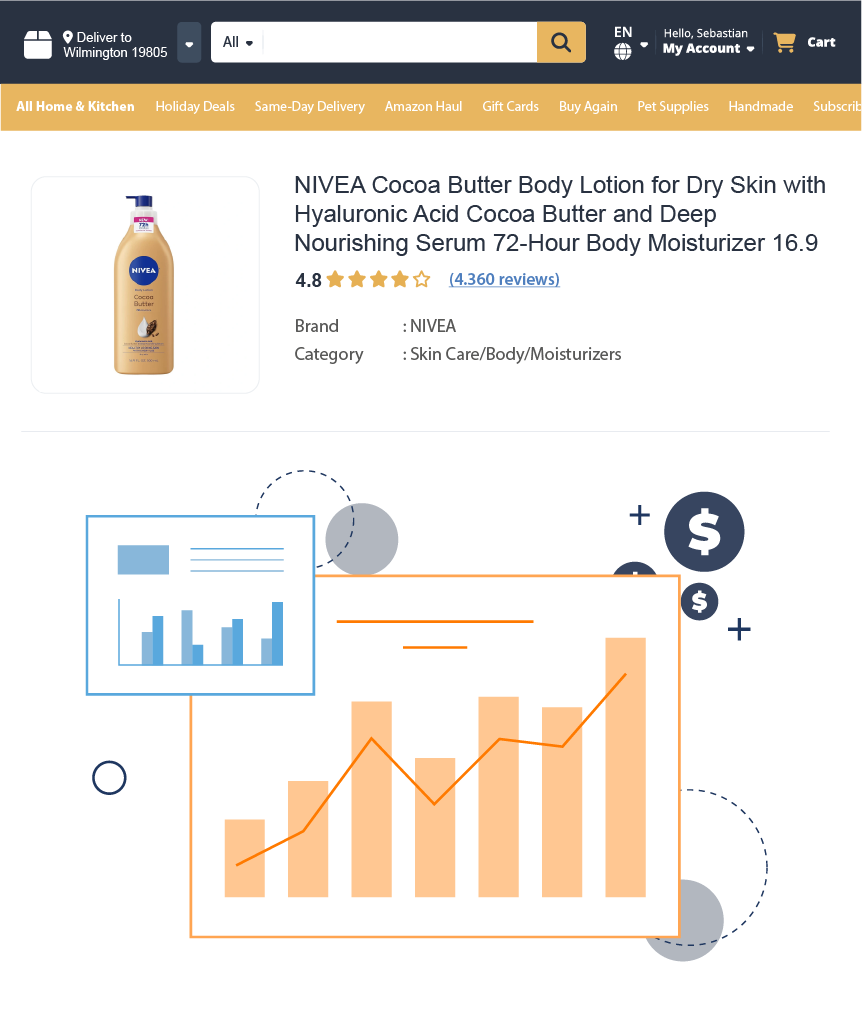
Master Sales Analytics with Ease
Stop settling for static snapshots. With Easyparser's amazon sales analytics api, you reveal how products actually perform over time. This tool functions as a full amazon product performance api, combining real-time signals with historical depth.
This amazon sales analytics api is built for market understanding, providing structured historical amazon sales data that includes:
- Traffic metrics (Views) and Sales activity (Purchases)
- Functions like the amazon price history api for pricing trends.
- Works like the amazon bsr history api for BSR changes.
- Offer count fluctuations through offer count history amazon
- Product launch timing using launch date analysis amazon
- Long-term performance evaluation and predictive analysis
- And More Fields...
No credit card  100 credit free Real-time or Bulk

Amazon Sales Analytics API How-to
How to start tracking amazon historical performance?
- 1 Create your account
Create an account to receive 100 free monthly credits and test our amazon sales analytics api.
- 2 Get your API token
Retrieve your auto-generated token from the Plan Page to securely access the amazon product analytics api.
- 3 Choose an endpoint
Get clean JSON instantly using the API to retrieve sales velocity analysis amazon, seasonality trend detection amazon, and launch date analysis amazon data.
Perform deep market research with features that function like the amazon price history api and amazon bsr history api, and track amazon product sales over time easily.
The examples on the right show a sample request for offer count history amazon and historical amazon sales data.
⚡No IP blocks, no CAPTCHAs to manage, fast historical amazon sales data response!
curl -X GET \
"https://realtime.easyparser.com/v1/request" \
-G \
-d api_key=YOUR_API_KEY \
-d platform=AMZ \
-d operation=SALES_ANALYSIS_HISTORY \
-d domain=.com \
-d asin=B00KTLXB4C \
-d history_range=12
# Number of months of history to retrieve (0-12)
import requests
import json
# set up the request parameters
params = {
"api_key": "YOUR_API_KEY",
"platform": "AMZ",
"operation": "SALES_ANALYSIS_HISTORY",
"domain": ".com",
"asin": "B00KTLXB4C",
"history_range": "12" # Number of months of history to retrieve (0-12)
}
# make the http GET request to Easyparser API
api_result = requests.get("https://realtime.easyparser.com/v1/request", params=params)
# print the JSON response from Easyparser API
print(json.dumps(api_result.json()))
const axios = require('axios');
// set up the request parameters
const params = {
api_key: 'YOUR_API_KEY',
platform: 'AMZ',
operation: 'SALES_ANALYSIS_HISTORY',
domain: '.com',
asin: 'B00KTLXB4C',
history_range: '12' // Number of months of history to retrieve (0-12)
};
// make the http GET request to Easyparser API
axios.get('https://realtime.easyparser.com/v1/request', { params })
.then(response => console.log(response.data));
<?php
// set up the request parameters
$params = array(
'api_key' => 'YOUR_API_KEY',
'platform' => 'AMZ',
'operation' => 'SALES_ANALYSIS_HISTORY',
'domain' => '.com',
'asin' => 'B00KTLXB4C',
'history_range' => '12' // Number of months of history to retrieve (0-12)
);
// make the http GET request to Easyparser API
$url = 'https://realtime.easyparser.com/v1/request?' . http_build_query($params);
$response = file_get_contents($url);
echo $response;
?>
package main
import (
"fmt"
"io"
"net/http"
"net/url"
)
func main() {
// set up the request parameters
params := url.Values{}
params.Add("api_key", "YOUR_API_KEY")
params.Add("platform", "AMZ")
params.Add("operation", "SALES_ANALYSIS_HISTORY")
params.Add("domain", ".com")
params.Add("asin", "B00KTLXB4C")
params.Add("history_range", "12") // Number of months of history to retrieve (0-12)
requestUrl := "https://realtime.easyparser.com/v1/request?" + params.Encode()
// make the request to Easyparser API
resp, _ := http.Get(requestUrl)
defer resp.Body.Close()
body, _ := io.ReadAll(resp.Body)
fmt.Println(string(body))
}
using System;
using System.Net.Http;
using System.Threading.Tasks;
using System.Collections.Generic;
class Program
{
static async Task Main(string[] args)
{
// set up the request parameters
var client = new HttpClient();
var query = new Dictionary<string, string> {
{ "api_key", "YOUR_API_KEY" },
{ "platform", "AMZ" },
{ "operation", "SALES_ANALYSIS_HISTORY" },
{ "domain", ".com" },
{ "asin", "B00KTLXB4C" },
{ "history_range", "12" } // Number of months of history to retrieve (0-12)
};
var queryString = await new FormUrlEncodedContent(query).ReadAsStringAsync();
var url = "https://realtime.easyparser.com/v1/request?" + queryString;
// make the request to Easyparser API
var response = await client.GetStringAsync(url);
Console.WriteLine(response);
}
}
import java.net.URI;
import java.net.http.HttpClient;
import java.net.http.HttpRequest;
import java.net.http.HttpResponse;
import java.net.URLEncoder;
import java.nio.charset.StandardCharsets;
import java.util.Map;
import java.util.LinkedHashMap;
public class EasyparserExample {
public static void main(String[] args) {
// set up the request parameters
HttpClient client = HttpClient.newHttpClient();
Map<String, String> params = new LinkedHashMap<>();
params.put("api_key", "YOUR_API_KEY");
params.put("platform", "AMZ");
params.put("operation", "SALES_ANALYSIS_HISTORY");
params.put("domain", ".com");
params.put("asin", "B00KTLXB4C");
params.put("history_range", "12"); // Number of months of history to retrieve (0-12)
StringBuilder sb = new StringBuilder();
for (Map.Entry<String, String> entry : params.entrySet()) {
if (sb.length() > 0) sb.append("&");
sb.append(URLEncoder.encode(entry.getKey(), StandardCharsets.UTF_8))
.append("=")
.append(URLEncoder.encode(entry.getValue(), StandardCharsets.UTF_8));
}
String url = "https://realtime.easyparser.com/v1/request?" + sb.toString();
// make the request to Easyparser API
HttpRequest request = HttpRequest.newBuilder().uri(URI.create(url)).build();
HttpResponse<String> response = client.send(request, HttpResponse.BodyHandlers.ofString());
System.out.println(response.body());
}
}


NIVEA Cocoa Butter Body Lotion for Dry Skin with Hyaluronic Acid Cocoa Butter ...
Key API Features
Use cases for the Amazon Sales Analytics API
Turn historical performance metrics into automated workflows for sourcing, monitoring, and predictive analytics.
Real-Time Product Research & Demand Validation
Compare Views Last 30 Days against Purchases Last 30 Days to assess whether a product has genuine demand or inflated exposure: High views + low purchases → optimization or weak offer, low views + consistent purchases → niche but profitable. Ideal for sourcing and validation workflows.
Competitor Monitoring & Market Share Tracking
Analyze how competitors evolved over time: growth velocity and scaling patterns, pricing strategies across different phases, discount-heavy launch behavior, and timing of peak BSR performance. This makes it possible to track amazon product sales over time, not just observe the current state.
Price & Rank Trend Analysis
Evaluate whether current pricing reflects organic demand or short-term manipulation using insights that function like the amazon bsr and price history api. Compare daily average prices, 30 / 60 / 90-day rolling averages, and BSR fluctuations and recovery patterns all of which are critical for risk reduction and market entry planning.
BI Dashboards & Forecasting Systems
Feed structured metrics into analytics pipelines to: detect seasonality, identify trend reversals, optimize pricing windows, and forecast launch timing. This enables seasonality trend detection amazon at scale.
Product Lifecycle Visualization
Plot historical performance to identify: launch momentum, mid-cycle saturation, decline, stabilization, or revival, and seasonal demand spikes. Essential for evaluating long-term category potential.
Inventory & Turnover Optimization
Calculate precise turnover rates and prevent stockouts. Use sales velocity analysis amazon to track seasonal movement speed, forecast accurate restock dates, and align capital with sales speed.
Wholesale & Arbitrage Scouting
Analyze listing competition via offer count history amazon. Detect market saturation or hijacker spikes, spot "race to the bottom" price drops early, and find stable listings for safe entry.
Launch Strategy Engineering
Decode competitor growth via launch date analysis amazon. Pinpoint successful product go-live dates, map BSR growth trajectories of top brands, and replicate proven launch timelines.
Promotional Impact & Discount Analysis
Analyze the true ROI of promotional campaigns by tracking volume spikes against margin erosion. Use features that function like the amazon historical sales data api to evaluate the effectiveness of Lightning Deals, coupons, and seasonal discounts to build more profitable marketing playbooks.
Start free trial. No credit card required.
Frequently Asked Questions
Quick answers about the amazon sales analytics api, historical amazon sales data, and common analytics use cases.
Yes. It returns Purchases Last 30 Days and other sales-related metrics when available.
Yes. Launch timing is part of the dataset, supporting lifecycle and scaling analysis.
Up to 12 months, depending on the product's Amazon listing history.
Absolutely. Historical trends make recurring demand cycles easy to identify.
Yes. The API is designed specifically for forecasting models and data pipelines.
Yes. By using features that function like the amazon price history api and amazon bsr history api, you can track how pricing and Best Seller Rank have fluctuated over months to identify organic demand cycles.
Absolutely. You can access the offer count history amazon to monitor competitive saturation, identify hijacker spikes, or find stable wholesale opportunities.
The API provides a comprehensive sales velocity analysis amazon, allowing you to calculate turnover rates and forecast inventory needs based on actual performance trends.
Access sales trends, traffic data, historical pricing, and lifecycle insights to make smarter decisions.