
Introduction
The period from November to January marks Amazon's most intense sales season, a digital marathon encompassing Black Friday, Cyber Monday, and New Year deals. For shoppers, it's a golden opportunity to find incredible bargains. For sellers, it's a high-stakes game of strategy, inventory, and competition. This guide provides a comprehensive playbook for both sides of the marketplace. We'll explore proven strategies to maximize savings and sales, and then reveal how sellers can gain a decisive edge by leveraging data extraction with Easyparser.
Part 1: The Shopper's Playbook: Navigating the Deals
For consumers, the holiday sales season is a whirlwind of discounts. Success requires more than just luck; it demands a strategy.
Key Shopping Events:
- Black Friday (Last Friday of November): Traditionally the start of the holiday shopping season, offering deep discounts on high-ticket items like electronics and appliances.
- Cyber Monday (Monday after Black Friday): Focuses on online deals, often featuring tech gadgets, fashion, and beauty products.
- Holiday Deals (December): A month-long event with daily deals and promotions across all categories, perfect for last-minute gift shopping.
- New Year Sales (January): A chance to grab clearance items and products related to self-improvement, such as fitness gear and home organization.
Strategies for Maximum Savings:
- Start Early & Use Price Trackers: Don't wait for the main event. Deals often start weeks in advance. Use browser extensions like Keepa or CamelCamelCamel to track price history and verify the quality of a discount.
- Leverage Amazon's Tools: Use the Amazon Wish List and "Save for Later" features to get notified when prices drop. Amazon's AI assistant, Rufus, can also help you discover products and track deals.
- Embrace Loyalty Programs: A Prime membership offers exclusive deals and free shipping, which are significant advantages during sales events.
- Create a Budget: The excitement can lead to impulse buys. Decide on a budget beforehand and stick to it to avoid overspending.
- Check Return Policies: Most retailers extend their return windows during the holidays, but it's always wise to check the fine print, especially for doorbuster deals.
Part 2: The Seller's Survival Guide: Conquering the Competition
For sellers, this period is about maximizing revenue while managing intense logistical pressure. Preparation is everything.
Key Focus Areas for Sellers:
- Inventory Management: Stockouts are the biggest enemy. Ensure your inventory arrives at Amazon's fulfillment centers before their holiday deadlines (often in mid-October) to be ready for the rush.
- Listing Optimization: Update your product titles, bullet points, and A+ Content with high-quality keywords and seasonal imagery. A well-optimized listing is crucial for conversion.
- Competitive Pricing: The market is dynamic. You need to monitor competitor prices constantly and adjust your own to stay competitive and win the Buy Box.
- Strategic Promotions: Use a mix of Lightning Deals, Best Deals, and coupons to create urgency and attract shoppers. Submit your deals to Amazon well in advance.
- Amazon PPC Campaigns: Ad costs (CPCs) can rise by 30-50% during Q4. Plan your budget, build robust keyword lists (including competitor terms), and monitor your campaigns hourly during peak times.
Part 3: The Data-Driven Edge: How to Win with Easyparser
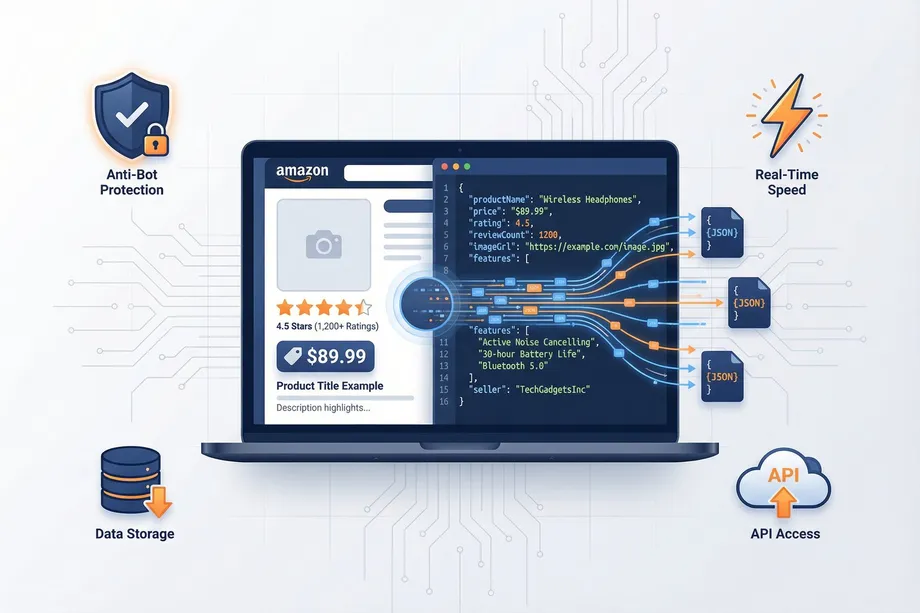
Successfully implementing the seller strategies above requires accurate, real-time data. Manually tracking thousands of products and competitors is impossible. This is where Easyparser provides a critical advantage, turning Amazon's public data into actionable insights.
1. Real-Time Price & Competitor Monitoring
To maintain a competitive pricing strategy, you need to know what your rivals are doing. With Easyparser's DETAIL operation, you can programmatically fetch real-time price, stock status, and seller information for any product.
Example: Fetching Product Details in Python
import requests
import json
# Set up the request parameters
params = {
"api_key": "YOUR_API_KEY",
"platform": "AMZ",
"domain": ".com",
"operation": "DETAIL",
"asin": "B08N5WRWNW"
}
# Make the HTTP GET request to Easyparser API
api_result = requests.get("https://realtime.easyparser.com/v1/request", params)
# Print the JSON response
print(json.dumps(api_result.json(), indent=2))
2. Winning the Buy Box with Offer Analysis
The Buy Box is responsible for the vast majority of sales. Easyparser's OFFER operation allows you to retrieve a list of all sellers for a given product, their prices, fulfillment methods (FBA/FBM), and whether they currently hold the Buy Box. This data is invaluable for adjusting your pricing and fulfillment strategy to win it.
3. Discovering Trends with Search Data
Wondering what products are trending or how your products rank for key search terms? The SEARCH operation lets you extract search results pages, giving you insight into organic vs. sponsored rankings and helping you refine your SEO and PPC strategies.
4. Scaling Your Research with the Bulk API
Tracking an entire product category or a large portfolio of competitor products requires massive data collection. Easyparser's Bulk API is designed for this, allowing you to submit up to 5,000 URLs in a single job and receive the structured data via a webhook when it's ready. This is the most efficient way to conduct large-scale market research during the sales season.
5. Gaining Regional Insights
Prices and availability can vary by location. Using Easyparser's Address Management feature, you can make requests as if you were in a specific ZIP code, allowing you to analyze regional pricing differences and shipping costs, giving you a more granular view of the market.
Q4 Timeline: When to Act at Every Stage of the Holiday Season
Winning the holiday season is not about reacting to events as they happen - it is about systematic preparation weeks in advance. Here is the action framework for sellers at each stage of the Q4 calendar:
| Period | Key Events | Seller Actions | Data to Track |
|---|---|---|---|
| September–October | Pre-holiday prep, FBA inventory deadlines | Send inventory to FBA by Oct 15. Submit Lightning Deal applications. Build Q4 PPC keyword lists. Set up competitor price monitoring. | Last year's Q4 sales velocity, current BSR trends, competitor stock levels |
| Early November | Pre-Black Friday deals launch | Launch holiday-specific PPC campaigns. Increase daily budgets by 30–50%. Monitor Buy Box win rate hourly. Activate price monitoring alerts. | Competitor pricing, Buy Box win rate, impressions and CTR vs. prior weeks |
| Black Friday Week | Black Friday, Cyber Monday | Monitor campaigns hourly. Increase bids on top-converting keywords. Respond to competitor price changes within hours. Check FBA inventory daily. | Hourly sales velocity, ACoS by campaign, competitor sponsored placements, stockout risk |
| December | Holiday Deals, last Prime shipping deadlines | Shift messaging to gift-giving angles. Leverage FBA Prime deadlines in ad copy. Monitor for stockouts daily. | Conversion rate vs. November, competitor out-of-stock events |
| January | Post-holiday clearance, returns period | Run clearance campaigns for excess Q4 inventory. Analyze full-quarter performance. Begin planning for the next Prime Day cycle. | Return rates by ASIN, review velocity post-Q4, sell-through rate on Q4 inventory |
Holiday Inventory Forecasting with Historical Sales Data
One of the most expensive mistakes a seller can make during Q4 is stocking out at peak demand - or over-ordering and paying FBA storage fees well into Q1. The solution is data-driven inventory forecasting using historical sales velocity. Easyparser makes this possible for any ASIN with the SALES_ANALYSIS_HISTORY operation.
The following Python script fetches 12 months of weekly sales data and calculates the Q4 sales multiplier - the factor by which sales increase during November and December compared to the annual average. Use this multiplier to set your Q4 inventory order quantities with empirical confidence rather than guesswork.
import requests, statistics
from datetime import datetime
API_KEY = "YOUR_API_KEY"
ASIN = "B08N5WRWNW"
params = {"api_key": API_KEY, "platform": "AMZ", "domain": ".com",
"operation": "SALES_ANALYSIS_HISTORY", "asin": ASIN, "history_range": "12"}
data = requests.get("https://realtime.easyparser.com/v1/request", params=params).json()
history = data.get("result", {}).get("history", [])
q4_weeks, other_weeks = [], []
for week in history:
dt = datetime.fromisoformat(week["date"].replace("Z",""))
purchases = week.get("purchases", 0)
if dt.month in (11, 12):
q4_weeks.append(purchases)
else:
other_weeks.append(purchases)
q4_avg = statistics.mean(q4_weeks) if q4_weeks else 0
base_avg = statistics.mean(other_weeks) if other_weeks else 1
multiplier = q4_avg / base_avg
print(f"Q4 multiplier for {ASIN}: {multiplier:.2f}x")
print(f"Normal weekly 100 units = plan for {int(100 * multiplier)} units/week in Q4.")
This script gives you an empirical Q4 uplift factor. If the multiplier is 2.4x, order 2.4 times your normal inventory for November–December. Q4 uplift varies dramatically by category - holiday decor might be 10x, while office supplies might be 1.1x - which is exactly why generic "order 30% more" advice fails and data-driven forecasting wins.
Advanced Buy Box Strategy for the Holiday Season
During Q4, the Buy Box becomes an even more critical battleground. Multiple dynamics shift during the holiday season that affect which seller wins - understanding them gives you a strategic edge in the most competitive weeks of the year.
FBA advantage intensifies in Q4: Amazon heavily favors FBA sellers for Buy Box eligibility because FBA guarantees Prime shipping by Amazon's specified Christmas delivery deadlines. FBM sellers who cannot guarantee delivery by December 25 are often deprioritized in Buy Box rotation, even at a lower price. If you run critical ASINs on FBM, the holiday season is the strongest argument to switch to FBA for at least the Q4 period.
Price sensitivity increases: During peak shopping periods, Amazon's Buy Box algorithm becomes more sensitive to price differences. Set automated repricing rules with tighter bands and faster response intervals during November and December to maintain Buy Box ownership without leaving margin on the table.
Inventory level signals matter: Amazon penalizes sellers who risk going out of stock. When FBA inventory drops below Amazon's projected weeks-of-cover threshold, Buy Box eligibility can be reduced before you actually stock out. Monitor inventory coverage weekly in Q4 and set replenishment alerts at a higher threshold than you use the rest of the year.
Post-Holiday: January Opportunities and Data Analysis
January is the most underrated month in the Amazon seller calendar. While many sellers breathe a sigh of relief after Q4, the best operators use January's lower competition and abundant post-season data to set up their strongest year ahead.
Genuine clearance deals for buyers: January brings real price drops as sellers liquidate excess Q4 inventory and process returns. In electronics, fitness, and home improvement, January prices can rival or beat Black Friday levels - without artificial price inflation anchoring. Check price history charts: if the January price is at or near the historical low, it is a genuine deal worth acting on.
Q4 data review for sellers: Pull your Search Term Reports from November and December and identify which keywords drove the highest conversion rates during the holiday period - these should form the foundation of your permanent exact-match keyword strategy. Products purchased as Christmas gifts generate a wave of reviews in January as recipients actually use them. Monitor review velocity through January and February: it reflects actual holiday sales success and shapes your organic ranking going into Q1 and beyond.
Start optimizing your Amazon strategy today
Start Your Free Trial100 free credits, no credit card required.