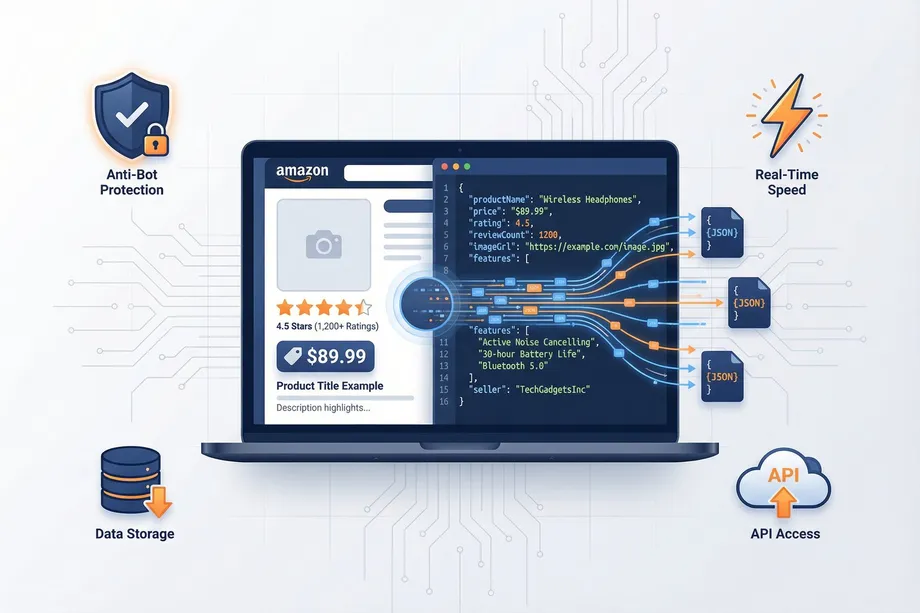
Amazon scraping in 2026 is no longer just a question of rotating IPs and changing a few headers. Amazon now combines rate limits, browser fingerprinting, behavioral analysis, CAPTCHA challenges, session scoring, marketplace-specific rules, and tighter controls around automated access. For developers, sellers, and data teams, the practical challenge is understanding how Amazon anti-scraping protection works and when a bypass technique is likely to hold up.
This guide updates the earlier Amazon anti-scraping techniques discussion for 2026. It covers the March 2026 BSA update, Amazon's new restrictions on AI crawlers, the core defenses used across product pages and Amazon search results, and the current bypass methods teams use when they need reliable Amazon data extraction.
What Changed in 2026: Amazon's Latest Anti-Bot Upgrades
The biggest change in 2026 is that Amazon's anti-bot systems now treat automated browsing, AI crawler traffic, and commercial scraping as separate risk categories. A basic scraper may still be blocked by IP reputation or CAPTCHA, while an AI crawler may be restricted earlier because it identifies itself, follows predictable fetch patterns, or requests pages at a scale that does not match normal shopping behavior.
In March 2026, Amazon updated its Business Solutions Agreement (BSA) language to place tighter limits on automated access by AI crawlers and systems that collect marketplace data for model training, content generation, or resale. For engineering teams, the practical effect is clear: scraping workflows need stronger attention to authorization, permitted use, request volume, and data retention. The update also reinforces why compliance review matters before scaling Amazon data collection.
Technically, the 2026 stack is more adaptive. Amazon can evaluate request velocity, IP reputation, TLS and HTTP fingerprints, cookie history, browser automation signals, page interaction timing, and account/session trust together instead of relying on a single trigger. That means one weak signal may not block a request, but several weak signals together can push a session into CAPTCHA, throttling, or a hard block.
Amazon's Wall of Defense: Key Anti-Scraping Techniques
Amazon's anti-scraping techniques are layered. The goal is not only to stop bots, but also to classify traffic quality and reduce access for sessions that look automated, abusive, or non-compliant.
1. IP Address Blocking & Rate Limiting
Amazon watches how many requests arrive from the same IP, subnet, ASN, region, and proxy provider. A sudden spike from one IP or a pattern that moves too quickly through product detail pages, search pages, reviews, and offers can trigger throttling or blocking.
2. CAPTCHA Challenges
CAPTCHAs appear when Amazon wants extra confidence that a session is human. In 2026, CAPTCHA prompts are more likely when IP reputation is weak, cookies are missing, page timing is unnatural, or the browser fingerprint does not match the claimed device.
3. Browser Fingerprinting
Amazon can compare many browser and device signals: user agent, viewport, WebGL, canvas behavior, fonts, language, timezone, TLS fingerprint, HTTP header order, and automation artifacts. A scraper that sends a Chrome user agent but exposes headless or inconsistent browser signals is easier to classify.

4. Behavioral Analysis
Real shoppers hesitate, scroll, compare, return to search results, and click in uneven patterns. Bots often request pages in a rigid sequence and at a speed that no human would use. Amazon can use timing, navigation paths, and interaction depth as trust signals.
5. Session, Cookie & Account Trust
Amazon can score sessions over time. New sessions with no cookie history, mismatched geolocation, inconsistent locale settings, or repeated blocked attempts may be treated as low trust. Logged-in activity can also be sensitive because account behavior introduces compliance and risk considerations.
6. AI Crawler Identification
Since the 2026 BSA update, AI-related crawling is a sharper focus. Crawlers that identify themselves in headers, fetch large volumes of pages for model training, ignore robots or contractual restrictions, or reuse predictable infrastructure can be limited more aggressively.
How Amazon's Anti-Scraping Protection Works
Amazon's protection works as a scoring system. A request is evaluated across network, browser, session, behavior, and content-access signals. If the score looks normal, the page loads. If it looks suspicious, Amazon may slow the response, return a CAPTCHA, serve incomplete content, redirect the request, or block the session entirely.
This is why one technique rarely solves the full problem. A residential proxy may improve IP reputation, but it will not fix a bad browser fingerprint. A real browser may reduce automation signals, but it will not help if the request rate is too high. A good Amazon scraper in 2026 needs consistent identity, realistic pacing, valid session handling, and a clear understanding of what data it is allowed to collect.
Current Bypass Techniques for 2026
The techniques below are the current practical toolkit. Use them only within the limits of applicable laws, contracts, robots policies, and Amazon's terms for your use case.
Technique 1: Proxy Rotation
Proxy rotation spreads requests across multiple IP addresses so Amazon does not see all traffic coming from a single source. Residential and mobile proxies usually have better reputation than datacenter proxies, but they are more expensive and still need careful pacing.
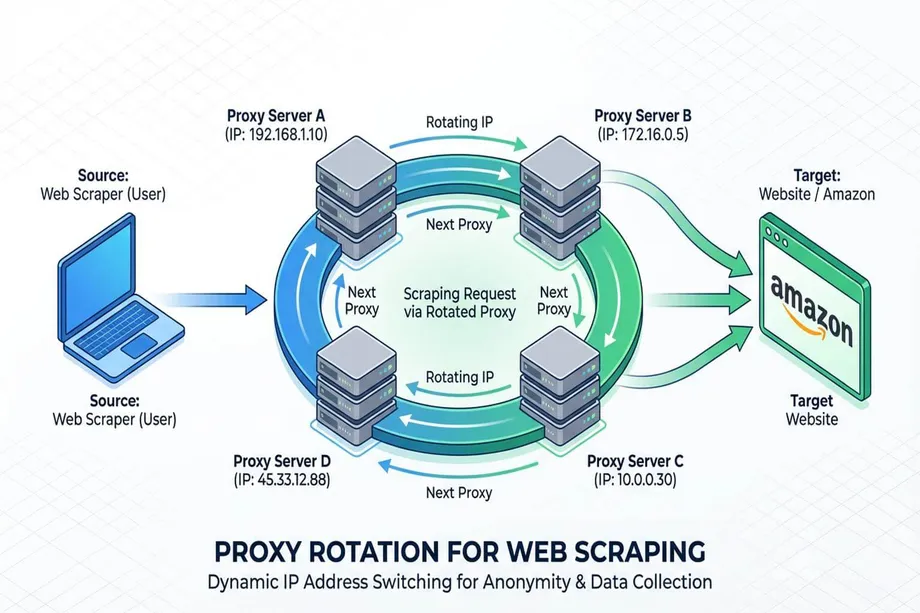
Works when: request volume is moderate, proxies match the target marketplace, sessions are sticky enough to look consistent, and IP reputation is clean.
Fails when: proxies are low-quality, overused, geographically inconsistent, or rotated so aggressively that every request looks like a new identity.
import requests
import random
proxy_list = [
"http://user:[email protected]:8080",
"http://user:[email protected]:8080",
"http://user:[email protected]:8080",
]
proxy = random.choice(proxy_list)
response = requests.get(
"https://www.amazon.com/dp/B08N5WRWNW",
proxies={"http": proxy, "https": proxy},
timeout=30,
)
print(response.status_code)
Technique 2: User-Agent and Header Consistency
User-agent rotation is still useful, but random header rotation is no longer enough. In 2026, headers need to be internally consistent with the browser, device, locale, and TLS profile. A mobile user agent with desktop viewport and mismatched language settings can be more suspicious than a stable identity.
Works when: user agent, headers, viewport, language, timezone, and TLS behavior all match a realistic browser profile.
Fails when: headers are randomized independently, outdated browser versions are used, or the browser fingerprint contradicts the claimed user agent.
headers = {
"User-Agent": "Mozilla/5.0 (Windows NT 10.0; Win64; x64) AppleWebKit/537.36 Chrome/124 Safari/537.36",
"Accept-Language": "en-US,en;q=0.9",
"Accept": "text/html,application/xhtml+xml,application/xml;q=0.9,*/*;q=0.8",
}
response = requests.get(
url,
headers=headers,
proxies=proxies,
timeout=30,
)
Technique 3: Real Browser Rendering
Headless browser automation can load JavaScript, manage cookies, and behave closer to a shopper than raw HTTP requests. Tools like Playwright are useful for pages where price, offers, or availability depend on client-side behavior.
Works when: JavaScript execution, cookies, viewport, pacing, and navigation paths are realistic and consistent.
Fails when: automation fingerprints leak, every session follows the same path, or concurrency is scaled without human-like timing.
Technique 4: Human-Like Rate Control
Scrapers should use queues, backoff, request budgets, and marketplace-specific limits. Slowing down is often more effective than adding more proxies because Amazon looks at traffic shape, not just request source.
Works when: requests are paced, retries back off after CAPTCHA or 503 responses, and collection windows are spread over time.
Fails when: the crawler retries immediately, spikes during short windows, or fetches deep product and review pages at machine speed.
Technique 5: Session and Cookie Management
Stable sessions can help when the same browser identity needs to make several related requests. Session reuse should be cautious: cookies, locale, domain, and proxy location should stay aligned.
Works when: a session behaves like one coherent user in one marketplace and does not switch identity mid-stream.
Fails when: cookies from one region are reused with another region's proxy, sessions are shared across too many workers, or blocked cookies are recycled.
Technique 6: CAPTCHA Handling and Recovery
CAPTCHA handling should be treated as a signal, not just an obstacle. A CAPTCHA means the session has lost trust. Good recovery may involve pausing, lowering volume, switching to a fresh clean session, or using a managed extraction provider.
Works when: CAPTCHA events are rare, logged, and used to reduce risk in the crawler strategy.
Fails when: the system solves CAPTCHAs repeatedly while continuing the same aggressive traffic pattern.
The Safer Shortcut: Using an Amazon Scraping API
Managing proxies, browser fingerprints, CAPTCHAs, retries, session trust, and 2026 AI crawler restrictions can become a full-time infrastructure project. A dedicated Amazon scraping API such as Easyparser handles these moving parts in the background and returns structured data instead of raw blocked pages. Teams that need Buy Box and seller competition data can also use the Amazon Product Offers API instead of scraping offer widgets directly.
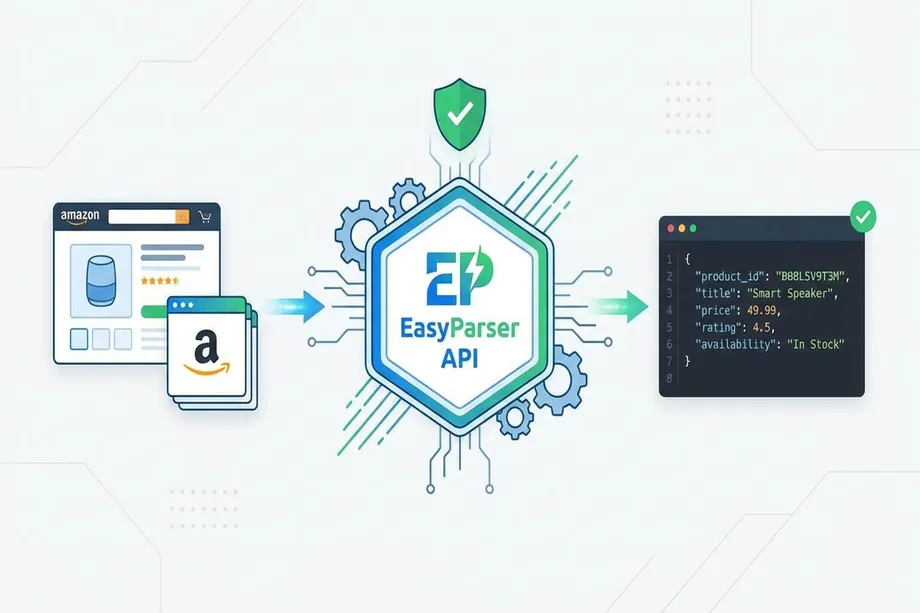
With Easyparser, developers can request Amazon product data through purpose-built operations instead of maintaining a fragile scraper. For example, the Amazon Product Detail API returns clean JSON for an ASIN.
import requests
import json
payload = {
"api_key": "YOUR_EASYPARSER_API_KEY",
"platform": "AMZ",
"domain": "com",
"asin": "B08N5WRWNW",
"operation": "DETAIL"
}
response = requests.post(
"https://api.easyparser.com/v1/request",
json=payload,
timeout=30,
)
print(json.dumps(response.json(), indent=2))
Start extracting Amazon data for free
Start Your Free Trial100 free credits, no credit card required.