An Amazon scraping API is a way to turn Amazon pages into structured data that software can use. Instead of asking a person to copy prices, ratings, seller names, stock signals, or product titles from a browser, an API sends a request to a scraping system and receives a clean response, usually in JSON.
That sounds simple, but Amazon data extraction is rarely just about downloading HTML. Product pages change often, results differ by location, offers depend on seller and shipping context, and anti-bot systems can block unusual traffic patterns. A scraping API exists to manage those moving parts so teams can focus on analysis, automation, and business workflows.
This guide explains what an Amazon scraping API is, how it works step by step, what kind of data it can collect, why businesses use it, and what to consider before building workflows around Amazon data in 2026.
What Is an Amazon Scraping API?
An Amazon scraping API is a managed interface for extracting publicly visible information from Amazon pages and returning it in a structured format. You send parameters such as an ASIN, keyword, Amazon marketplace, location, or operation type. The API handles the page retrieval, parsing, normalization, and error handling behind the scenes.
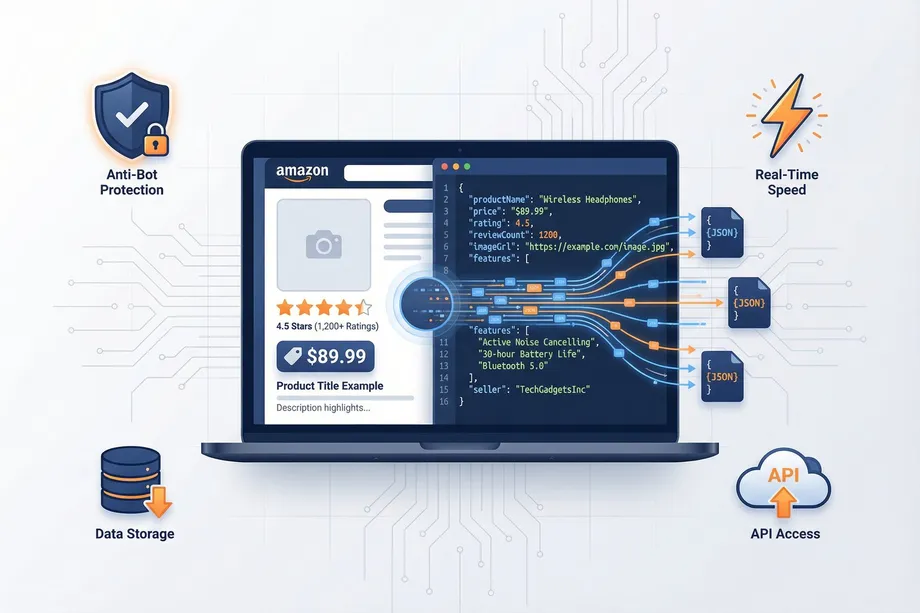
For example, a product detail request might start with an ASIN such as B09V323255. Instead of receiving a full web page, your application receives fields like product title, price, currency, rating, review count, images, availability, seller information, feature bullets, and category rank.
The main value is consistency. Amazon pages are designed for human browsing, not for direct database-style access. A scraping API converts that changing browser experience into predictable fields that can be stored, compared, searched, or connected to internal tools.
How Does Amazon Scraping Work? Step-by-Step
Most Amazon scraping APIs follow a similar workflow, even if the infrastructure behind them differs by provider.
- Your application sends a request. The request includes the target marketplace, page type, and input value, such as an ASIN for a product page or a keyword for search results.
- The API prepares the browsing context. It may select an appropriate proxy, region, language, device profile, headers, cookies, or session state depending on the request.
- The scraper loads the Amazon page. Some pages can be fetched with lightweight HTTP requests, while others may require browser rendering when content depends on JavaScript or dynamic page behavior.
- Anti-bot and failure conditions are handled. The system detects blocks, CAPTCHAs, empty responses, redirects, throttling, or temporary network issues and may retry with a different strategy.
- The page is parsed into structured fields. Raw HTML is transformed into normalized output such as title, price, rating, stock status, seller names, offer count, image URLs, and product identifiers.
- The API returns data to your system. Your application receives a machine-readable response that can be stored in a database, sent to dashboards, or used in automation logic.
The best implementations make this process feel like a normal API call. The difficult parts, including request routing, parsing changes, localization, retries, and response normalization, happen outside your application.
Amazon Scraping API vs Manual Scraping: Key Differences
Manual scraping usually means building and maintaining your own scripts. You write code to request pages, rotate IP addresses, parse HTML, handle blocked responses, update selectors, and monitor failures. This can work for small experiments, but it becomes fragile as request volume, page variety, or business dependency grows.
An Amazon scraping API is a managed alternative. The provider maintains the extraction infrastructure and exposes a simpler interface to your team. You still decide what data to request and how to use it, but you do not need to rebuild the scraping stack every time Amazon changes a page layout.
| Area | Manual Scraping | Amazon Scraping API |
|---|---|---|
| Setup | Requires custom scripts, parsing rules, proxies, and monitoring. | Uses documented endpoints and request parameters. |
| Maintenance | Breaks when layouts, blocks, or selectors change. | Provider maintains parsing and access logic. |
| Scale | Harder to manage across many ASINs, keywords, or regions. | Built for concurrent and repeatable requests. |
| Data Format | Often starts as raw HTML that must be cleaned. | Returns structured JSON or similar formats. |
| Reliability | Depends on your infrastructure and error handling. | Usually includes retries, routing, and response validation. |
What Data Can You Extract from Amazon?
The exact fields depend on the page type, marketplace, and API provider, but Amazon scraping APIs commonly support several categories of product and marketplace data.
- Product details: title, brand, ASIN, description, feature bullets, images, variations, product dimensions, and technical attributes.
- Pricing data: current price, list price, sale price, currency, discounts, coupons, and price availability signals.
- Offer data: seller names, fulfillment method, Buy Box signals, shipping cost, condition, delivery estimate, and number of offers.
- Availability data: in-stock status, stock messages, delivery windows, unavailable products, and regional availability differences.
- Review and rating data: average rating, review count, rating distribution, review snippets, and review metadata where available.
- Search and ranking data: keyword results, sponsored placements, organic rank, category position, and competing products.
- Category and market data: Best Sellers Rank, category paths, related products, frequently bought together products, and marketplace-specific signals.
Because Amazon is localized, the same product can show different prices, sellers, delivery estimates, or stock status depending on country, ZIP code, language, and account context. For business workflows, location-aware extraction is often just as important as the product fields themselves.
How Amazon Anti-Bot Mechanisms Affect Scraping
Amazon protects its platform with anti-bot systems designed to detect automated traffic. These systems are one of the main reasons teams use a specialized API instead of simple scripts.
Common anti-bot signals include unusual request volume, repeated access patterns, suspicious headers, datacenter IP reputation, missing browser behavior, invalid sessions, rapid page navigation, and traffic that does not resemble normal regional browsing. When a system is flagged, Amazon may return CAPTCHAs, temporary blocks, empty pages, redirects, or inconsistent content.
A scraping API typically reduces these issues with proxy management, session handling, realistic request fingerprints, controlled retries, rate management, browser rendering when needed, and continuous parser updates. The goal is not only to get a page once, but to make data extraction repeatable across many products, keywords, and marketplaces.
Why Businesses Use Amazon Scraping APIs
Amazon changes quickly. Prices move, sellers rotate, stock status shifts, search rankings fluctuate, and reviews accumulate over time. Businesses use Amazon scraping APIs when they need timely data without assigning people to repetitive browser checks or maintaining fragile internal scrapers.
Common business reasons include monitoring competitor prices, validating product catalogs, finding new market opportunities, tracking seller activity, checking marketplace availability, measuring brand presence, and feeding dashboards or internal decision systems. For teams that depend on Amazon data daily, the API becomes a data pipeline rather than a one-off scraping tool.
Common Use Cases: Price Monitoring, Research & More
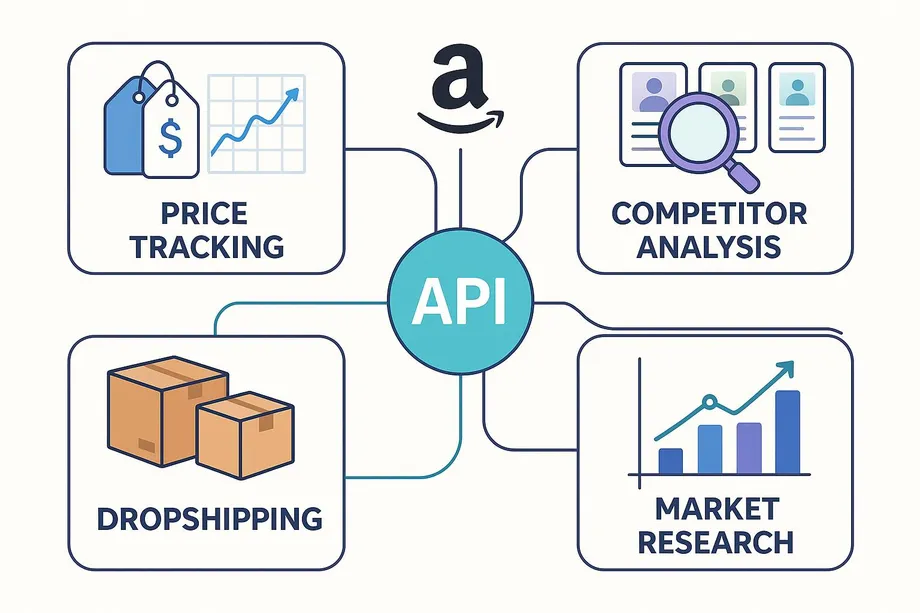
Price Monitoring and Repricing
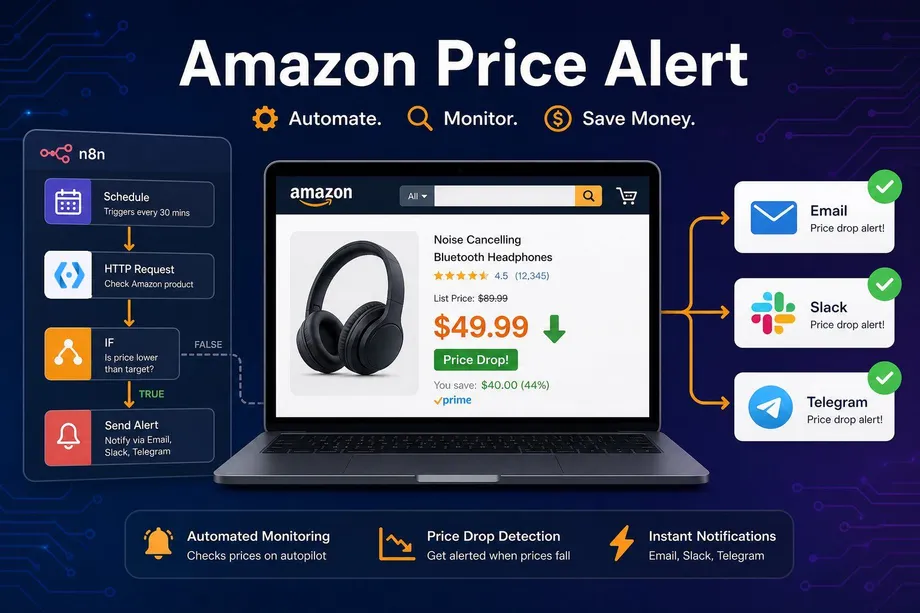
Retailers, sellers, and analytics teams use Amazon pricing data to track competitor movement, identify price drops, monitor Buy Box changes, and support repricing strategies. Frequent API calls can help detect changes faster than manual review.
Product Research
Amazon scraping APIs can collect search results, product attributes, ratings, review counts, and category ranks to help teams evaluate demand, competition, positioning, and assortment gaps before launching or sourcing products.
Catalog Matching and Enrichment
Brands and marketplaces often need to match internal SKUs to Amazon ASINs, enrich catalog records, validate images or titles, and compare published listings against internal product data.
Seller and Offer Monitoring
Offer data helps teams understand who is selling a product, how fulfillment is handled, whether unauthorized sellers appear, and how seller competition changes over time.
Search Visibility Tracking
Keyword scraping can show where products appear in Amazon search results. This helps with marketplace SEO, advertising analysis, category monitoring, and brand visibility reporting.
Availability and Regional Checks
Availability, delivery estimates, and shipping options can vary by region. Location-aware scraping is useful for stock monitoring, regional price analysis, and marketplace operations.
How to Choose the Right Amazon Scraping API
Choosing an Amazon scraping API should start with the workflow you need to support. A small product research tool has different requirements than a daily price intelligence pipeline that monitors millions of ASINs across multiple marketplaces.
- Data coverage: Confirm that the API supports the page types and fields you need, such as product details, offers, search results, reviews, or product lookup.
- Marketplace and location support: Check whether it can return localized results for the countries, ZIP codes, currencies, and languages that matter to your business.
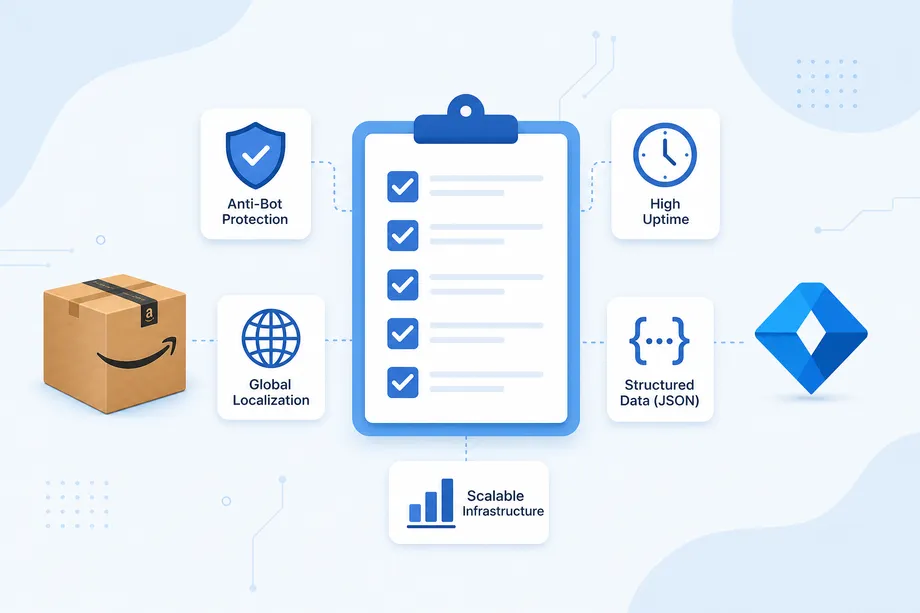
- Reliability: Look for clear success-rate expectations, retry behavior, error codes, and monitoring practices.
- Freshness and speed: Decide whether you need near real-time results or whether scheduled batch collection is enough.
- Scalability: Make sure the API can handle your expected volume, concurrency, and growth without unpredictable limits.
- Output quality: Review sample responses for field consistency, null handling, data normalization, and clear documentation.
- Pricing model: Compare cost per successful result, not only cost per request. Some services use credit multipliers for complex pages.
- Developer experience: Good documentation, predictable parameters, useful examples, and transparent errors reduce integration time.
Easyparser vs. The Competition: Pricing Comparison
Easyparser offers a transparent, credit-based system that is highly competitive, especially when you consider speed, reliability, and the number of successful product results included. When comparing Amazon scraping APIs, the important metric is not only the advertised request price, but the true cost of a usable result.
| Brand | 1K Operations | Price per 1K Operations | Lowest Package Price | Lowest Package Result |
|---|---|---|---|---|
| Easyparser | 1,000 | $0.49 | $49.00 | 100,000 |
| Oxylabs | 1,000 | $0.50 | $49.00 | 98,000 |
| ScrapingDog | 1,000 | $1.00 | $40.00 | 40,000 |
| ScrapingBee | 1,000 | $0.98 | $49.00 | 50,000 |
| RainforestApi | 1,000 | $8.30 | $83.00 | 10,000 |
Legal Considerations for Amazon Data Scraping
Amazon data scraping sits at the intersection of public web data, platform terms, privacy rules, intellectual property, and responsible system use. The legal and compliance position can vary by jurisdiction, data type, method, and intended use, so teams should treat this as a governance question rather than a purely technical one.
As a practical rule, avoid collecting personal data, do not attempt to access private account information, do not bypass authentication, and do not use scraped data in ways that violate applicable laws or contracts. Prefer collecting publicly visible product and marketplace information, apply sensible rate limits, and document why the data is needed.
For commercial projects, involve legal counsel before launching at scale. A scraping API can help with reliability and operational controls, but it does not replace legal review or responsible data practices.
Getting Started with Easyparser in 3 Simple Steps
Easyparser is designed for a simple developer experience. You can go from signup to your first successful Amazon API call in a few minutes.
Step 1: Create a Free Account
Sign up for a free Demo account. You get 100 credits to start testing immediately, with no credit card required.
Step 2: Get Your API Key
Once registered, your unique API key will be available on your profile page in the dashboard.
Step 3: Make Your First API Call
Use Python or your favorite programming language to make your first request. Here is how to fetch product details for an ASIN using Python:
import requests
import json
# Set up the request parameters
params = {
'api_key': 'YOUR_API_KEY',
'platform': 'AMZ',
'operation': 'DETAIL', # DETAIL, OFFER, SEARCH, PRODUCT_LOOKUP, and more...
'asin': 'B09V323255', # Example ASIN
'domain': '.com'
}
# Make the HTTP GET request to Easyparser API
api_result = requests.get('https://realtime.easyparser.com/v1/request', params)
# Pretty-print the JSON response
product_data = api_result.json()
print(json.dumps(product_data, indent=2))
The product_data response contains structured Amazon product fields such as title, brand, price, availability, images, feature bullets, specifications, variations, category data, ratings, reviews, seller and Buy Box signals, and request metadata depending on the product page. To see a real Product Detail API response example, visit the Amazon Product Data API example output.
You can also explore all Easyparser Amazon data APIs, including Product Detail, Product Offer, Search Listing, Product Lookup, Best Sellers Rank, Package Dimension, and seller-focused APIs.
Bulk Processing for Large-Scale Amazon Data Jobs
For larger workflows, Easyparser also provides a Bulk API. Instead of sending one real-time request at a time, you can submit many Amazon operations in a single POST request and let Easyparser process them asynchronously in the background.
This is useful for daily product monitoring, multi-ASIN detail collection, keyword research at scale, offer tracking, analytics pipelines, and any workflow where you want to reduce API overhead while collecting structured Amazon data across many inputs.
- Create a bulk job: Send a request to
https://bulk.easyparser.com/v1/bulkwith your operation, marketplace domain, payload, andcallback_url. - Receive result IDs: Easyparser validates the request and returns IDs for accepted items. Each ID represents a unit of work.
- Wait for the webhook: When processing is complete, Easyparser sends a POST request to your callback URL.
- Fetch final results: Use the returned IDs with the Data Service endpoint to retrieve parsed JSON results.
Here is a Bulk API example that submits two Amazon product detail requests by ASIN:
import requests
import json
# Set up the Bulk API endpoint and headers
url = 'https://bulk.easyparser.com/v1/bulk'
headers = {
'api-key': 'YOUR_API_KEY',
'Content-Type': 'application/json'
}
# Create a bulk job with multiple Amazon product detail requests
payload = [
{
'platform': 'AMZ',
'operation': 'DETAIL',
'domain': '.com',
'payload': {
'asins': [
'B0DQY6J9TL',
'B0CF3VGQFL'
]
},
'callback_url': 'https://example.com/webhook'
}
]
# Submit the bulk job to Easyparser
api_result = requests.post(url, headers=headers, data=json.dumps(payload))
# Print the accepted result IDs returned by the Bulk API
bulk_response = api_result.json()
print(json.dumps(bulk_response, indent=2))
A successful bulk response includes metadata such as accepted, invalid, failed, insufficient credit, and rate-limited counts. Accepted items include result IDs that can later be used to fetch the parsed data.
import requests
import json
# Use a query ID returned by the Bulk API response
query_id = 'YOUR_QUERY_ID'
url = f'https://data.easyparser.com/v1/queries/{query_id}/results?format=json'
# Set up the Data Service request headers
headers = {
'api-key': 'YOUR_API_KEY'
}
# Fetch the parsed Amazon data from Easyparser Data Service
api_result = requests.get(url, headers=headers)
# Pretty-print the JSON response
parsed_data = api_result.json()
print(json.dumps(parsed_data, indent=2))
The Data Service response contains the completed operation status, the original payload, request diagnostics, and a json_result object with the parsed Amazon data. Store results as soon as they are available, because bulk results are temporary and may be available for up to 24 hours.
Ready to get started? Sign up for a free Easyparser account today and make your first API call in minutes.
Start building with the Easyparser API today
Start Your Free Trial100 free credits, no credit card required.