Amazon is a vast ocean of data, offering invaluable insights for e-commerce sellers, market analysts, and developers. From tracking competitor pricing to analyzing customer reviews, the ability to programmatically access this data is a significant competitive advantage. While many turn to Python libraries like requests and BeautifulSoup for this task, they often discover that scraping Amazon is far from straightforward.
This guide will walk you through the manual process of scraping Amazon product data using Python, highlighting the common and often frustrating challenges developers face. We will then demonstrate a more efficient, reliable, and scalable solution using the Easyparser API, which is designed to handle these complexities for you.
The Manual Approach: Scraping Amazon with Requests and BeautifulSoup
The go-to toolkit for many Python developers for web scraping is the combination of the requests library for making HTTP requests and BeautifulSoup for parsing HTML. Here's a look at how you would typically use them to scrape an Amazon product page and the problems you'll inevitably encounter.
Understanding the Basic Setup
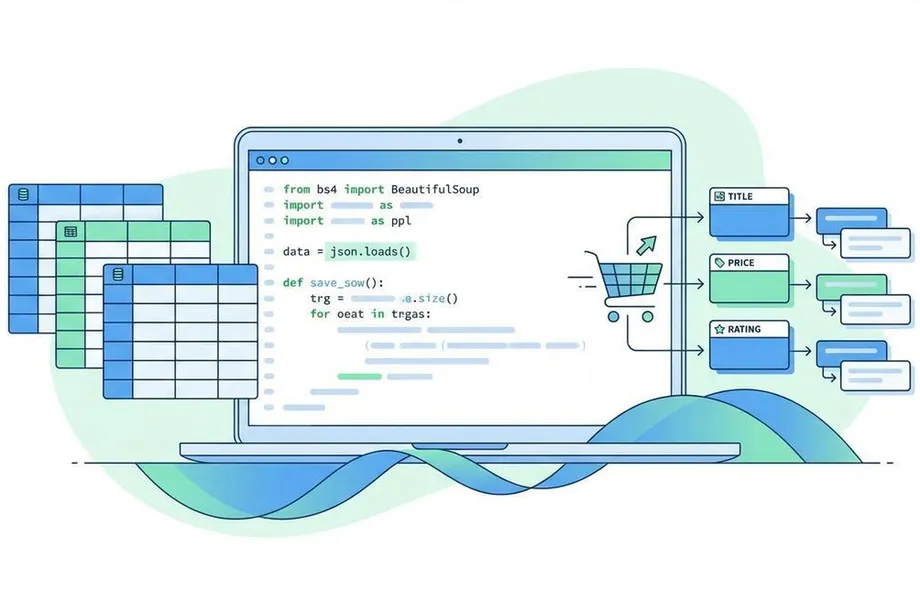
Before diving into the challenges, let's understand what a basic Amazon scraping script looks like. The process involves sending an HTTP request to an Amazon product page, receiving the HTML response, and then parsing that HTML to extract specific data points like product title, price, and rating.
The requests library handles the HTTP communication, while BeautifulSoup provides a convenient interface for navigating and searching through the HTML document structure. In theory, this combination should make web scraping straightforward. In practice, when dealing with a sophisticated platform like Amazon, the reality is quite different.
The Core Challenges of Scraping Amazon Manually
Scraping a simple static website is one thing; scraping a dynamic, sophisticated e-commerce giant like Amazon is another. Developers quickly run into several major roadblocks that make manual scraping impractical for production use.
1. Robust Anti-Bot Detection
Amazon invests heavily in sophisticated systems to distinguish between human users and automated bots. A simple requests.get() call is instantly flagged, leading to a CAPTCHA page or an outright block. These systems analyze multiple factors including request patterns, HTTP headers, IP reputation, and behavioral signals. Even if you successfully bypass the initial detection by adding proper headers, sustained scraping activity will eventually trigger Amazon's defenses.
2. Dynamic and Ever-Changing Page Structure
There is no single, consistent HTML layout for Amazon product pages. The structure can vary significantly based on the product category, the seller, and whether the product is part of a promotion. A scraper written for a book page might break completely when used on an electronics page. Amazon also frequently updates its layouts, which means a scraper that works today could fail tomorrow, requiring constant maintenance and monitoring.
3. IP Blocking and Rate Limiting
Making a large volume of requests from a single IP address is a clear signal of automated activity. Amazon will quickly rate-limit or permanently block your IP, forcing you to implement complex and costly proxy rotation solutions. Even with proxies, you need to carefully manage request timing and distribution to avoid detection patterns.
4. Handling JavaScript-Rendered Content
Not all data is present in the initial HTML source. Prices, stock availability, and especially high-resolution images are often loaded dynamically with JavaScript. This requires more advanced tools like Selenium or Playwright, which are slower and more resource-intensive than simple HTTP requests. These tools also consume significantly more memory and CPU, making them expensive to run at scale.
A Practical Example: The Painful Reality
Let's try to scrape the title, price, and rating of a product. First, you need to install the necessary libraries:
pip install requests beautifulsoup4
Next, you write the script. To even have a chance of getting a valid HTML response, you must mimic a real browser by sending a convincing User-Agent and other headers.
import requests
from bs4 import BeautifulSoup
URL = "https://www.amazon.com/dp/B0BSHF7WHW" # Example Product ASIN
headers = {
"User-Agent": "Mozilla/5.0 (Windows NT 10.0; Win64; x64) AppleWebKit/537.36",
"Accept-Language": "en-US,en;q=0.9",
"Accept-Encoding": "gzip, deflate, br",
"Accept": "text/html,application/xhtml+xml,application/xml;q=0.9"
}
response = requests.get(URL, headers=headers)
soup = BeautifulSoup(response.content, "html.parser")
try:
title = soup.find("span", {"id": "productTitle"}).get_text().strip()
price = soup.find("span", {"class": "a-offscreen"}).get_text().strip()
rating = soup.find("span", {"class": "a-icon-alt"}).get_text().strip()
print(f"Title: {title}")
print(f"Price: {price}")
print(f"Rating: {rating}")
except AttributeError:
print("Could not find elements. Page structure changed or request blocked.")
Even if this script works once, it's incredibly fragile. If Amazon changes a class name from a-offscreen to price-value, the script breaks. If your request is blocked, response.content will be a CAPTCHA page, and the script will fail with an AttributeError. This manual method is brittle, unreliable for scalable use, and requires constant, time-consuming maintenance.
Why Manual Scraping Fails at Scale
Beyond the technical challenges, manual scraping presents several practical problems for businesses and developers. The time investment required to build and maintain scrapers is substantial. You need to constantly monitor for changes, update selectors, manage proxy pools, and handle errors. This diverts valuable development resources away from core product features.
The reliability issues are equally concerning. A scraper that works 90% of the time means 10% of your data is missing or incorrect, which can lead to poor business decisions. For e-commerce sellers relying on accurate competitor pricing, or analysts building market reports, this level of unreliability is simply unacceptable.
The Smart Solution: Using the Easyparser API
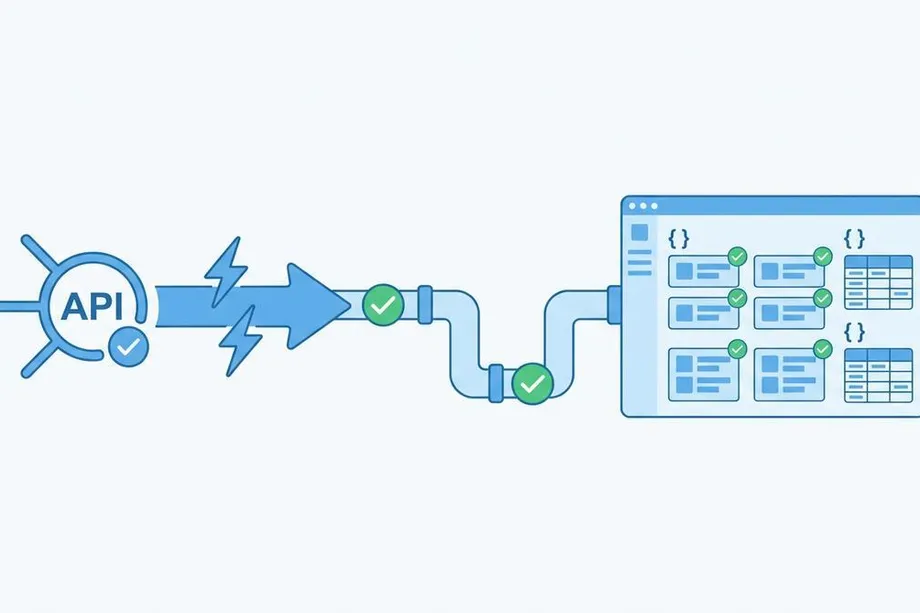
Instead of fighting a losing battle against Amazon's defenses, you can use a dedicated service that handles all the complexity for you. The Easyparser API is a real-time Amazon scraper built to deliver clean, structured JSON data without the hassle of managing proxies, headers, or HTML parsing.
Why Easyparser is the Superior Approach
Easyparser eliminates all the pain points of manual scraping by providing a developer-friendly API that abstracts away the complexity. With over 7 years of experience and 85 million daily successful transactions, Easyparser has proven its reliability at scale.
No More Blocks or CAPTCHAs: Easyparser manages a massive network of proxies and uses sophisticated anti-blocking technology to ensure a near-perfect success rate of 98.2%. You never have to worry about IP bans or CAPTCHA challenges.
Structured JSON Output: You get clean, predictable JSON data every time. No more fragile HTML parsing or broken selectors. The data structure remains consistent regardless of how Amazon changes its frontend.
Real-Time and Bulk Data: Get fresh, real-time data for any product with response times measured in seconds, not minutes. For large-scale analysis, submit bulk requests for up to 5,000 products at once, perfect for competitive intelligence and market research.
Zero Maintenance: Since Easyparser handles the scraping infrastructure, you never have to worry about Amazon changing its website structure. Your code remains stable and your integration continues working without constant updates.
Geo-Personalization: Easily request data specific to a country, ZIP code, or city to see localized pricing and availability, just as a real user would. This is crucial for accurate competitor analysis and regional market insights.
Example: Getting Product Data with Easyparser
Here's how you would get the same product data using the Easyparser API. The code is simpler, more readable, and infinitely more robust than the manual approach.
import requests
API_KEY = "YOUR_API_KEY" # Get your key from app.easyparser.com
ASIN = "B0BSHF7WHW"
params = {
"api_key": API_KEY,
"platform": "AMZ",
"operation": "DETAIL",
"asin": ASIN,
"domain": ".com"
}
response = requests.get("https://realtime.easyparser.com/v1/request", params=params)
if response.status_code == 200:
data = response.json()
product = data.get("product", {})
print(f"Title: {product.get('title')}")
print(f"Price: ${product.get('price')}")
print(f"Rating: {product.get('rating')} out of 5 stars")
else:
print(f"API request failed with status code: {response.status_code}")
The response is a clean JSON object with all the data you need:
{
"credit_used": 1,
"asin": "B0BSHF7WHW",
"title": "Apple 2023 MacBook Pro Laptop M2 Pro chip...",
"price": "1999.00",
"rating": "4.7",
"reviewCount": "150",
"image": "https://m.media-amazon.com/images/I/61lYmF5kRSL.jpg",
"availability": "In Stock"
}
Advanced Use Cases: Bulk Operations and Market Analysis
For e-commerce sellers and market analysts, the ability to process thousands of products efficiently is crucial. Easyparser's Bulk API allows you to submit up to 5,000 product requests in a single API call, making it ideal for comprehensive competitor analysis and market research.
The bulk processing happens asynchronously, so you don't have to wait for all results to complete. You can specify a webhook URL to receive notifications when the job finishes, allowing your system to process data as it becomes available. This architecture is perfect for building automated pricing tools, inventory monitoring systems, and market intelligence dashboards.
Getting Started with Easyparser
Starting with Easyparser is straightforward. The platform offers a free plan with 100 credits per month, which is perfect for testing and small-scale projects. No credit card is required to sign up, and you can start making API calls within minutes.
The documentation is comprehensive and includes code examples in multiple programming languages including Python, JavaScript, PHP, and Ruby. The API follows RESTful conventions, making it intuitive for developers familiar with modern web APIs.
Conclusion: Stop Scraping, Start Building
While manually scraping Amazon with Python is a tempting DIY project, it quickly becomes a time-consuming and unreliable endeavor. The challenges of anti-bot measures, dynamic page layouts, and IP blocks make it impractical for any serious application.
By leveraging a specialized tool like the Easyparser API, you can offload these complexities and focus on what truly matters: building your application and deriving insights from the data. With a simple API call, you get reliable, structured, and real-time Amazon data, saving you countless hours of development and maintenance.
Ready to try it yourself? Sign up for a free Easyparser trial and get 100 free credits to see the difference firsthand. Whether you're building a price comparison tool, conducting market research, or monitoring competitor activity, Easyparser provides the reliable data infrastructure you need to succeed.
Start extracting Amazon data for free
Start Your Free Trial100 free credits, no credit card required.