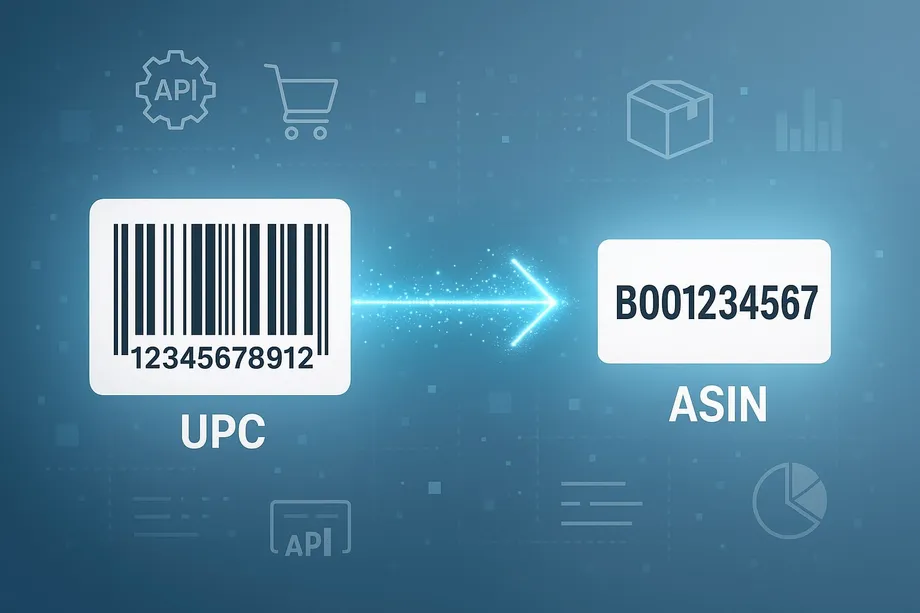

A supplier spreadsheet identifies a product by barcode, while your Amazon catalog identifies it by ASIN. Joining those records by product title alone can confuse a single bottle with a six-pack. An Amazon ASIN to UPC API provides the missing identity link, but safe catalog matching still requires a separate validation step.
Follow the full journey: choose an identifier, retrieve candidates, validate the evidence, and import approved mappings. Buyers avoid sourcing the wrong item; sellers avoid attaching stock to unrelated listings.
What Is an Amazon ASIN to UPC API?
An Amazon ASIN to UPC API looks up barcode associations for an Amazon Standard Identification Number, or Amazon candidates for a barcode. It translates between marketplace and supplier catalogs; it does not mathematically convert one number into another.
You cannot calculate a UPC from an ASIN by rearranging characters. The relationship comes from product records and catalog associations. A useful lookup can return identity evidence such as title, brand, manufacturer, and images alongside available identifiers. That evidence is essential when the same barcode appears against several listings or the expected barcode is missing.
The quick answer is therefore simple: submit the known identifier with its type and target marketplace, inspect the returned candidates, and accept only a verified product-level match. Keep unresolved rows separate. A missing result means the lookup did not establish an association, not that the physical product cannot exist.
ASIN, UPC, EAN, and GTIN: What Each Identifier Means
An ASIN identifies an item within Amazon's catalog. A GTIN identifies a trade item in the supply chain. UPC and EAN are common barcode formats used to represent these trade-item numbers. Your internal SKU identifies your own stock record, so it belongs in the mapping table but is not interchangeable with either an ASIN or a GTIN.
| Identifier | Typical form | Practical role |
|---|---|---|
| ASIN | 10 letters or digits | Amazon catalog identity, checked in the target marketplace |
| UPC | Usually GTIN-12 | Supplier or retail barcode lookup |
| EAN | Usually GTIN-13 | Retail barcode commonly used internationally |
| GTIN | 8, 12, 13, or 14 digits | Trade-item identity across catalog systems |
| ISBN, JAN, MINSAN | Type-specific formats | Book, Japanese retail, or specialized identifier workflows |
Load CSV identifiers as strings: spreadsheets can remove leading zeros or display long numbers in scientific notation. Keep raw and normalized values separately. Document any database GTIN padding convention instead of silently changing the API input.
Also separate the product from its packaging level. A consumer unit and a case of units may have different identifiers. A purchasing team ordering one case and a seller offering one unit need different mappings even when the brand and basic product name agree.
When to Use ASIN-to-Barcode vs Barcode-to-ASIN Lookup
Start with an ASIN when enriching an Amazon-first catalog
Use ASIN-to-barcode lookup when Amazon is your starting point: an existing listing, a competitor assortment, or a seller inventory export. Submit the ASIN and marketplace, retrieve available barcode associations, then compare the returned product evidence with the item you stock. Write a verified barcode into a proposed catalog update, not directly over a trusted master identifier.
A seller moving an Amazon assortment into a PIM can stage the internal SKU, ASIN, marketplace, returned barcode, and approval status. Missing barcodes stay unresolved instead of being replaced with invented numbers.
Start with a barcode when matching a supplier assortment
Use barcode-to-ASIN lookup when your source is a distributor CSV, warehouse scan, or purchase order. Submit UPC, EAN, or GTIN explicitly and retrieve Amazon candidates for the intended country. Check brand, model, color, size, and pack quantity before assigning an ASIN to the source SKU.
A buyer comparing a supplier offer with Amazon needs this identity check before price analysis. A seller onboarding the same stock needs it before listing or replenishment. In both cases, an Amazon ASIN to UPC API should produce an evidence-backed association, not a shortcut around checking what is actually inside the box.
ASINInfo: Barcode Lookup Without Writing Code
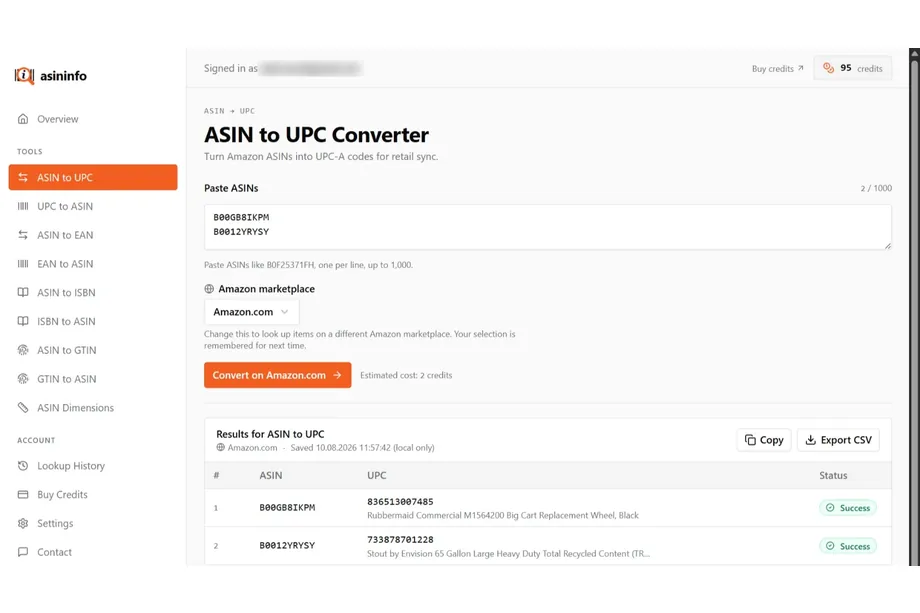
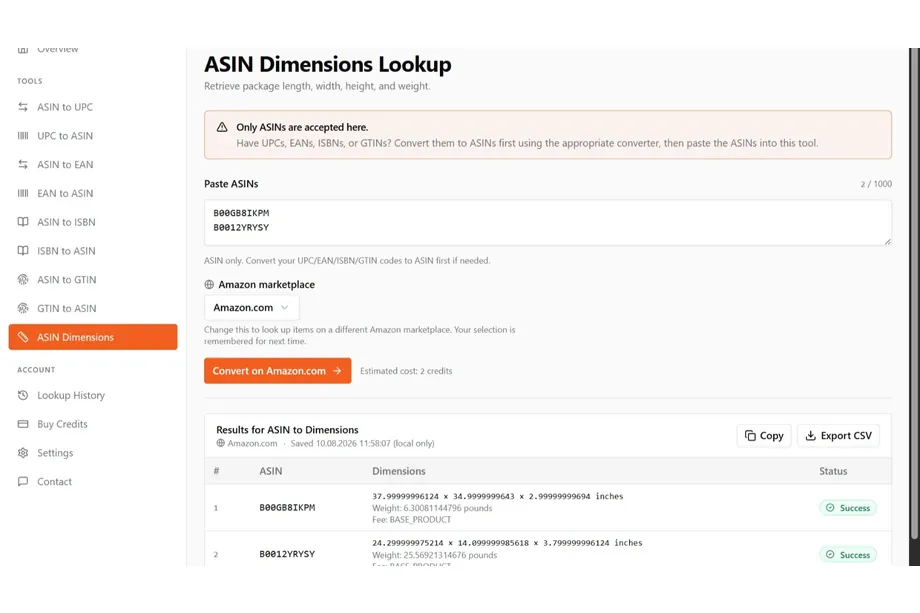
ASINInfo offers a no-code way to match Amazon ASINs with UPC-A identifiers before building an API integration. Paste a single ASIN or a list separated by lines, commas, or spaces; the converter removes duplicates and displays results in a table. It supports up to 1,000 identifiers per submission, with copy and CSV export options for catalog checks.
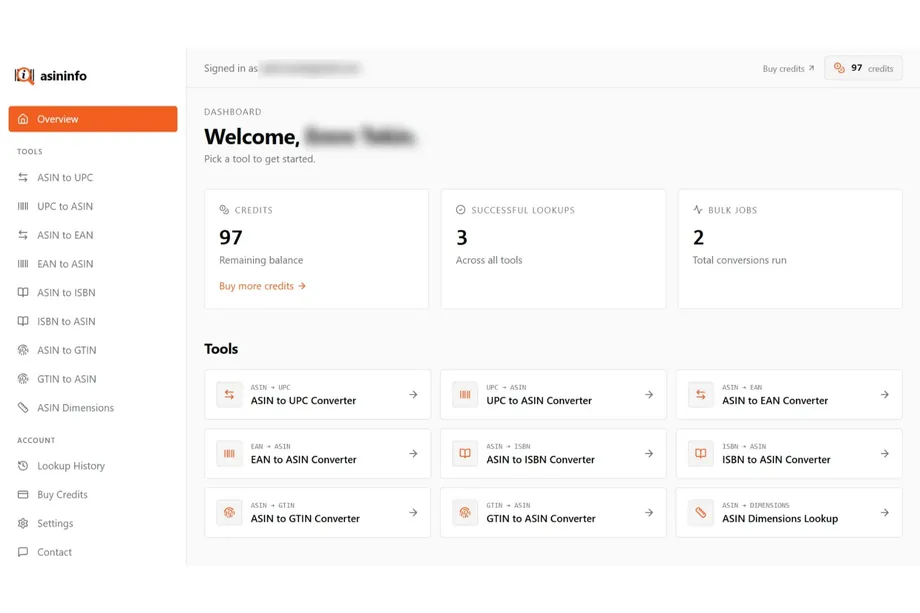
Buyers can use it to review supplier matches, while sellers can check identifiers before importing catalog updates. The dashboard also provides reverse barcode lookups and package-dimension tools. New accounts receive 100 free credits with no card required; unsuccessful lookups do not consume credits. Review product and pack-size evidence before accepting a match, since results depend on available Amazon listing data.
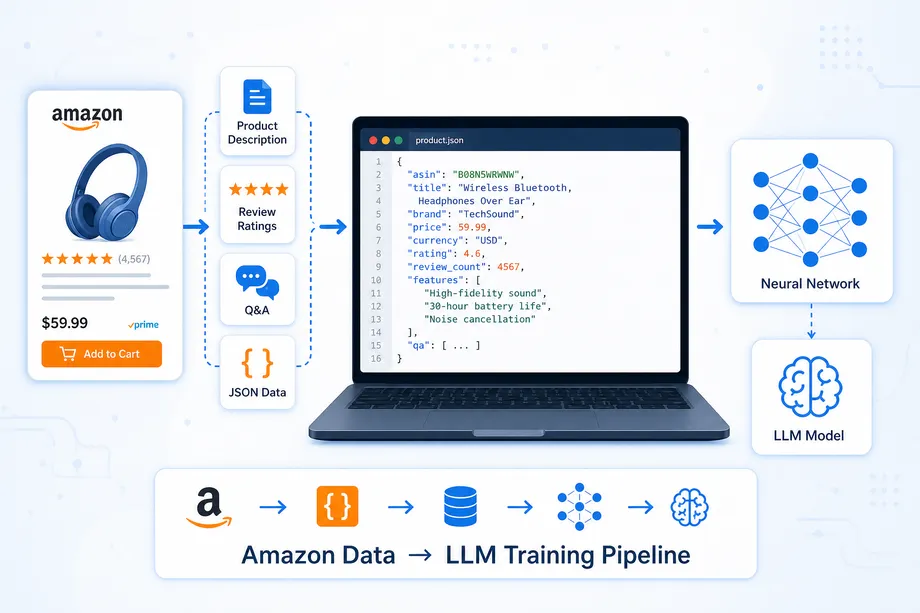
Need to convert more identifiers without manual work? Easyparser lets you automate catalog matching through its API, using real-time requests for individual lookups or asynchronous bulk jobs of up to 5,000 items for larger batches.
How PRODUCT_LOOKUP Resolves Product Identifiers
Easyparser's Product Lookup operation accepts ASIN, UPC, EAN, GTIN, ISBN, JAN, and MINSAN inputs. Set identifier_type and identifier to choose the lookup direction; results include product identity context.
The real-time endpoint accepts api_key, platform=AMZ, operation=PRODUCT_LOOKUP, and the marketplace domain alongside those identifier fields. The example below sends an ASIN. Replace the illustrative value with an ASIN from your own test set. For a UPC-to-ASIN request, set the type to UPC and provide the original barcode as a string.
import os
import requests
API_KEY = os.environ["EASYPARSER_API_KEY"]
IDENTIFIER = "B098FKXT8L" # Replace with your test ASIN
params = {
"api_key": API_KEY,
"platform": "AMZ",
"operation": "PRODUCT_LOOKUP",
"domain": "com",
"identifier_type": "ASIN",
"identifier": IDENTIFIER
}
response = requests.get(
"https://realtime.easyparser.com/v1/request",
params=params, timeout=60
)
response.raise_for_status()
data = response.json()
print(data)
Inspect successful, no-match, and multiple-candidate responses before building an adapter. HTTP success is not a verified match; check service-level errors and keep credentials out of browser code, logs, and exports.
Handling One-to-Many Barcode Matches
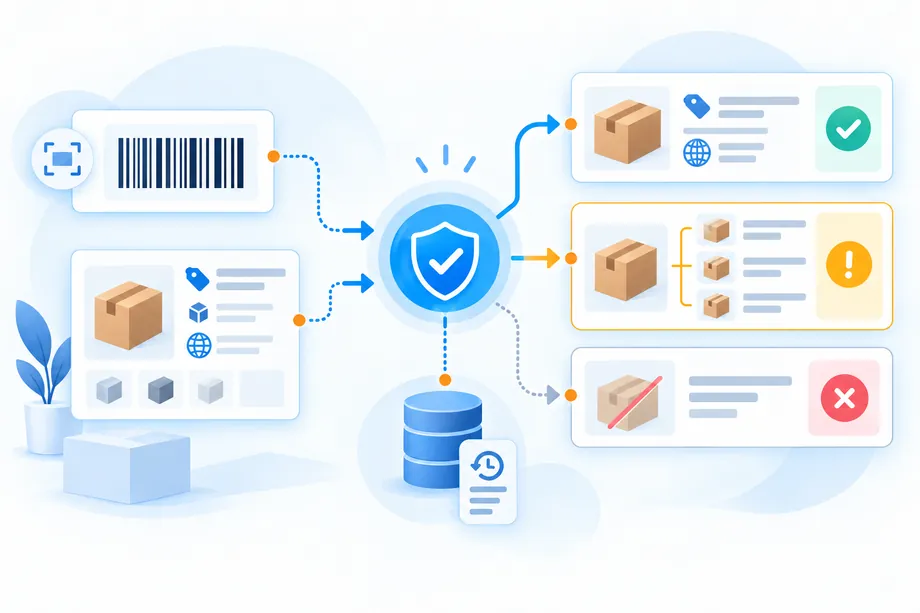
One barcode can be associated with multiple Amazon listings. Duplicate catalog entries, bundles, incorrect barcode assignments, and variation-related records can make the candidate set ambiguous. Do not select the first ASIN simply because it appears first, has the lowest price, or has the highest review count. None of those properties establishes product identity.
Use three outcomes: approved, needs review, and unresolved. Approve only when one candidate satisfies your hard identity checks. Send several plausible candidates to review. Mark missing evidence or no candidates unresolved. Record rejected candidates too, so a later import does not repeat the same mistaken association.
Consider a supplier barcode for a 500 ml bottle. A lookup exposes a matching bottle listing and a similarly named multipack. Check the unit count and size before choosing. If both candidates appear to be the same consumer unit, retain both until a reviewer can establish the intended listing. The job of an Amazon ASIN to UPC API is to surface candidates; your catalog policy decides which relationship is safe to publish.
Build a Catalog Matching Workflow for ERP, PIM, or WMS
Keep lookup results in staging before changing production inventory or listings. Preserve the source row key so each decision traces back to its supplier file, warehouse scan, or Amazon export.
- Ingest: Store internal SKU, raw identifier, declared type, supplier, and target marketplace.
- Normalize: Trim accidental whitespace, preserve zeros, validate format, and deduplicate identical lookup keys.
- Resolve: Request candidate identities and retain the result identifier or correlation key.
- Validate: Compare brand, model, variant, pack quantity, and destination-market evidence.
- Route: Separate approved mappings from ambiguous, invalid, and no-match records.
- Import: Write only approved associations with an audit trail and a reversible update plan.
For a PIM, the destination is an identifier relationship plus reviewed product attributes. For an ERP, it may be a supplier-to-item cross-reference used in purchasing. For a WMS, it may be a barcode-to-stock mapping with packaging and unit-of-measure checks. Do not let one system's success imply that the same record is ready for all three.
When richer product evidence is needed, use Product Detail after candidate resolution to inspect additional listing context. Keep enrichment fields separate from supplier-owned attributes. A marketplace title can help identify a product without becoming the authoritative title in your master catalog.
Keep a minimum audit record
Keep raw and normalized inputs, identifier type, marketplace, SKU, candidates, returned barcodes, lookup time, result reference, decision, and reason. These are your database fields, not promised API keys. Record the rule version and reviewer for approved exceptions.
Make imports idempotent so replayed rows cannot create duplicate relationships. Use stable source keys, compare proposed and existing associations, and retain previous values for rollback if replenishment or inventory routing is affected.
Real-Time Lookup vs Bulk Catalog Migration

Choose real-time lookup when a person or application needs the result of one request to continue: a sourcing check, a barcode scan, or a product onboarding screen. Choose bulk integration for a supplier file, catalog backfill, or migration where many rows can be processed asynchronously. The identity checks remain the same; only the delivery and orchestration model changes.
| Decision | Real-time lookup | Bulk migration |
|---|---|---|
| Typical input | One known ASIN or barcode | A deduplicated catalog batch |
| Application behavior | Wait for the request response | Store job references and continue other work |
| Result handling | Validate before the next action | Retrieve results, reconcile rows, then validate |
| Destination output | One proposed association | Approved import plus an exception file |
Easyparser documents asynchronous bulk requests containing up to 5,000 items. The flow is job submission, result references, callback notification, and retrieval of detailed results through the Data Service. A callback is a completion signal, not a replacement for the final result data. Use the documented bulk contract rather than sending a CSV or list to the real-time endpoint.
Correlate bulk results with source rows and reconcile expected versus completed items. Retry transient failures with bounded backoff, not invalid inputs or completed rows. Handle callback replay safely and reconcile delayed notifications; these safeguards do not assume a particular API retry schedule.
Cache identity lookups by identifier type, normalized value, and marketplace. Keep an explicit refresh policy because catalog associations can change. An Amazon ASIN to UPC API can remove repeated manual searches, but a cached association should still carry its lookup date and verification status.
Data Validation and Match-Confidence Checks
Start with hard gates, then add softer evidence. A valid barcode check digit detects some input mistakes, but it does not prove that the supplier assigned the right code to the product. Matching titles are helpful, but a title can omit pack quantity or blend parent and child variation information.
Hard gates should cover the target marketplace, incompatible brands or models, conflicting sizes or colors, and mismatched packaging. Treat missing critical evidence as a reason for review rather than assuming agreement. If the source record describes a red medium shirt, a blue large candidate must fail even when its title contains the same collection name.
If you calculate a confidence score, label it as your own application score. Easyparser's identifier lookup should not be described as returning a documented numerical confidence value unless your actual response contract establishes that field. Calibrate automatic approval rules against a labeled sample containing exact matches, variants, multipacks, duplicates, and no-match cases.
Track precision as well as match rate. A buyer benefits when the accepted candidates are truly the offered products, not when every supplier row receives an ASIN. A seller benefits when approved mappings do not misroute stock. Increasing coverage by weakening identity gates can create a more expensive catalog problem than leaving some rows unresolved.
Keep identity separate from commercial viability
A correct identifier match does not prove profitability, current availability, or permission to sell. After identity approval, buyers can compare commercial conditions using Product Offer data. Sellers still need their own eligibility, fee, stock, and compliance checks. Do not use a temporary price difference to justify an uncertain product match.
Test the Workflow Before Your First Import
Build a small reviewed test set before processing a complete catalog. Include a known ASIN-to-barcode pair, a barcode-to-ASIN pair, leading-zero input, a missing identifier, a variant mismatch, a multipack, and multiple plausible listings. Check that each case reaches the expected decision state and that no exception silently becomes an approved update.
Dry-run the first import, compare proposed changes with existing records, and review exceptions with purchasing and catalog teams. Release a limited batch before expanding. Turn corrections into test cases while retaining the audit trail.
Conclusion: Resolve Identity Before Updating the Catalog
A useful Amazon ASIN to UPC API connects marketplace and supply-chain identifiers while preserving the evidence behind each association. Start with the identifier you actually know, choose real-time or bulk delivery for the workload, and keep ambiguous results out of production. The durable output is not just an ASIN or barcode; it is a verified, traceable mapping your ERP, PIM, WMS, buyers, and sellers can safely use.
Start extracting Amazon data for free
Start Your Free Trial100 free credits, no credit card required.