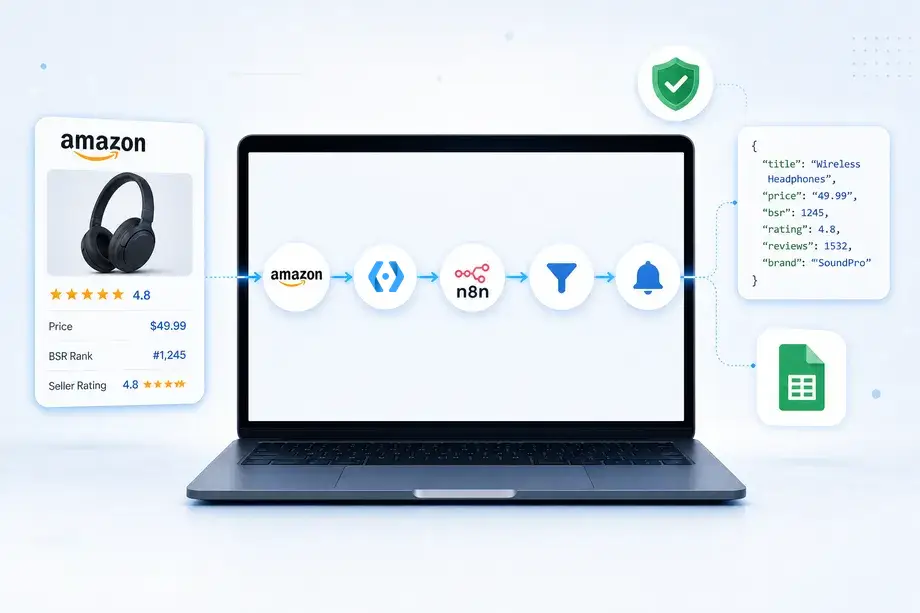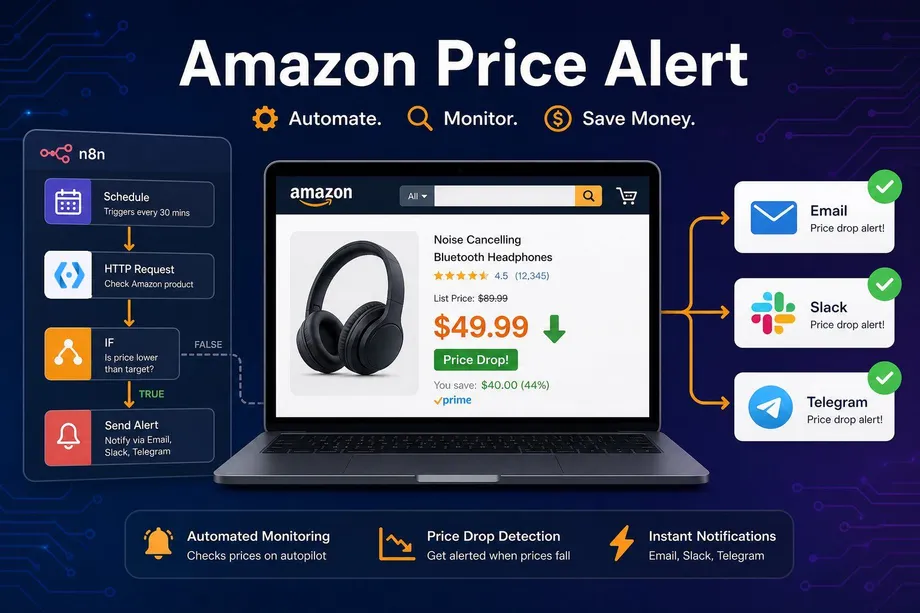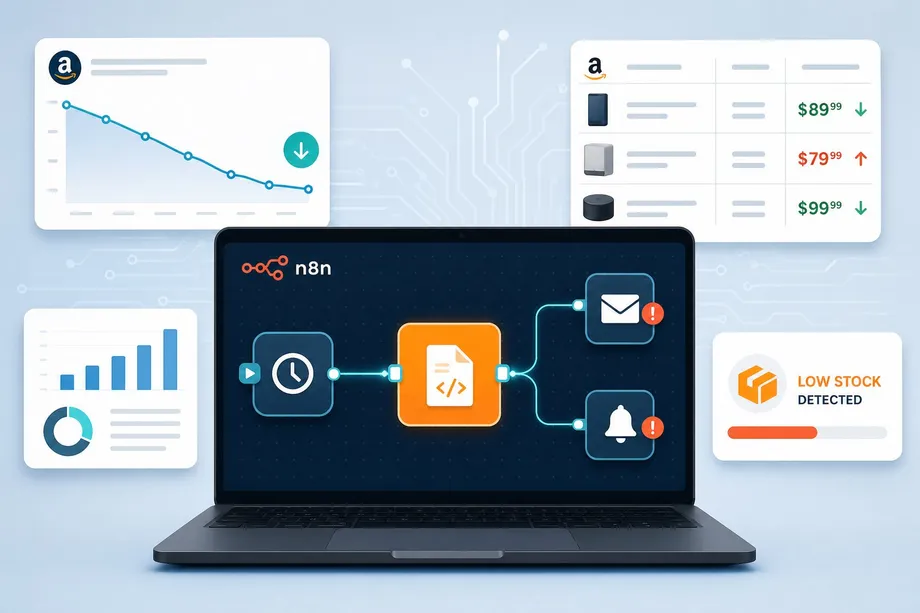
Staying ahead in the Amazon marketplace requires constant vigilance. Competitors frequently adjust prices, launch aggressive marketing campaigns that impact their Best Sellers Rank (BSR), and experience inventory fluctuations that open windows of opportunity. Relying on manual checks to monitor these changes is inefficient and often leads to missed revenue. While many sellers recognize the need for automation, they struggle with the technical challenges of scraping Amazon data consistently without getting blocked.
The most effective solution is to build an automated amazon competitor monitoring n8n workflow. By combining n8n's visual automation capabilities with the robust data extraction power of Easyparser, you can create a reliable system that tracks your competitors' BSR, inventory levels, and pricing strategies in real time. This guide will show you exactly how to set up this workflow, ensuring you never miss a critical market shift again.
Why Manual Competitor Analysis Fails Amazon Sellers
Attempting to perform competitor analysis manually or through basic DIY scripts usually results in frustration. Amazon's infrastructure actively resists automated data collection through sophisticated anti-bot measures, frequent layout updates, and CAPTCHA challenges. When your custom scraper breaks, your amazon competitor analysis automation stops entirely, leaving you blind to market changes at the worst possible moment.
Furthermore, critical metrics like BSR and specific seller inventory levels require deep page parsing. Extracting this data accurately across multiple ASINs and regions is a complex engineering task that demands ongoing maintenance. A sudden change in Amazon's HTML structure can break a homemade scraper overnight. This is why relying on a specialized API like Easyparser, which handles proxy rotation and parsing automatically, is essential for a stable and long-term n8n amazon seller monitoring setup.
The table below highlights why a dedicated API integration outperforms DIY approaches for competitor tracking:
| Factor | DIY Scraper | n8n + Easyparser |
|---|---|---|
| IP Block Risk | High - requires constant proxy rotation | None - handled by Easyparser |
| Maintenance | High - breaks with HTML changes | Zero - API is always up to date |
| Data Accuracy | Variable - parsing errors common | Consistent clean JSON output |
| Setup Time | Days to weeks | Under 1 hour |
| Scalability | Limited by server resources | Scales with API plan |
The Easyparser Operations Powering This Workflow
Before building the workflow, it is important to understand which Easyparser operations we will use and what data they return. For amazon competitor monitoring n8n, three operations are particularly valuable: BEST_SELLERS_RANK, OFFER, and SALES_ANALYSIS_HISTORY.
The BEST_SELLERS_RANK operation returns the exact numerical rank within a product's main category and sub-category, along with the current price, brand name, and review count. This is your primary signal for detecting competitor momentum shifts. A sudden improvement in a competitor's rank - say, moving from #500 to #150 in a category - almost always indicates a successful campaign, a price drop, or a surge in external traffic.
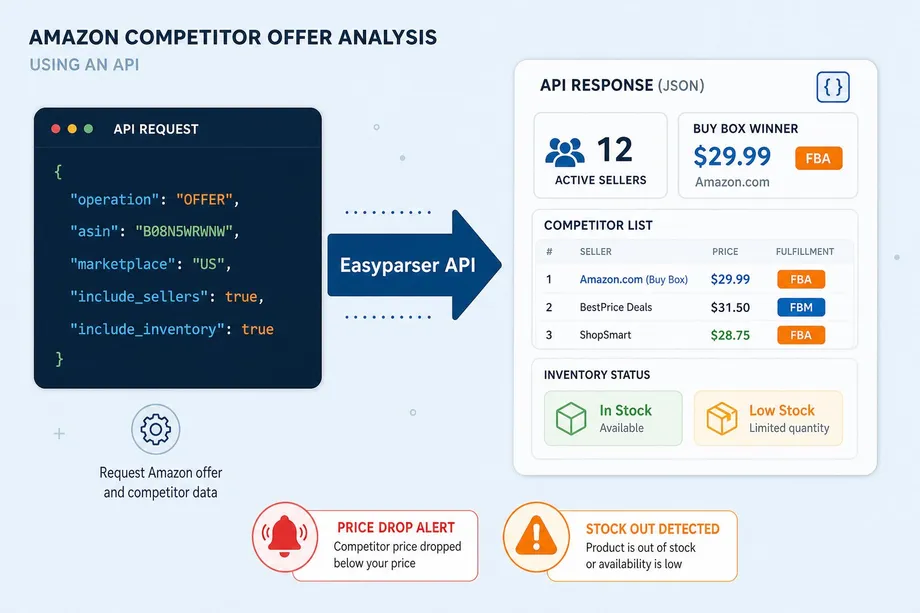
The OFFER operation provides a complete view of all active sellers for a given ASIN. It returns each seller's price, fulfillment method (FBA or FBM), shipping details, and Buy Box ownership status. This is the key to amazon stock level tracking: if a major FBA competitor disappears from the offer list or their shipping estimate extends dramatically, it signals a stockout. You can explore this endpoint in detail on the Amazon Product Offers API page.
For deeper historical context, the SALES_ANALYSIS_HISTORY operation provides up to 12 months of BSR trends, price history, and purchase data. This is invaluable for understanding whether a competitor's current BSR improvement is a temporary spike or a sustained growth trend.
amazon competitor monitoring n8n: Building the Workflow Step by Step
Now let's build the actual n8n easyparser integration. The workflow architecture is straightforward but highly effective: it runs on a schedule, fetches the latest data for each competitor ASIN, compares it against stored baselines, and sends targeted alerts when thresholds are crossed.
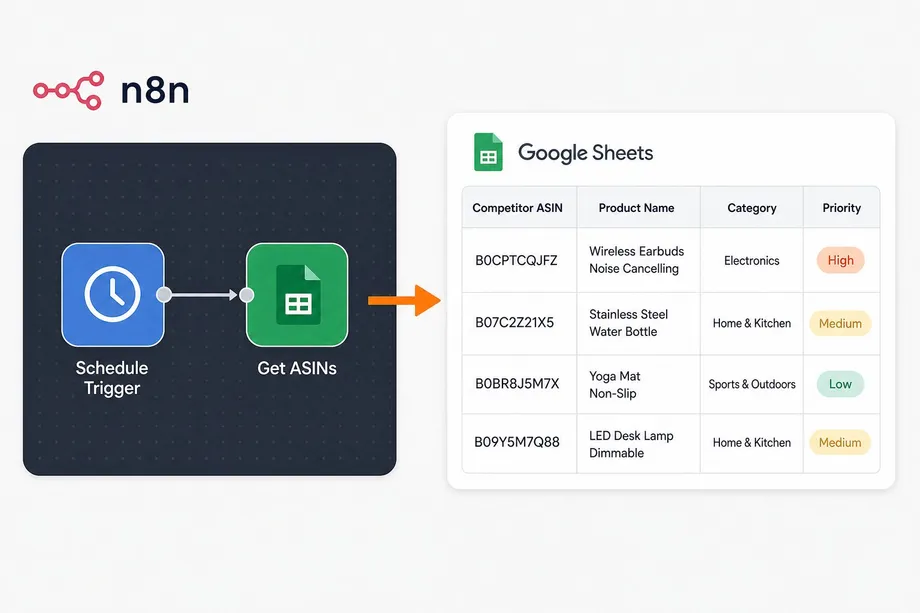
Step 1: Setting the Schedule and Loading Target ASINs
Every automated workflow needs a trigger. In n8n, start by adding a Schedule Trigger node. For BSR and pricing, running the workflow every 6 to 12 hours is usually sufficient to capture significant trends without excessive API calls. For inventory monitoring, you may want to run it more frequently during peak seasons.
Next, you need a list of competitor ASINs to monitor. While you could hardcode these, a more scalable approach is to use a Google Sheets or Airtable node. This allows your team to easily add or remove competitors from the tracking list without modifying the n8n workflow itself. Structure your sheet with columns for ASIN, product name, category, and a priority flag.
Step 2: Tracking BSR Momentum with BEST_SELLERS_RANK
A competitor's BSR is the most direct indicator of their sales velocity. To track this, add the Easyparser node in n8n and select the BEST_SELLERS_RANK operation. Map the ASIN from your previous node. You can learn more about this endpoint on the Amazon BSR API page.
The following Python snippet shows the equivalent API call to help you understand what the Easyparser node executes under the hood for n8n bsr tracking:
import requests
API_KEY = "YOUR_API_KEY" # Get your key from app.easyparser.com
ASIN = "B0CPTCQJFZ"
params = {
"api_key": API_KEY,
"platform": "AMZ",
"operation": "BEST_SELLERS_RANK",
"asin": ASIN,
"domain": ".com"
}
response = requests.get("https://realtime.easyparser.com/v1/request", params=params)
data = response.json()
bsr_data = data.get("bestseller", {})
print(f"Current Rank: #{bsr_data.get('rank')} in {bsr_data.get('context_name')}")
print(f"Price: ${bsr_data.get('price')} | Reviews: {bsr_data.get('reviews')}")
In your n8n workflow, use an IF node to compare the newly fetched BSR against the previous value stored in your database or spreadsheet. If the rank improves by more than 20% in a single check cycle, trigger an alert to investigate their recent activities. This threshold-based approach prevents alert fatigue from minor fluctuations while catching genuinely significant shifts.
Step 3: Monitoring Pricing and Inventory with OFFER
While BSR shows momentum, pricing and inventory data reveal strategy. If a competitor drops their price, you may need to adjust yours to maintain Buy Box competitiveness. If they run out of stock, it is the perfect time to increase your ad spend and capture their market share.
To gather this data, add another Easyparser node using the OFFER operation. This endpoint provides comprehensive details on all active sellers, including their prices, fulfillment methods, and availability. The following code block shows how to call this operation for your amazon automation n8n workflow:
import requests
API_KEY = "YOUR_API_KEY"
ASIN = "B07C2Z21X5"
params = {
"api_key": API_KEY,
"platform": "AMZ",
"operation": "OFFER",
"asin": ASIN,
"domain": ".com"
}
response = requests.get("https://realtime.easyparser.com/v1/request", params=params)
data = response.json()
offers = data.get("offers", [])
fba_offers = [o for o in offers if o.get("fulfillment") == "FBA"]
print(f"Total Sellers: {len(offers)} | FBA Sellers: {len(fba_offers)}")
if fba_offers:
lowest_fba = min(fba_offers, key=lambda x: x.get("price", 9999))
print(f"Lowest FBA Price: ${lowest_fba.get('price')}")
By analyzing the offer data, your amazon stock level tracking logic can detect if a key competitor has dropped off the listing entirely or if their shipping times have extended significantly, both of which indicate low inventory. In n8n, use an IF node to check if the number of FBA sellers has decreased from the previous run. If it has, route the workflow to a Slack notification alerting your team to consider increasing ad spend.
Configuring Actionable Alerts in n8n
Data is only useful if it drives action. The final step in your amazon competitor monitoring n8n workflow is routing the insights to your team through the right channels. n8n's native integrations make this straightforward.
For BSR alerts, connect a Slack node that sends a message to your marketing channel whenever a competitor's rank improves by more than a defined threshold. Include the ASIN, product name, old rank, new rank, and a direct link to the Amazon listing. This allows your team to immediately investigate whether the competitor ran a promotion, changed their price, or launched a new ad campaign.
For pricing alerts, use an IF node to check if the lowest FBA price has dropped below your current price. If true, route to an email node that notifies your pricing manager with the specific details. For inventory alerts, trigger a notification when a major FBA competitor disappears from the offer list, signaling a stockout opportunity.
All of this data should also be logged to a database or Google Sheet for historical analysis. Over time, this creates a rich dataset that reveals competitor patterns, seasonal pricing strategies, and inventory management behaviors that you can use to refine your own strategy. This is what separates a reactive seller from a proactive one - and it is exactly what a well-configured amazon competitor monitoring n8n system delivers.
Scaling the Workflow for Enterprise-Level Monitoring
Once your basic amazon competitor analysis automation is running, you can scale it significantly. Instead of monitoring a handful of ASINs, connect a Google Sheets node with hundreds of competitor products organized by category and priority level.
For high-priority products, you might run the BSR check every 4 hours, while lower-priority items are checked once daily. n8n's workflow branching capabilities allow you to implement this tiered monitoring logic without building separate workflows. You can also add a SALES_ANALYSIS_HISTORY check that runs weekly, giving you a 12-month trend view alongside your daily snapshots.
Another powerful scaling strategy is to combine the n8n bsr tracking data with your own sales data from Amazon Seller Central. By comparing your BSR trajectory against competitors in the same category, you can calculate your relative market share and identify which competitors are growing at your expense.
The combination of n8n's automation capabilities and Easyparser's Amazon-specific data channels - including Sales Analysis and History, which competitors lack - gives you a monitoring infrastructure that would otherwise require a dedicated engineering team to build and maintain. With this workflow in place, your n8n amazon seller monitoring operates continuously, turning raw Amazon data into a sustainable competitive advantage.
Start automating your Amazon workflows today
Start Your Free Trial100 free credits, no credit card required.