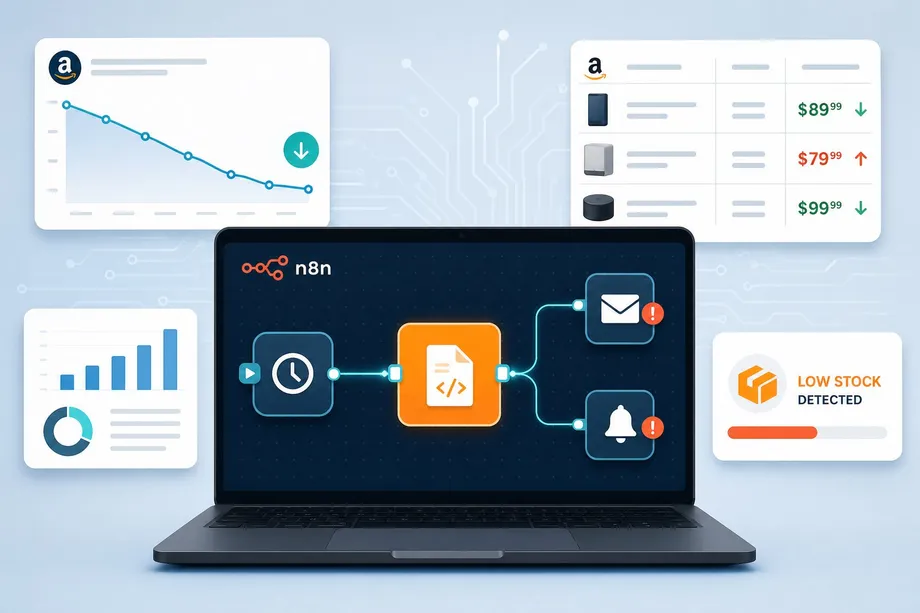
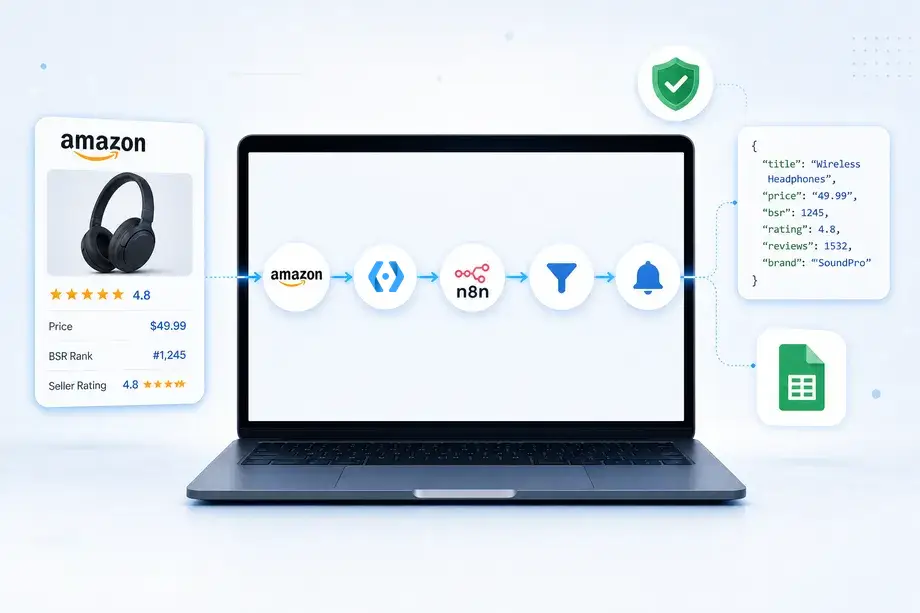
The e-commerce landscape is moving faster than ever. For Amazon sellers, relying on manual data collection or fragile DIY scrapers is no longer a viable strategy. Competitors are leveraging advanced tools to monitor prices, track inventory, and analyze market trends in real-time. If you are not automating your Amazon operations, you are falling behind.
Enter n8n, a powerful workflow automation platform that connects your favorite apps and APIs. When paired with Easyparser's robust Amazon data extraction capabilities, n8n becomes the ultimate engine for e-commerce intelligence. This combination allows you to build sophisticated amazon automation n8n workflows without writing complex code. Whether you are new to amazon automation n8n or looking to expand your existing setup, managing proxies, or battling Amazon's anti-bot systems.
In this comprehensive guide, we will explore 5 highly effective, ready-to-build n8n amazon workflows that utilize the native Easyparser integration. These templates are designed to help you streamline competitor monitoring, optimize your pricing strategy, safeguard your brand, and gain deep market intelligence. Each workflow is explained with its architecture, node configuration, and the specific Easyparser API operation it relies on.
Why Automate Amazon Data with n8n and Easyparser?
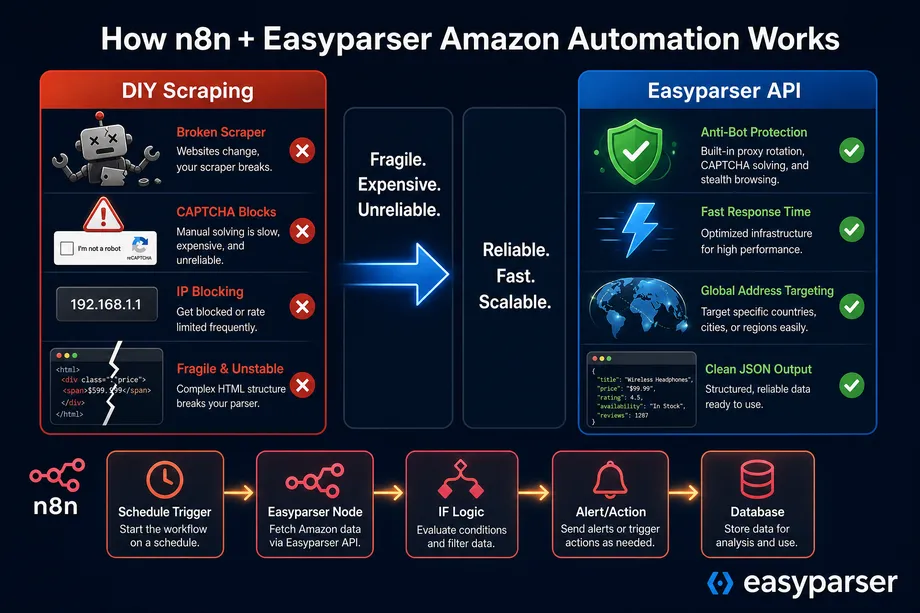
Building custom scrapers for Amazon is notoriously difficult. The platform employs aggressive anti-bot measures, dynamic HTML structures, and frequent IP blocks. A Python script that works perfectly today might fail completely tomorrow. Maintaining such infrastructure requires constant engineering effort, which detracts from your core business activities.
By utilizing the native Easyparser node within n8n, you bypass these challenges entirely. Easyparser handles the heavy lifting - proxy rotation, CAPTCHA solving, and data structuring - delivering clean, reliable JSON directly into your n8n workflows. This seamless n8n easyparser integration empowers you to focus on logic and action rather than data extraction mechanics.
The table below summarizes the 5 workflows covered in this guide, along with the Easyparser API operation each one uses:
| # | Workflow Name | Easyparser Operation | Primary Use Case |
|---|---|---|---|
| 1 | Competitor Price Tracking | OFFER | Price monitoring and Buy Box alerts |
| 2 | BSR Category Rank Monitoring | BEST_SELLERS_RANK | Sales velocity and trend analysis |
| 3 | Supplier Verification and Brand Protection | SELLER_PROFILE | Legal identity discovery and MAP enforcement |
| 4 | Keyword Visibility and Search Ranking | SEARCH | Organic and sponsored position tracking |
| 5 | Competitor Inventory Signal Detection | OFFER | Stockout detection and PPC optimization |
Workflow 1: Automated Competitor Price Tracking (OFFER API)
Pricing on Amazon is highly dynamic. To maintain the Buy Box and protect your margins, you need continuous visibility into your competitors' pricing strategies. This workflow automates the entire process of checking prices and alerting you to significant changes.
How it Works
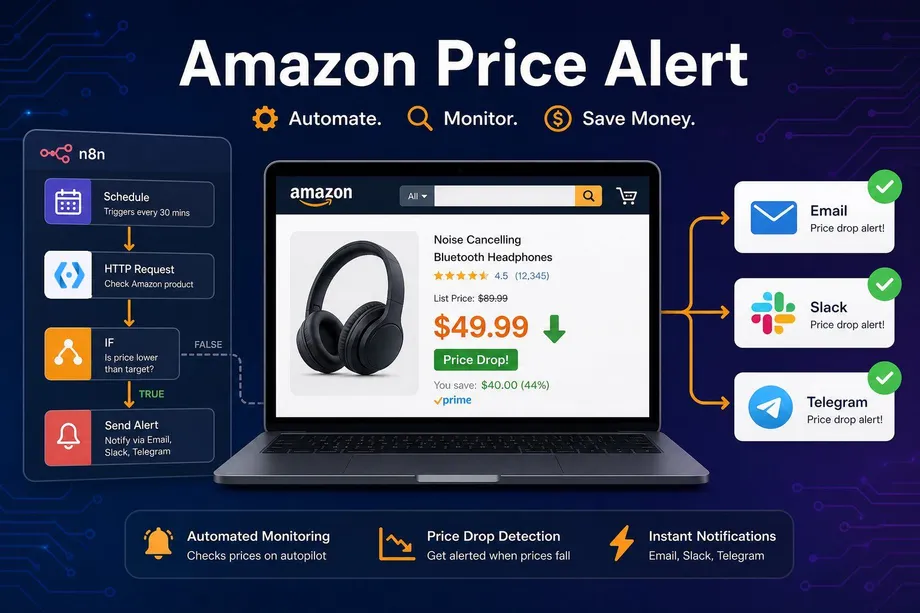
This workflow utilizes the Easyparser OFFER operation to retrieve all active seller offers for a specific ASIN. It runs on a schedule, compares the current lowest FBA price against your predefined threshold, and sends an alert if action is required.
- Schedule Trigger: Set to run every 2 to 4 hours depending on your market's volatility. High-competition categories like Electronics may require more frequent checks.
- Easyparser Node (OFFER): Configured with the target ASIN and domain (e.g., .com). The node returns all active seller offers including FBA/FBM status, price, shipping costs, and Buy Box ownership.
- Code Node: Filters the offers array to isolate FBA sellers only, then extracts the lowest price from that filtered list.
- IF Node: Evaluates whether the lowest FBA competitor price is below your minimum profitable threshold or has dropped by more than a defined percentage since the last check.
- Slack/Email Node: If the condition is met, it sends an immediate alert to your pricing team with the ASIN, new price, seller name, and a direct link to the listing for immediate action.
For a deeper dive into setting up this specific logic, check out our dedicated guide on building an Amazon price alert with n8n. This workflow alone can save your team hours of manual monitoring every week and ensure you react to competitor price changes within minutes rather than days.
Workflow 2: Real-Time Category Rank Monitoring (BEST_SELLERS_RANK API)
Your Best Sellers Rank (BSR) is the ultimate indicator of your product's sales velocity relative to the competition. A product ranked #500 in its category is selling significantly more units than one ranked #5,000. Tracking BSR manually is tedious and provides only a snapshot in time. Automating it creates a historical performance dataset that reveals trends, seasonal patterns, and the impact of your marketing campaigns.
How it Works
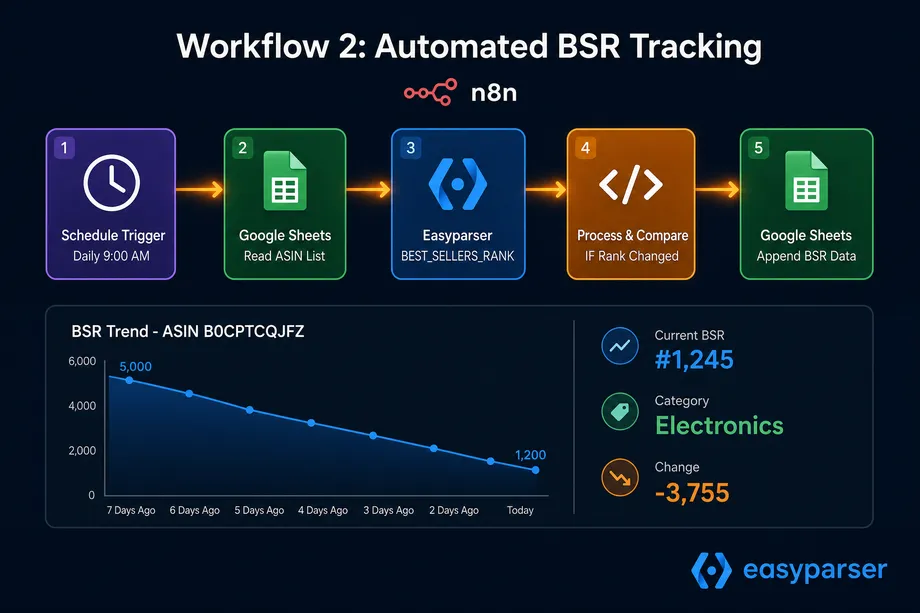
This workflow leverages the BEST_SELLERS_RANK operation to log your product's rank daily, building a comprehensive trend analysis database over time.
- Schedule Trigger: Set to run daily at a consistent time to ensure comparable data points across your tracking history.
- Google Sheets Node (Read): Pulls a list of your ASINs and key competitor ASINs from a master spreadsheet. This makes the workflow scalable - simply add new ASINs to the sheet without modifying the workflow itself.
- Split In Batches Node: Processes the ASINs one by one to respect API rate limits and ensure reliable execution.
- Easyparser Node (BEST_SELLERS_RANK): Fetches the current rank, category context name, sub-category ID, and review count for each ASIN.
- IF Node: Checks if the rank has changed significantly (e.g., improved or worsened by more than 500 positions) since the last recorded value.
- Google Sheets Node (Write): Appends the new BSR data, along with the timestamp, to a new row in your tracking sheet for historical analysis.
Over time, this n8n amazon workflows setup generates a comprehensive trend line, allowing you to correlate rank improvements with external factors like ad spend increases or seasonal demand spikes.
Workflow 3: Supplier Verification and Brand Protection (SELLER_PROFILE API)
Unauthorized sellers and counterfeiters pose a significant threat to your brand reputation and revenue. Amazon's seller information is often obscured, making it difficult to identify the legal entity behind a suspicious storefront. This workflow automates the discovery of seller legal identities, turning a multi-hour investigation into an instant, structured data retrieval task.
How it Works
Using the SELLER_PROFILE operation, this workflow extracts the hidden business name and address of any seller ID, enabling rapid verification and legal action.
- Webhook Trigger: Activated when your brand protection team inputs a suspicious Seller ID into an internal form, a Slack command, or an Airtable record.
- Easyparser Node (SELLER_PROFILE): Executes the operation using the provided Seller ID. The response includes the legal business name, physical address, feedback percentages across 30/90/365-day periods, and detailed feedback logs.
- Data Transformation Node: Formats the extracted legal name, business address, and feedback metrics into a structured record.
- IF Node: Evaluates whether the seller's 90-day negative feedback rate exceeds a defined threshold (e.g., above 5%), flagging them as a high-risk entity.
- Airtable/Notion Node: Logs the verified seller details into your brand protection database for tracking and follow-up.
- Email Node: Automatically drafts a preliminary enforcement notice populated with the seller's verified legal address, ready for your legal team's review.
This amazon automation n8n workflow is particularly valuable for brands enrolled in Amazon Brand Registry, enabling faster and more accurate enforcement actions.
Workflow 4: Market Intelligence and Keyword Visibility (SEARCH API)
Understanding where your products rank for critical search terms is vital for both SEO optimization and PPC campaign management. Keyword visibility directly impacts organic traffic and sales velocity. This workflow automates the process of monitoring search result positions, giving you a clear, data-driven picture of your market Share of Voice (SOV).
How it Works
This workflow uses the Easyparser SEARCH operation to query specific keywords and analyze the resulting product listings, tracking your position and your competitors' positions over time.
- Schedule Trigger: Runs weekly or bi-weekly to track keyword performance trends without excessive API usage.
- Google Sheets Node: Reads your list of target keywords from a spreadsheet, along with the ASINs you want to track for each keyword.
- Easyparser Node (SEARCH): Performs a search operation for each keyword on your target Amazon domain, returning the full list of organic and sponsored results with ASINs, titles, and prices.
- Code Node (JavaScript): Parses the JSON response to find the position of your specific ASINs within the search results. It records both organic rank and whether the ASIN appears in a sponsored position.
- Database/Google Sheets Node: Stores the ranking data with timestamps, allowing you to build dashboards that visualize your keyword visibility trajectory over time.
By automating this process as part of your n8n amazon automation templates, you gain a clear picture of your keyword visibility without relying on expensive, specialized SEO software.
Workflow 5: Competitor Inventory Signal Detection (OFFER API)
Knowing when a competitor is running out of stock gives you a massive strategic advantage. While Amazon does not explicitly publish inventory levels, you can infer them with high accuracy by analyzing offer dynamics over time.
How it Works
This advanced amazon automation n8n workflow builds upon the Offer API to detect stockout signals by comparing current offer data against a historical baseline.
- Schedule Trigger: Runs frequently (e.g., every 4 hours) for high-priority competitor ASINs where a stockout opportunity would be most impactful.
- Easyparser Node (OFFER): Fetches the complete offers array for the target ASIN, including all active FBA and FBM sellers.
- Code Node: Analyzes the offers array to detect stockout signals. It specifically looks for: the disappearance of a previously tracked primary FBA seller, a sudden shift from FBA to FBM offers only, or a significant extension in delivery dates (e.g., from 2 days to 10+ days).
- Database Node (Read): Compares the current offer snapshot against the previous run's data stored in a database or Google Sheet to identify changes.
- IF Node: Triggers an alert if the primary competitor is no longer listed as an FBA seller or their shipping time has exceeded a defined threshold.
- Slack Node: Alerts your advertising team to increase PPC bids aggressively on the affected keywords, capitalizing on the competitor's temporary vulnerability.
For a detailed breakdown of this strategy and how to combine it with BSR tracking for maximum intelligence, read our comprehensive guide on Amazon competitor monitoring with n8n. This workflow is one of the most high-impact automations an FBA seller can build, as it turns a competitor's misfortune into a direct revenue opportunity.
Implementing Your First n8n Amazon Automation
To get started with these n8n amazon automation templates, you need two things: an n8n instance (Cloud or Self-Hosted) and an Easyparser account. The native Easyparser node is available directly in the n8n community library, making integration as simple as searching for "Easyparser" in the node panel and pasting your API key from the Easyparser dashboard.
Here is a quick look at how the underlying API request is structured when n8n calls the Easyparser service. You do not need to write this code in n8n - the native node handles it automatically - but understanding the structure helps you configure the node parameters correctly and debug any issues:
import requests
API_KEY = "YOUR_API_KEY" # Get your key from app.easyparser.com
ASIN = "B0BR8J5M7X"
params = {
"api_key": API_KEY,
"platform": "AMZ",
"operation": "OFFER",
"asin": ASIN,
"domain": ".com"
}
response = requests.get("https://realtime.easyparser.com/v1/request", params=params)
data = response.json()
offers = data.get("offers", [])
fba_offers = [o for o in offers if o.get("fulfillment") == "FBA"]
print(f"Total Offers: {len(offers)} | FBA Offers: {len(fba_offers)}")
if fba_offers:
lowest_fba = min(fba_offers, key=lambda x: x.get("price", 9999))
print(f"Lowest FBA Price: ${lowest_fba.get('price')}")
Scaling Your Amazon Automation with n8n
Once your initial n8n amazon workflows are running smoothly and your first amazon automation n8n setup is delivering consistent results, the natural next step is scaling them to cover more ASINs, more keywords, and more competitors. n8n's architecture makes this straightforward. Instead of hardcoding individual ASINs, you connect a Google Sheets or Airtable node at the start of each workflow to pull a dynamic list of products. Adding a new product to monitor is as simple as adding a new row to your spreadsheet.
For high-volume use cases, Easyparser's Bulk API is the ideal complement to your amazon automation n8n setup. Instead of making individual real-time requests for each ASIN, you can submit a batch of hundreds of requests in a single API call and receive the results asynchronously via a webhook. This dramatically reduces latency and API overhead for large-scale monitoring operations.
The combination of n8n's flexible automation capabilities and Easyparser's Amazon-specific data channels gives you a monitoring infrastructure that would otherwise require a dedicated engineering team to build and maintain. By leveraging these n8n easyparser integration workflows, your team can operate continuously, turning raw Amazon data into a sustainable competitive advantage.
Ready to build your own automations? Explore the Easyparser Product Offer API to see the full extent of the data available for your n8n workflows and start with 100 free monthly credits.
Start automating your Amazon workflows today
Start Your Free Trial100 free credits, no credit card required.