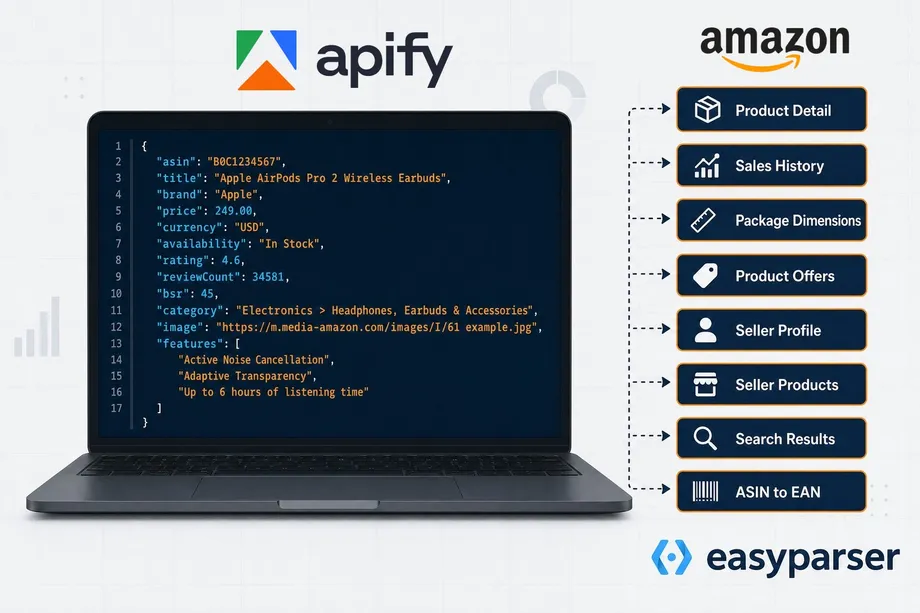
For e-commerce businesses, dropshippers, and data analysts, high-quality visuals are just as critical as accurate pricing data. Mastering amazon product image extraction is the key to building compelling product catalogs, conducting competitor analysis, and verifying supplier quality. This guide provides a complete solution for extracting high-resolution Amazon product images programmatically. You will learn how to decode Amazon's image URL patterns, manipulate size parameters like SL1500 or AC_UL1500, and automate bulk downloads using Python and the Easyparser API. Whether you are building an e-commerce catalog or gathering product photography references, this step-by-step approach will help you scale your media extraction efficiently.
Amazon Image URL Structure and Size Variations
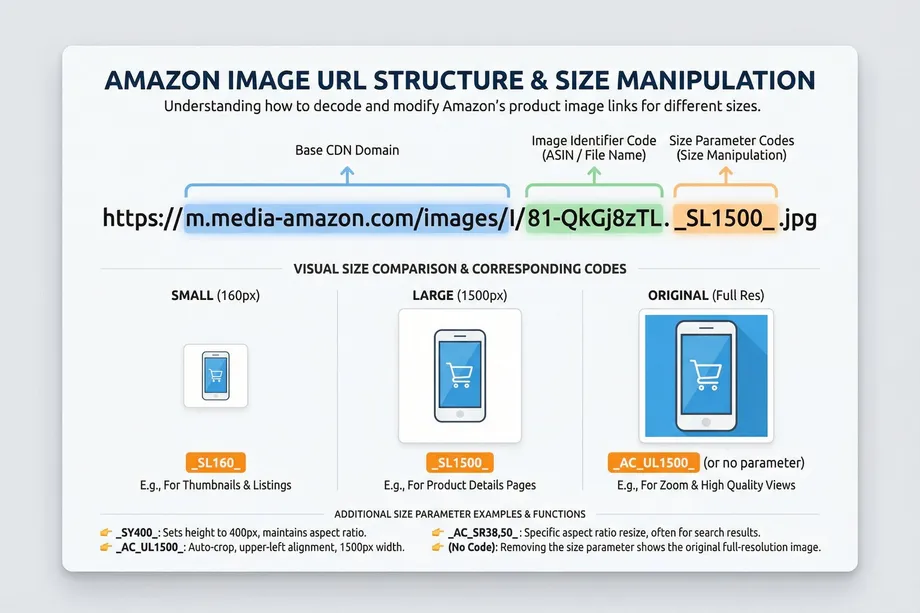
Understanding the Amazon image URL structure is the first step in successful amazon product image extraction. Amazon hosts its product images on a dedicated Content Delivery Network (CDN), typically under domains like m.media-amazon.com or images-na.ssl-images-amazon.com. A standard image URL contains several components: the base URL, the image identifier (often related to the ASIN or an internal ID), formatting parameters, and the file extension.
The magic happens within the formatting parameters. Amazon uses specific codes to deliver size variations dynamically. For example, you might see _AC_SY400_ or _SL1500_ in the URL.
- Small and Medium Thumbnails: Codes like
_SY160_or_AC_US200_generate smaller images suitable for search results or mobile views. - Large and Zoom Images: Codes such as
_SL1500_or_AC_SL1500_request high-resolution versions, often 1500 pixels on the longest side, which are used for the zoom feature on the product detail page. - Original Quality Images: To extract the original, uncompressed image, you can simply remove the entire parameter block from the URL. For instance, changing
.../I/51+MGmmIZsL._AC_SL1500_.jpgto.../I/51+MGmmIZsL.jpgoften yields the highest possible resolution.
High-Resolution Image Extraction and Media Types
When performing amazon product image extraction, you are not limited to just the main product photo. Amazon listings feature a variety of media types that are essential for a complete presentation:
- Main Images: The primary product photo on a pure white background, required by Amazon guidelines.
- Variant Images: Different angles, lifestyle photos, and close-ups that highlight specific product features and dimensions.
- 360-Degree Views and Zoom Images: High-resolution image extraction is crucial for these assets, as they provide the granular detail needed for e-commerce catalog building and product photography reference.
To gather all these assets, developers traditionally had to parse the complex HTML structure of the product page. However, using a dedicated product detail api simplifies this process immensely by returning an organized array of all available image URLs, including high-resolution links and thumbnails.
Detail API for Image_URL and Thumbnail Extraction
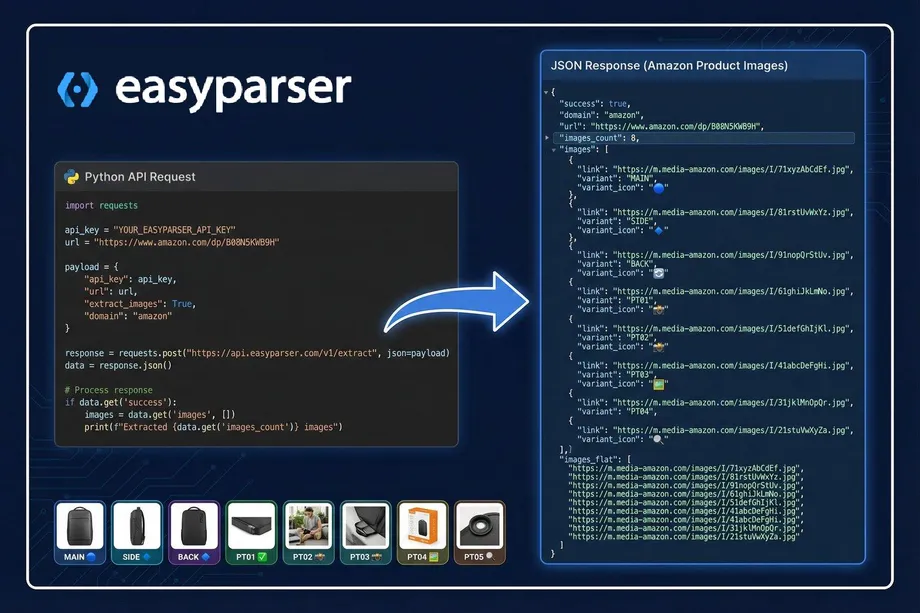
The most reliable method for amazon product image extraction is utilizing a structured API. The Easyparser DETAIL operation provides direct access to the image_url and thumbnail fields, along with a comprehensive images array containing every variant image.
Instead of dealing with regular expressions or headless browsers, you receive a clean JSON response. This response includes the images_count, a comma-separated images_flat string for easy database insertion, and a detailed list of links with their respective variant codes (like MAIN, SIDE, BACK, PT01). This structured approach is perfect for automated catalog enrichment and dropshipping product sourcing, where accurate visuals are non-negotiable.
A Simple Amazon Product Image Extractor Without an API
Not every amazon product image extraction task needs an API. If you only want to enter an ASIN or Amazon product URL and download the listing images, AsinAssets is the simpler route. Paste your input, preview the main and variant images, and select the assets you need without writing Python or managing API credentials.
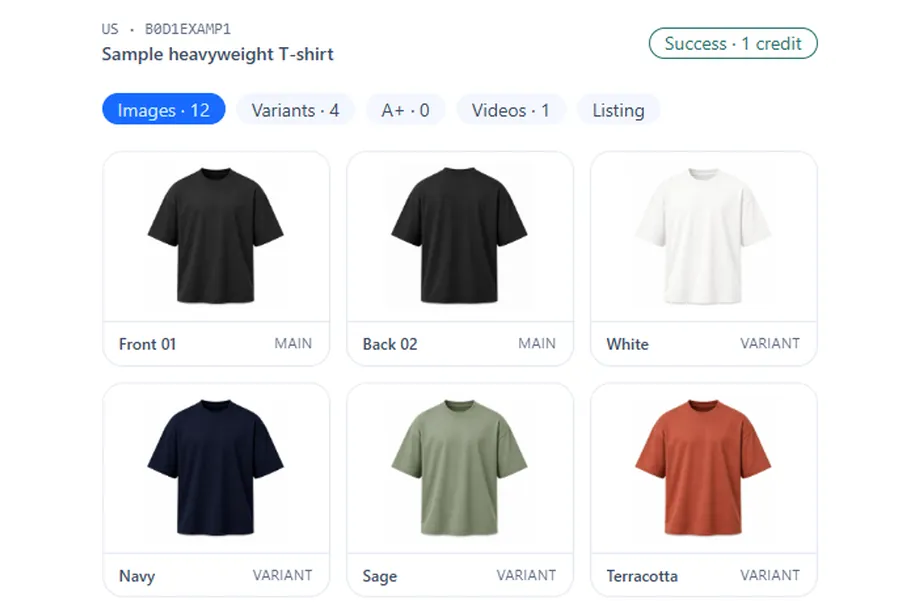
Use AsinAssets for quick, no-code downloads, supplier checks, listing preparation, or small catalogs. You can try five unique ASIN lookups every 24 hours, then create an account for foldered ZIP files and bulk processing. If you need scheduled automation and structured JSON, use the Easyparser DETAIL API; otherwise, AsinAssets takes you from ASIN to organized product images in a few clicks.
Try AsinAssets: Extract Amazon Images
What You Need for Python Image Scraper
Before diving into the code for our bulk image download automation, here is a step-by-step "what you need" list to set up your development environment:
- Python 3.8+: Ensure you have a recent version of Python installed on your system.
- Easyparser API Key: Sign up at Easyparser to get your unique API key for real-time data access.
- Requests Library: Install the
requestslibrary (pip install requests) to handle HTTP calls to the API. - Pillow (PIL): Install
Pillow(pip install Pillow) for image processing tasks like resizing or format conversion. - A List of ASINs: Prepare a CSV or text file containing the Amazon Standard Identification Numbers you want to process.
Below is a practical Python example demonstrating how to retrieve high-resolution image URLs using the Easyparser API:
import requests
API_KEY = "YOUR_API_KEY" # Get your key from app.easyparser.com
ASIN = "B098FKXT8L"
params = {
"api_key": API_KEY,
"platform": "AMZ",
"operation": "DETAIL",
"asin": ASIN,
"domain": ".com"
}
response = requests.get("https://realtime.easyparser.com/v1/request", params=params)
data = response.json()
product = data.get("product", {})
images = product.get("images", [])
for img in images:
print(f"Variant: {img.get('variant')} - URL: {img.get('link')}")
Bulk Image Download Automation and Image Processing
Scaling your amazon product image extraction requires robust bulk image download automation. When dealing with thousands of products, you must consider parallel downloads, rate limiting, and error handling. Python libraries like aiohttp and asyncio are excellent for concurrent downloads, while requests is perfect for simpler, sequential scripts.
Once downloaded, the images often require further refinement. Image processing techniques such as resizing, watermarking, and format conversion (e.g., converting JPEG to WebP for faster web loading) can be easily handled using the Python Pillow library. This ensures that the extracted media fits perfectly into your custom e-commerce platform or inventory management system without bloating your server storage.
Real-World Use Cases and E-commerce Catalog Building
The applications for amazon product image extraction are vast and directly impact business operations.
- E-commerce Catalog Building: Retailers can rapidly populate their online stores with high-quality product image libraries, variant images, and lifestyle photos, creating a seamless shopping experience.
- Dropshipping Product Sourcing: Dropshippers use extracted images for competitor image analysis and supplier verification, ensuring they offer the best visual representation of their products.
- Competitor Analysis: Brands monitor competitor listings using the Amazon Product Offers API alongside image extraction to analyze visual marketing strategies and improve their own product photography.
In a recent real-world example, a data team utilized the Amazon Product Lookup API combined with the DETAIL operation to build a 1000+ product catalog in under 2 hours, complete with optimized, high-resolution images ready for deployment.
Start extracting Amazon data for free
Start Your Free Trial100 free credits, no credit card required.