The Strategic Value of Differentiating Sponsored vs. Organic Results
In the hyper-competitive Amazon marketplace, visibility is currency. Both buyers and sellers navigate a complex landscape where search results are a blend of paid advertisements and organic listings. Understanding the difference and leveraging it through amazon search results scraping is no longer just a technical capability it is a core strategic advantage. For sellers, it unlocks a new level of competitive intelligence, while for buyers, it paves the way for more informed and authentic purchase decisions.
For Sellers: Unlocking Competitive Intelligence
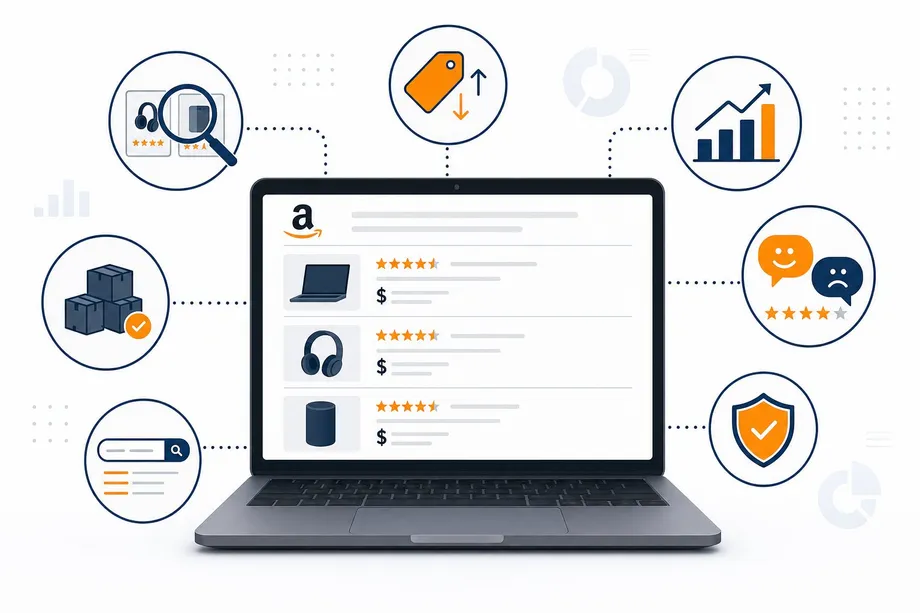
By programmatically analyzing search engine results pages (SERPs), sellers can move beyond guesswork and base their strategy on hard data. This includes tracking keyword performance, analyzing competitor ad spend, and optimizing listings for maximum organic reach. The ability to perform large-scale amazon search results scraping allows for a comprehensive view of the market, revealing opportunities that are invisible to manual analysis.
For Buyers: Making Smarter Purchase Decisions
For consumers, the line between an advertised product and an organically ranked one can be blurry. Scraping and differentiating these results can help identify products that are highly ranked due to their merit (sales velocity, positive reviews, relevance) rather than a large advertising budget. This leads to the discovery of potentially higher-quality products at better prices, fostering a more transparent shopping experience.
Anatomy of the Amazon Search Results Page (SERP)
To effectively scrape the SERP, one must first understand its structure. Amazon strategically places different types of sponsored content alongside its organic results to maximize revenue and provide choice. Recognizing these placements is the first step in separating paid from organic.
Identifying Sponsored Placements
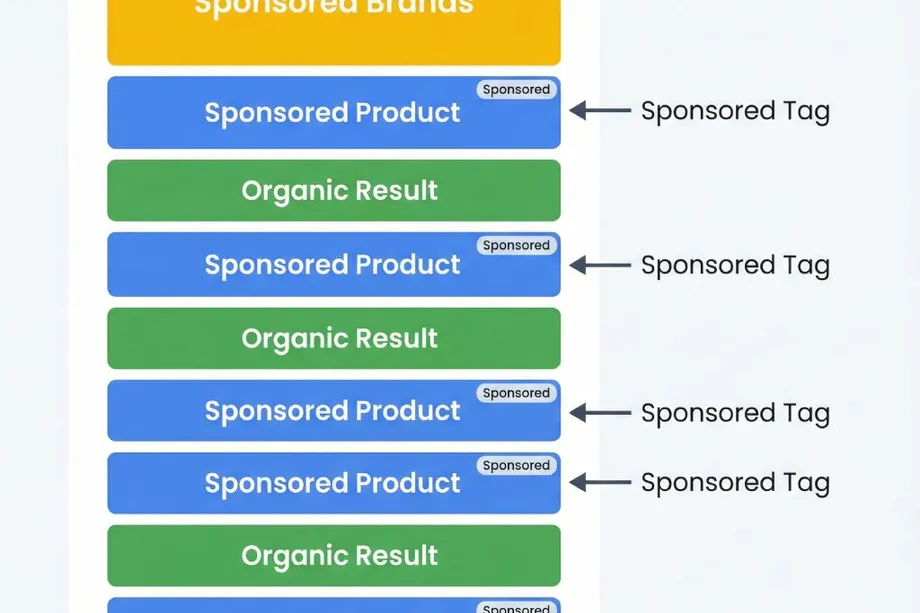
Sponsored placements are typically labeled with a subtle "Sponsored" tag. They come in several forms:
- Sponsored Products: These are individual product listings that can appear at the very top, in the middle, or at the bottom of the search results. They are the most common ad type.
- Sponsored Brands: These are banner-style ads, usually at the top of the page, featuring a brand's logo, a custom headline, and a collection of several products.
Understanding Organic Rankings (The A10 Algorithm)
Amazon's A10 algorithm determines the organic ranking of products. It is a sophisticated system that prioritizes products most likely to convert. Key factors include sales history, customer reviews, price, shipping speed, and keyword relevance in the product title and description. Interestingly, a product's advertising performance can create a positive feedback loop; successful ad campaigns that lead to high conversions can signal to the A10 algorithm that the product is desirable, potentially boosting its organic rank over time.
How to Scrape Amazon Search Data: A Comparison of Methods
Extracting this valuable data can be approached in two primary ways: building a manual scraper from scratch or using a dedicated third-party API.
The Manual Approach: Python & BeautifulSoup
A common starting point for developers is to use Python libraries like `requests` and `BeautifulSoup` to fetch and parse the HTML of a search results page. While this offers maximum control, it is fraught with challenges. Amazon employs sophisticated anti-bot measures, leading to frequent IP blocks, CAPTCHA challenges, and the need for constant maintenance as the site's HTML structure changes. This method is often brittle and does not scale effectively.
The Professional Solution: Using a Dedicated API like Easyparser
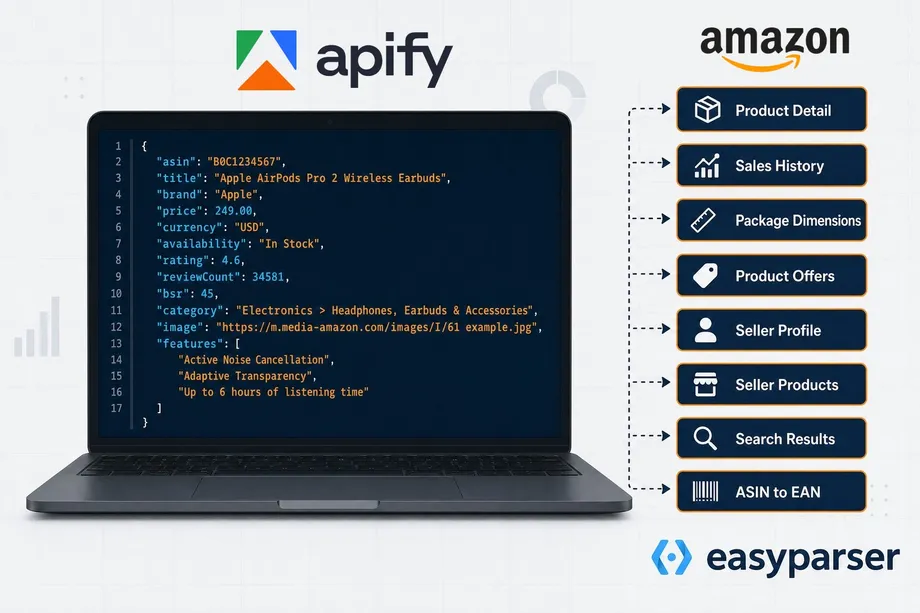
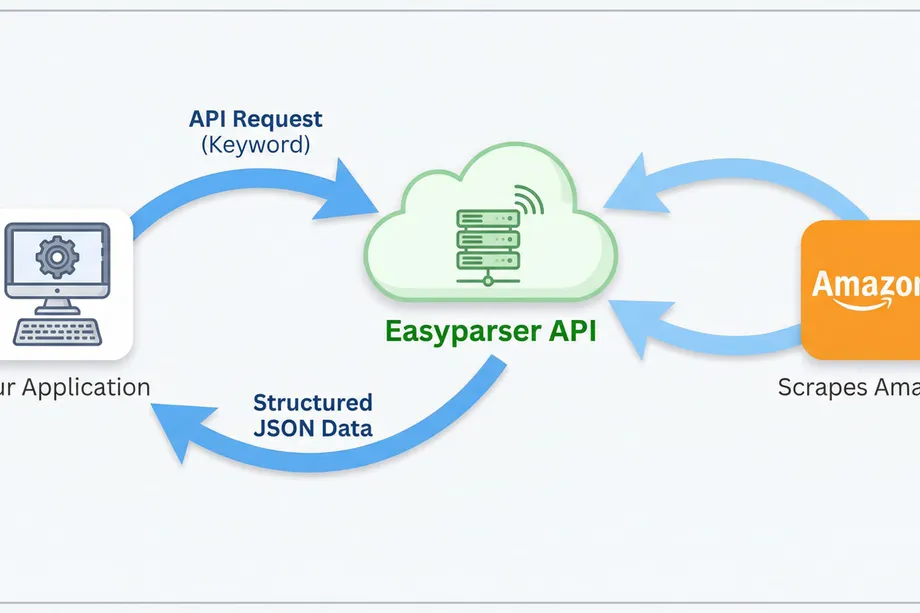
A far more robust and efficient method is to use a specialized service like Easyparser. Designed specifically for e-commerce data extraction, the Easyparser API handles all the complexities of scraping, such as proxy rotation, header management, and CAPTCHA solving. It delivers clean, structured JSON data, making the process of amazon search results scraping reliable and scalable. The API automatically identifies and flags sponsored products, saving developers significant time and effort.
Practical Guide: Extracting Search Data with the Easyparser API
Using the Easyparser API is a straightforward, three-step process that turns a complex scraping task into a simple HTTP request.
Step 1: Making the API Request
To begin, you simply send a GET request to the Easyparser endpoint with your API key and the desired search keyword. The API handles the rest.
import requests
API_KEY = "YOUR_API_KEY"
params = {
"api_key": API_KEY,
"platform": "AMZ",
"operation": "SEARCH",
"keyword": "laptop stand",
"domain": ".com"
}
response = requests.get("https://realtime.easyparser.com/v1/request", params=params)
data = response.json()
# Separate sponsored vs organic results
for product in data.get("results", []):
label = "SPONSORED" if product.get("is_sponsored") else "ORGANIC"
print(f"[{label}] #{product['position']} - {product['title']}")
print(f" Price: {product.get('price', 'N/A')} | Rating: {product.get('rating', 'N/A')}")
Step 2: Interpreting the JSON Response
The API returns a well-structured JSON object containing all the search results. A key field within each product object is `is_sponsored`, a boolean that explicitly tells you if the listing is an ad. Another crucial field is `position`, which indicates the product's rank on the page.
Step 3: Automating Rank Tracking
With this simple API call, you can build powerful automation. By running this script on a schedule (e.g., a daily cron job) and storing the results, you can create a historical database of keyword rankings. This data can then be visualized in a dashboard to track your products' visibility, monitor competitors' movements, and measure the true impact of your SEO and PPC campaigns.
Scaling Up: Batch Processing with the Bulk API
The Real-time API is perfect for on-demand, single-query lookups. But when your workflow requires monitoring hundreds of keywords or tracking search rankings across multiple marketplaces simultaneously, the Bulk API is the right tool for the job.
Why Choose the Bulk API?
- Single Request, Multiple Operations: Submit dozens or even hundreds of search queries in one API call, eliminating the need for sequential requests.
- Asynchronous Processing: Jobs run in the background and results are delivered to your webhook when ready no polling or waiting required.
- Lower Overhead: Batch processing significantly reduces HTTP overhead and simplifies rate-limit management compared to making individual calls.
- Perfect for Automation: Ideal for scheduled tasks like daily keyword rank tracking, competitor monitoring, and large-scale market research across multiple Amazon domains.
Bulk API Python Example
The Bulk workflow has three stages: submit the job, receive a webhook notification when processing is complete, and fetch the structured results using the returned IDs.
import requests
API_KEY = "YOUR_API_KEY"
HEADERS = {"api-key": API_KEY, "Content-Type": "application/json"}
# Step 1: Create a Bulk Job
bulk_payload = {
"platform": "AMZ",
"operation": "SEARCH",
"domain": ".com",
"payload": {
"urls": [
"https://www.amazon.com/s?k=laptop+stand",
"https://www.amazon.com/s?k=monitor+arm",
"https://www.amazon.com/s?k=keyboard+tray"
]
},
"callback_url": "https://yourdomain.com/webhook"
}
# Step 2: Submit the job
response = requests.post(
"https://bulk.easyparser.com/v1/bulk",
headers=HEADERS,
json=bulk_payload
)
job = response.json()
# Step 3: Extract result IDs
result_ids = [r["id"] for r in job["data"]["accepted"][0]["results"]]
print(f"Submitted {len(result_ids)} tasks.")
# Step 4: Fetch results (after webhook notification)
for rid in result_ids:
result = requests.get(
f"https://data.easyparser.com/v1/queries/{rid}/results",
headers={"api-key": API_KEY}
)
print(result.json())
Once your callback_url receives the webhook notification confirming the job is complete, you simply iterate over the result IDs and fetch the structured data from the Data Service. This decoupled architecture makes the Bulk API ideal for large-scale, automated data collection pipelines.
Conclusion: From Raw Data to Actionable Insights
In the data-driven world of e-commerce, mastering amazon search results scraping is essential for staying competitive. While manual methods are possible, they are often unsustainable. By leveraging a powerful API like Easyparser, sellers and buyers alike can easily differentiate between sponsored and organic listings, turning raw search data into actionable intelligence. This capability empowers sellers to optimize their strategies for better visibility and sales, and helps buyers cut through the noise to find the best products for their needs.
Start extracting Amazon data for free
Start Your Free Trial100 free credits, no credit card required.