For e-commerce sellers, dropshippers, and brand managers, manual Amazon data collection is a massive bottleneck. Whether you are tracking competitor prices, updating your own product catalog, or monitoring Best Sellers Rank (BSR) changes, doing it by hand or relying on fragile DIY web scrapers often leads to outdated information and operational headaches. Amazon's aggressive anti-bot systems make traditional scraping unreliable, requiring constant proxy rotation and CAPTCHA solving.
The modern solution is no-code workflow automation. By combining Make.com (formerly Integromat) with the Easyparser API, you can build robust, zero-maintenance data pipelines. Make's visual interface allows you to connect Easyparser's clean JSON data directly to your favorite tools like Airtable, Google Sheets, Slack, or Shopify. This guide will show you how to set up an easyparser make integration and build three practical Amazon automation scenarios.
Why Automate Amazon Data with Make?
Make is one of the most popular workflow automation platforms because of its intuitive, visual drag-and-drop builder. When it comes to make amazon automation, the platform shines in its ability to handle complex logic, data routing, and API connections without requiring deep programming knowledge.
Using Make instead of custom scripts offers several advantages:
- Visual Debugging: You can see exactly how data flows from Amazon to your database, making it easy to spot and fix issues.
- Pre-built Integrations: Make natively connects to thousands of apps. Once Easyparser extracts the Amazon data, you can instantly push it to CRMs, email marketing tools, or inventory systems.
- Built-in Error Handling: Make allows you to set up automatic retries or fallback routes if a specific product goes out of stock or an ASIN changes.
When paired with Easyparser, which handles all the complex proxy management and HTML parsing on Amazon's end, you get a highly reliable make integromat amazon scraping solution.
Connecting Easyparser to Make via HTTP Module
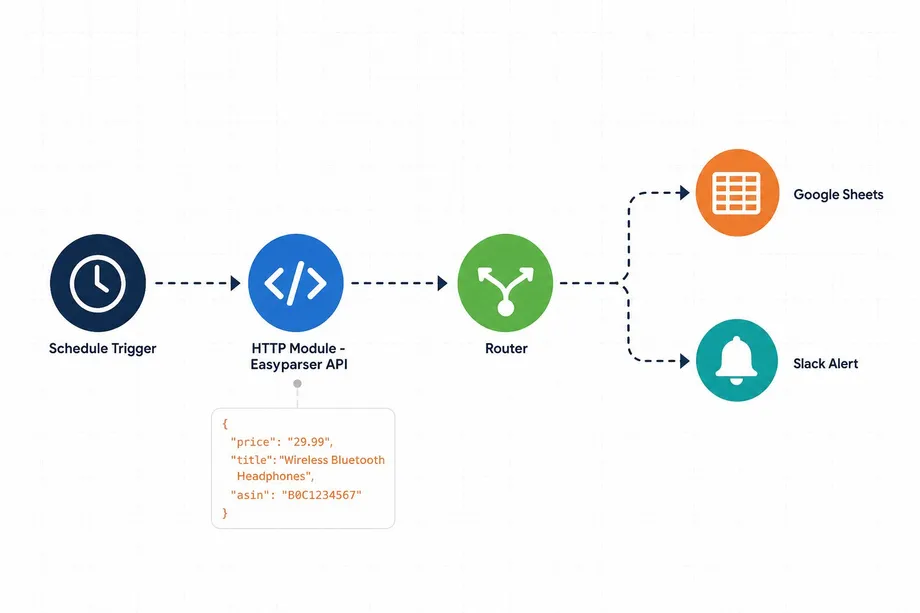
While some platforms have native nodes, connecting Easyparser to Make is incredibly straightforward using Make's universal HTTP module. The HTTP module allows you to make standard REST API requests to Easyparser's endpoints and parse the resulting JSON.
Step-by-Step Connection Guide
- Create a New Scenario: Log into your Make account and create a new scenario.
- Add the HTTP Module: Search for "HTTP" and select the Make a request action.
- Configure the Request:
- URL: Enter the Easyparser Real-Time API endpoint:
https://realtime.easyparser.com/v1/request - Method: Select
GET.
- URL: Enter the Easyparser Real-Time API endpoint:
- Add Query Parameters: In the "Query String" section, add the following key-value pairs:
api_key: Your Easyparser API key (found in your dashboard).platform:AMZdomain:.com(or your target marketplace, e.g.,.co.uk)operation:DETAIL(orOFFER,SEARCH, etc.)asin: The Amazon ASIN you want to query.
- Parse Response: Ensure the "Parse response" option is set to Yes. This tells Make to automatically convert Easyparser's JSON output into mappable variables for the next steps in your workflow.
Here is what the equivalent Python code looks like, illustrating how simple the API structure is:
import requests
API_KEY = "YOUR_API_KEY" # Get your key from app.easyparser.com
ASIN = "B098FKXT8L"
params = {
"api_key": API_KEY,
"platform": "AMZ",
"operation": "DETAIL",
"asin": ASIN,
"domain": ".com"
}
response = requests.get("https://realtime.easyparser.com/v1/request", params=params)
data = response.json()
product = data.get("product", {})
print(f"Title: {product.get('title')}")
print(f"Price: ${product.get('price')}")
Scenario 1: Daily Product Price Sync to Airtable
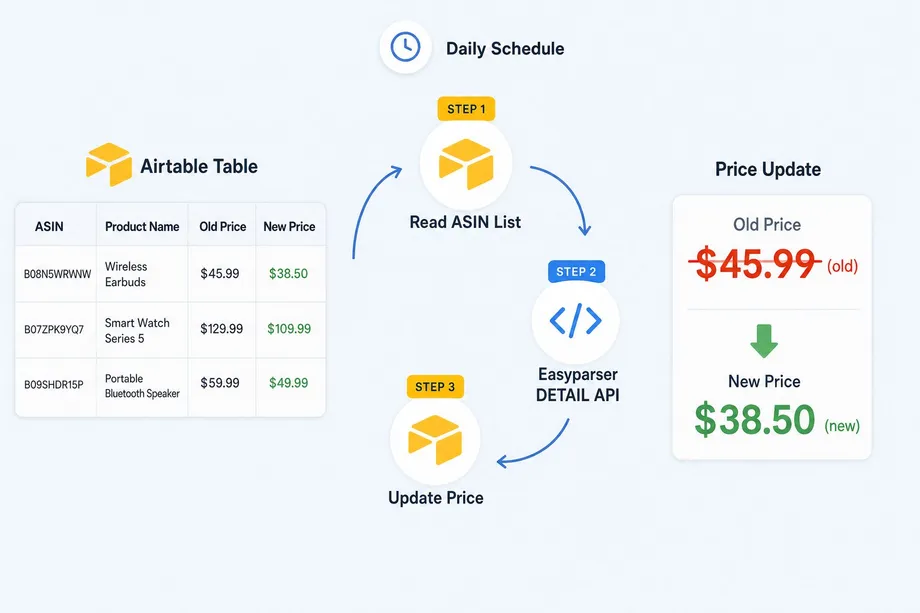
One of the most common make amazon price tracker workflows is synchronizing Amazon prices with an internal database. For dropshippers or retailers tracking their own catalog, ensuring your internal pricing matches Amazon's current Buy Box price is critical to protect margins.
To build this, start your Make scenario with an Airtable "Search Records" module to pull a list of active ASINs. Next, use an Iterator module to process each ASIN individually. Connect the HTTP module configured for the Easyparser DETAIL operation to fetch the live price.
Finally, add an Airtable "Update a Record" module. Map the price variable from the HTTP module's parsed JSON response to your Airtable price column. Set this scenario to run daily on a schedule, and your database will always reflect accurate, real-time Amazon pricing.
Scenario 2: New Competitor Product Alert via Email
Staying ahead of the competition means knowing exactly when they launch new products or change their listings. You can use the Easyparser SEARCH operation to build a make ecommerce automation that monitors a specific brand or keyword and alerts you to new market entries.
Start the scenario with a scheduled trigger (e.g., running every Monday). Use the HTTP module to call the Easyparser SEARCH operation, passing your competitor's brand name as the keyword. Use Make's built-in Array Aggregator and an Airtable module to check if the returned ASINs already exist in your "Known Competitor Products" table.
If a new ASIN is detected, use a Router to send the workflow down an alert path. Connect a Gmail or Slack module to send a formatted message containing the new product's title, price, and a direct link. This proactive intelligence allows you to adjust your own strategies before the competitor gains traction.
Scenario 3: Bulk ASIN Monitoring with Webhooks
For enterprise users tracking thousands of ASINs, making individual HTTP requests can consume too many Make operations. In these cases, leveraging Easyparser's Bulk API with Make Webhooks is the most efficient approach.
The Bulk API allows you to submit a large batch of ASINs in a single request. Instead of waiting for the response, Easyparser processes the batch asynchronously and sends the final data to a webhook URL when finished. To set this up in Make, create a new scenario starting with a Custom Webhook module. Make will generate a unique URL.
Provide this webhook URL in your Easyparser Bulk API request. When the data is ready, Easyparser will POST the full JSON payload to your Make webhook. Make instantly triggers the scenario, allowing you to iterate through the bulk results and update your database or analytics dashboard in one streamlined process.
Handling API Errors and Retries in Make
Even with a reliable API, external factors like invalid ASINs or deleted listings can cause errors in your amazon data make workflow. Make excels at handling these gracefully to prevent your entire scenario from failing.
If an HTTP request fails (for example, returning a 404 if a product is removed), you can right-click the HTTP module and select "Add error handler." Choose the Resume directive to supply fallback data (like setting the price to 0 or marking the status as "Unavailable"), allowing the workflow to continue processing the next ASIN. Alternatively, use the Break directive to automatically retry the request after a short delay if you suspect a temporary network issue.
Make vs n8n for Amazon Automation: Which to Choose?
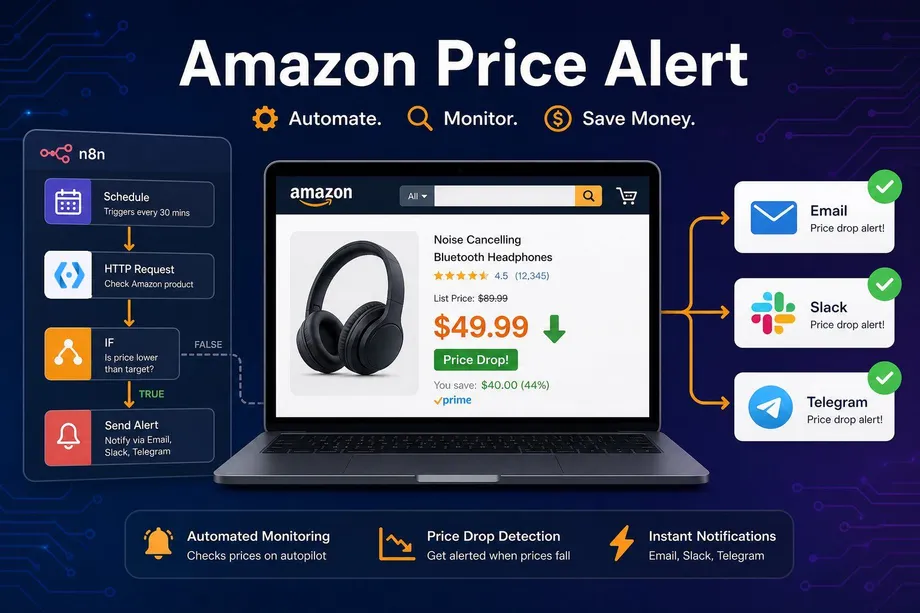
When deciding between automation platforms, many users compare Make with n8n. If you are interested in an alternative approach, we have a detailed guide on how to build an Amazon price alert with n8n.
In short, Make offers a highly polished, visual interface that is incredibly user-friendly, making it ideal for teams who want to build complex logic quickly without coding. It excels in visual routing and has a massive library of native apps. n8n, on the other hand, provides a native Easyparser node and appeals to developers who prefer a source-available platform with deeper code-level control. Both platforms work flawlessly with Easyparser's structured JSON output, so the choice largely depends on your team's technical preference and existing software stack.
Start automating your Amazon workflows today
Start Your Free Trial100 free credits, no credit card required.