Publishing a paid app through the Easyparser App Store is only one half of a developer business. The other half is understanding how money moves once a customer completes a LIVE payment. Easyparser developer payouts are easier to manage when both sides of that transaction are visible: buyers need a clear payment experience, while sellers need an auditable record of what became earnings, what remains on hold, and what still needs review. This guide explains that sequence in practical terms without treating a payout date, amount, or eligibility decision as guaranteed.
A LIVE payment can create earnings, not settled cash. Review the payout profile, verification, hold, and adjustments before requesting funds. Keep delivery and support connected through transaction references.
Quick Answer: What Developers Need Before a Payout
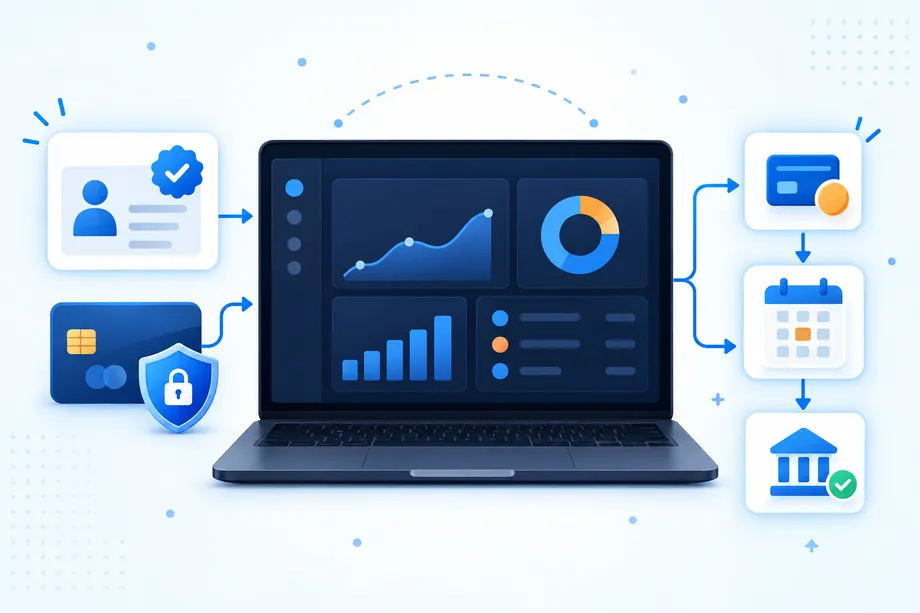
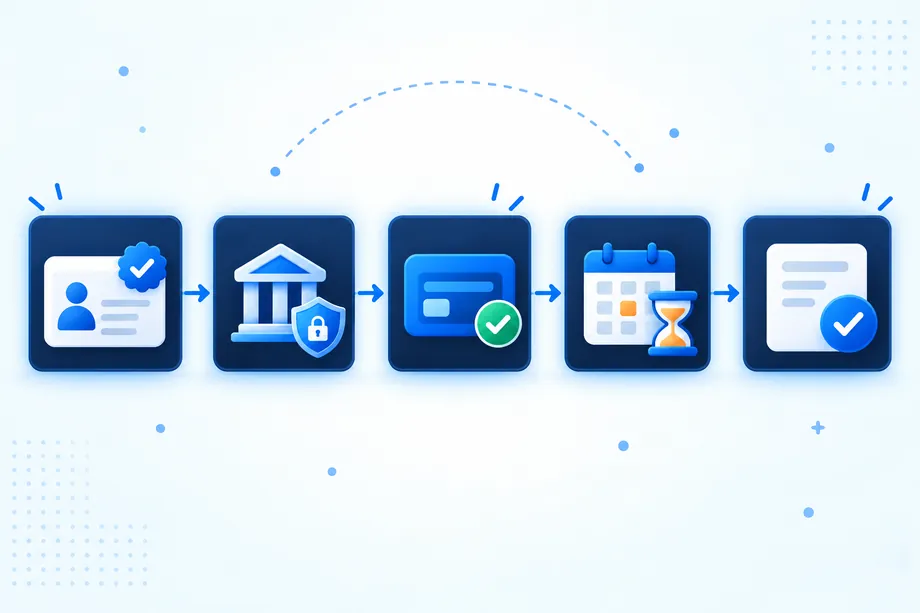
The core workflow has five checkpoints. First, identify whether an individual or business payout profile matches the account that will receive funds. Second, complete the requested identity and bank-account verification. Third, distinguish completed LIVE payments from funds that are merely expected. Fourth, allow the stated 15-day hold to pass. Fifth, reconcile refunds, disputes, and other adjustments before requesting a payout.
| Checkpoint | What the developer should confirm | Why the buyer and seller both benefit |
|---|---|---|
| Payout profile | The profile type and payee details match the person or entity that will receive funds. | Clear ownership supports accurate payment records and support handling. |
| Verification | Identity and bank information meet the requirements shown in the account. | It reduces the chance that a payment workflow stalls after a buyer has paid. |
| LIVE payment record | The transaction is completed and recorded as revenue under the applicable flow. | Buyers can see a completed purchase while sellers can trace the resulting earnings. |
| Hold and adjustments | The 15-day hold has elapsed and any refunds, disputes, or adjustments are reflected. | Both parties receive a more accurate picture of the transaction outcome. |
| Payout request | Eligible balance, payee information, and request details are reviewed before submission. | It avoids avoidable support conversations and reconciliation errors. |
Who Can Use an Individual Payout Profile?
An individual payout profile is designed for a developer receiving earnings in their own name rather than through a company. It can suit an independent creator who publishes a focused integration, a consultant who maintains a customer workflow, or a small builder testing a paid application. The account holder should expect the profile, identity documents, and bank-account holder information to describe the same payee.
Availability can depend on verification requirements, supported countries, and the eligibility of the receiving bank. For that reason, do not promise a particular profile type to a customer or a contractor before the account shows that the required information can be accepted.
Identity and Bank Verification Requirements
Verification connects a payout request to a real payee and a real destination. In a practical review, developers should check the legal name, the profile type, the address and identity details requested by the account, and the bank-account information that will receive the funds. A mismatch between the profile and the bank account can create a preventable exception, particularly when a team has grown from one founder to several operators.
For a buyer, this work happens in the background, but it still matters. A buyer wants a LIVE payment to result in a functioning product relationship, an accurate receipt trail, and support from the right publisher. For the developer or seller, verified information makes it easier to keep product revenue separate from personal spending, investigate a payment question, and explain who is responsible for a particular app.
Keep the currently required profile details together, record who can change them, and date the last verification review. Check for stale bank information and conflicting ownership records before preparing a request. This is an operational habit, not legal or tax advice.
How LIVE Payments Create Earnings
For Easyparser developer payouts, the important event is a confirmed successful LIVE payment, not a test action, an invoice draft, or a forecast in a planning spreadsheet. A successful LIVE payment creates the revenue event that can feed the developer earnings record. The app or workflow should therefore make the customer-facing payment state clear and maintain a transaction reference that support and finance can use when they need to investigate a question.
Developers should record more than a gross amount. A useful internal row includes the transaction reference, buyer or account reference where appropriate, payment status, completion time, product or plan, expected developer share, hold end date, refund or dispute status, and the amount ultimately eligible for payout. This creates a common language for product, support, and finance teams without asking them to infer status from a dashboard total.
Use the commission applied to your app rather than assuming one universal developer share. The platform can apply a default commission or an app-specific rate, and invoice records expose developerNetAmount. Treat that amount as the starting point for reconciliation, not a guaranteed payout: taxes, refunds, disputes, and other adjustments can still affect eligibility.
Why Earnings Have a 15-Day Hold
A hold creates a review window between the LIVE payment and a payout request. In the current workflow, Easyparser developer payouts use a stated 15-day earnings hold. The hold should not be read as a guarantee that funds will arrive on day 16. It is a timing condition within a broader process that still depends on profile status, verification, adjustments, and the details of the payout request.
The hold keeps a buyer's purchase connected to later refund or dispute activity. Sellers should not budget newly recorded earnings as settled cash, especially when one high-value refund could materially change their balance.
Operationally, use the hold end date as a review reminder rather than a cash forecast. At the end of the period, confirm that the payment remains completed, that no refund or dispute has changed the record, and that the expected share still aligns with the balance available for payout.
Developer Share, Refunds, and Adjustments
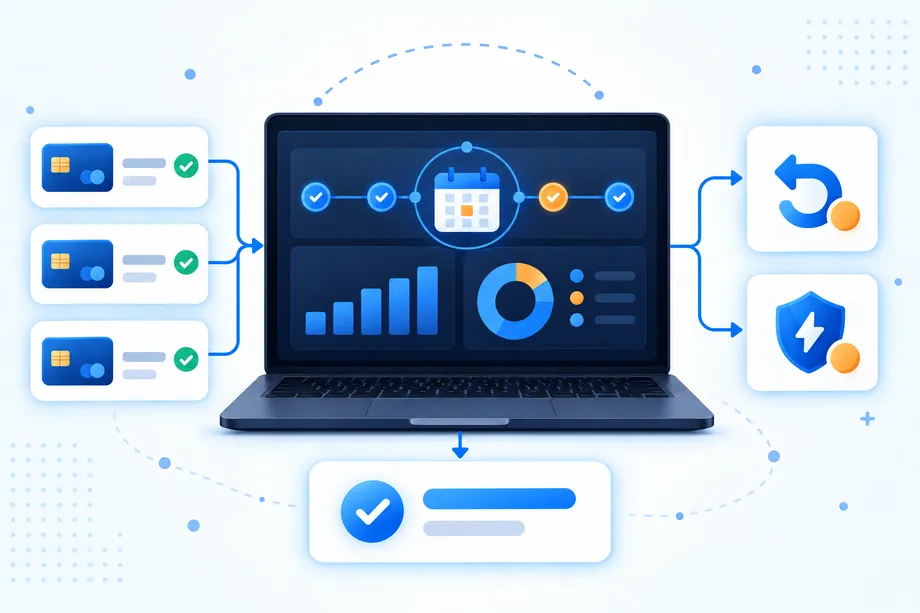
Revenue-share language is easy to oversimplify. A refund can reduce or reverse the original earning; a dispute can change its status. Taxes and other adjustments can also affect what the developer receives. The 75 percent share shown in the illustration is a planning example, not a universal rate. Check your app's applied commission and invoice amounts before forecasting revenue.
That is why teams should avoid reporting a gross customer-payment total as if it were already a payout balance. Instead, separate three values in internal reporting: gross LIVE payments, provisional developer earnings, and the final eligible amount. This small distinction is useful for sellers preparing cash-flow reports and for buyers who need clear answers if their payment is refunded or challenged.
A practical reconciliation table can be maintained weekly, even when a developer submits payout requests less often:
| Field | Purpose | Review question |
|---|---|---|
| Transaction reference | Connects the earning to a specific LIVE payment. | Can support locate the same record if the buyer asks a question? |
| Gross payment | Shows the amount paid before payout calculations. | Is this being confused with a final developer payout? |
| Developer share | Records the expected default share or the relevant applied share. | Has the calculation been kept separate from taxes and adjustments? |
| Hold end date | Marks when the stated waiting period has passed. | Has the 15-day condition elapsed? |
| Adjustment status | Captures refunds, disputes, and other changes. | Is there any open event that changes eligibility? |
| Eligible amount | Shows the balance ready for a payout request after review. | Does it match the account before submission? |
When Funds Become Eligible for Payout
Eligibility is a combination of conditions, not a single calendar date. A developer should expect the relevant LIVE payment to be recorded, the stated hold to have passed, the payout profile to remain verified, the bank details to be valid, the minimum payout balance to be met, and any known refund, dispute, or other adjustment to be reflected. If one component is unresolved, the best response is to resolve the record rather than assume the balance will proceed unchanged.
A solo developer can run a weekly check; a business can assign an owner and a second reviewer. Compare the account balance with the transaction ledger and resolve differences before submitting a request. Sellers avoid stale estimates, and buyers receive consistent answers about their transactions.
Developers building applications on top of Easyparser's Amazon Scraping API can apply the same principle to product access. Keep the paid product entitlement, customer account, and payment record connected by a durable identifier. This does not turn payout data into an API result. It simply ensures the data product, the buyer relationship, and the internal earning record can be reconciled when a question arises.
How to Request a Payout
When the account shows eligible funds and the developer has completed the checks above, a payout request should be prepared carefully. Begin by reviewing the profile and receiving-bank information in the account. Next, compare the amount shown as eligible with the internal ledger. Then confirm that the request is being made by an authorized person, especially if a business profile has several collaborators.
- Review the payout profile type, legal payee details, and verified bank information.
- Filter the earnings ledger for LIVE payments whose stated 15-day hold has ended.
- Check each included record for a refund, dispute, or adjustment that has not yet been reconciled.
- Compare the calculated eligible total with the balance displayed in the account.
- Submit the payout request only after the information and amount agree.
- Save the request reference and the date so future support or finance checks can trace the submission.
Do not promise a buyer that a developer payout will happen automatically, and do not make business commitments based on a payout date before the account confirms the relevant status. The request is an operational action within the policy process. It is not a guarantee of an exact arrival time, bank processing outcome, or final amount.
Building a Paid App Without Losing the Payment Trail
The guide to turning an Amazon data API into a paid seller app covers product design. For checkout, create a session, redirect the buyer, verify payment, and connect the invoice to the customer and later earning.
Node.js Example: Create an App Store Payment Session
This follows the Easyparser App Store Payment Integration guide: call POST /api/v1/payments/session from your backend using X-Api-Key. Use an App Store key, not an Amazon scraping key.
Payment activation must be approved and your app eligible. Configure TEST Return and Webhook URLs in Payment Integration Settings. Create payment sessions from your backend only.
Set EASYPARSER_APPSTORE_API_URL to your environment's App Store API base URL without a trailing slash, EASYPARSER_APPSTORE_API_KEY to your TEST key, and EASYPARSER_APP_ID to your App ID. These are example backend variable names. Never expose the key in client bundles or source control.
const apiBaseUrl = process.env.EASYPARSER_APPSTORE_API_URL;
const apiKey = process.env.EASYPARSER_APPSTORE_API_KEY;
const appId = process.env.EASYPARSER_APP_ID;
if (!apiBaseUrl || !apiKey || !appId) {
throw new Error("Set the App Store API URL, TEST key, and App ID");
}
const response = await fetch(`${apiBaseUrl}/api/v1/payments/session`, {
method: "POST",
headers: {
"Content-Type": "application/json",
"X-Api-Key": apiKey
},
body: JSON.stringify({
appId,
email: "[email protected]",
firstName: "John",
lastName: "Doe",
amount: 19.90,
currency: "USD",
description: "Premium access",
invoiceMetadata: { orderId: "order_123" }
})
});
if (!response.ok) {
throw new Error("Could not create payment session");
}
const paymentSession = await response.json();
// Store invoiceId and appUserId in your own backend.
console.log(paymentSession.paymentUrl);
The demo requests USD 19.90 before tax. Use validated backend order data instead of the sample customer and order reference. Only USD is supported; checkout may add tax. For a registered customer, send appUserId instead of identity and user metadata fields.
Store the returned invoiceId and appUserId, then send the buyer to paymentUrl. Creating or reusing a session is not proof of payment and must not unlock paid access.
Verify Payment Before Granting Access or Recording Earnings
Check GET /api/v1/payments/{invoiceId}/status from your backend, or process signed webhooks. Verify X-Easyparser-Signature with HMAC-SHA256 over the raw body using your Webhook Secret. Return URL parameters are display hints, not payment proof. Check the invoice and environment before updating access.
Confirmed successful LIVE payments create earnings subject to the 15-day hold and eligibility checks. TEST activity validates integration, not withdrawable LIVE revenue. Reconcile refund and dispute events before requesting a payout.
Payout Questions Developers Should Check First
Before asking for support, confirm that the payee and bank details match, verification is complete, the customer payment is LIVE, the 15-day hold has passed, and adjustments are reconciled. Use the transaction reference to investigate a buyer reversal or explain why a sale is not yet eligible. A purchase and a later payout are separate events.
Conclusion: Make Easyparser Developer Payouts Reconciliable
The best way to manage Easyparser developer payouts is to make every step explainable. Choose the right payout profile, keep identity and bank information current, distinguish LIVE payments from eligible balances, respect the stated 15-day hold, and reconcile refunds, disputes, taxes, and adjustments before submitting a request. That approach gives buyers clearer support and gives individual developers or business sellers a dependable process without assuming a guaranteed payout date or amount.
Start exploring Easyparser for free
Start Your Free Trial100 free credits, no credit card required.