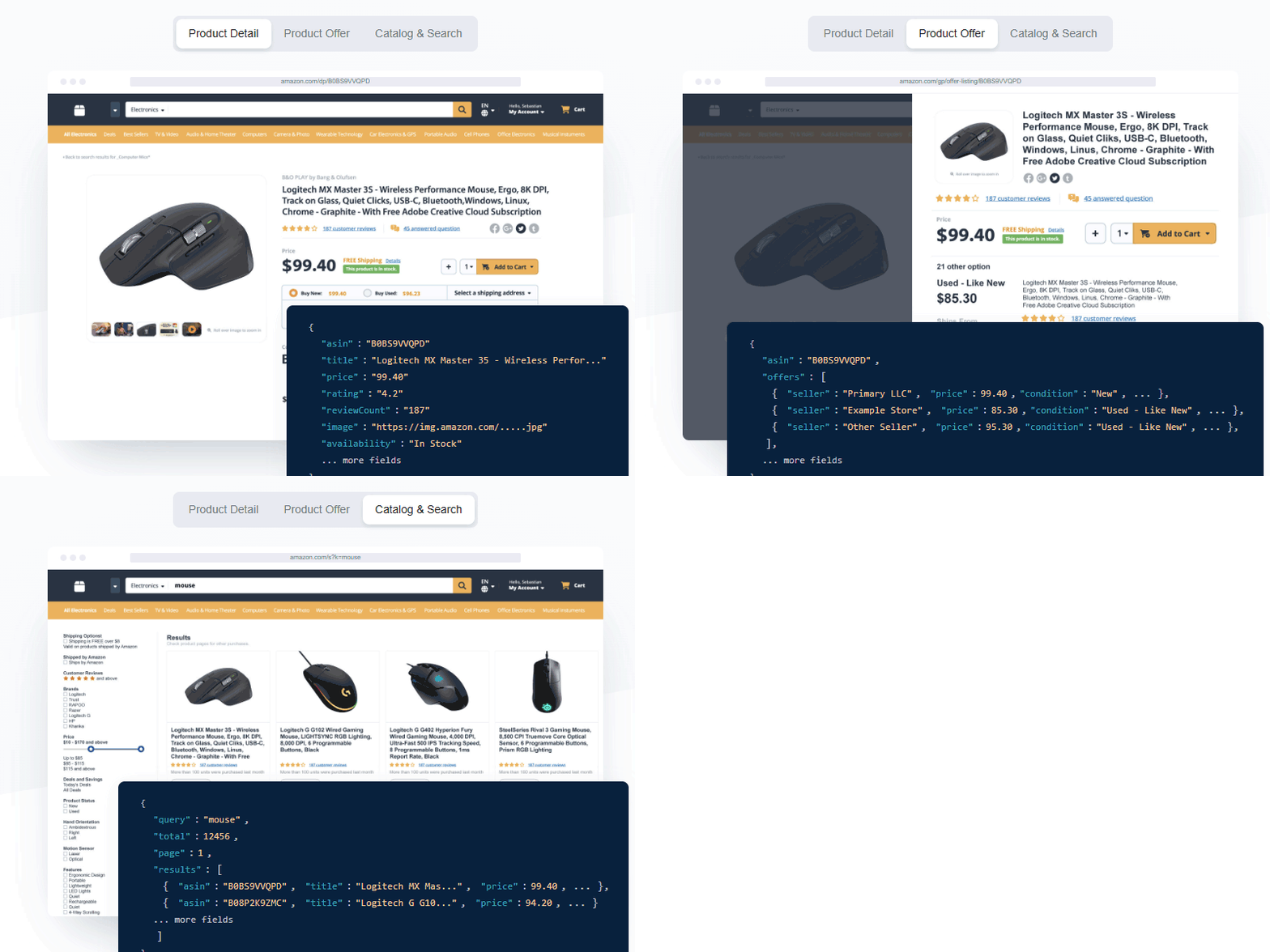

A product team is ready to launch a pricing dashboard. The first prototype checks 30 ASINs and feels inexpensive. Then the team adds daily refreshes, seller offers, two search pages, and enhanced content for key listings. Nothing is technically broken, but the monthly usage is suddenly hard to explain. That is the moment when Easyparser API credits need a model, not a guess.
This guide explains how the credit system works, what changes an endpoint's cost, and how to forecast a realistic monthly budget. It is written for both sides of an Amazon data workflow: buyers and researchers who need faster product decisions, and sellers, brands, or agencies that need dependable catalog and competitive intelligence at scale.
Quick Answer: How to Budget Easyparser API Usage
Easyparser uses a transparent baseline: one credit equals one product result in the standard case. A standard DETAIL request, a one-page SEARCH, a standard OFFER request, or a PRODUCT_LOOKUP request generally starts at one credit. The important qualifier is that a result can have an extra dimension. Additional pages consume additional credits, and DETAIL with A+ content uses two credits in total.
| If your workflow needs... | Start with... | Budget rule |
|---|---|---|
| A product fact inside a live screen | Real-Time DETAIL | 1 credit per standard product result |
| Seller, shipping, and Buy Box context | Real-Time OFFER | 1 credit per page retrieved |
| Keyword discovery | SEARCH | 1 credit for each result page |
| A scheduled catalog refresh | Bulk DETAIL or OFFER | Count every accepted item and its options |
| Enhanced brand modules | DETAIL with A+ content | 2 credits per product result |
The practical formula is simple: count the products or pages you truly need, multiply by the credit cost of each operation, then multiply by how often the job runs. This turns Easyparser API credits from an abstract balance into a controllable operating input.
How Easyparser API Credits Work
Credits are units of successful Amazon data collection, not vague tokens that hide endpoint multipliers. The pricing model is designed around a 1:1 baseline: one credit for one standard product result. The same unit works across Real-Time and Bulk workflows, so you can validate a request interactively before placing the equivalent work in an asynchronous job.
When a credit is deducted
Easyparser's current pricing FAQ states that unsuccessful operations do not deduct credits. In a production system, still log the outcome rather than assuming every submitted input was useful. A robust usage report separates requested items, successful results, invalid inputs, retries, and pages deliberately retrieved. That record makes a budget conversation factual instead of speculative.
Credit Costs by Endpoint
The current Easyparser Playground exposes 10 supported operations. Its displayed starting cost is 1 credit for nine operations and 5 credits for Sales Analysis & History. Bulk is a delivery model, not an eleventh operation: a Bulk job carries one or more of the same operations below, so estimate the accepted inputs with the same operation rules.
| Playground operation | Primary use | Starting cost | Credit driver to track |
|---|---|---|---|
DETAIL | Listing facts, price, stock, images, and variations | 1 credit | A+ content adds 1 credit |
OFFER | Sellers, fulfillment, shipping, coupons, and Buy Box | 1 credit | Each extra page adds 1 credit |
SALES_ANALYSIS_HISTORY | Price, BSR, and review trends | 5 credits | History months add to the base |
BEST_SELLERS_RANK | Current category sales rank | 1 credit | One ASIN result |
PACKAGE_DIMENSION | Packaged dimensions and weight | 1 credit | One ASIN result |
SEARCH | Keyword or Amazon search-URL results | 1 credit | Each extra page adds 1 credit |
PRODUCT_LOOKUP | EAN, UPC, GTIN, ISBN, keyword, or ASIN resolution | 1 credit | One lookup result |
SELLER_PROFILE | Seller identity and feedback trends | 1 credit | One seller result |
SELLER_PRODUCTS | A seller's product listing | 1 credit | Each extra page adds 1 credit |
SELLER_FEEDBACK | Seller reviews and performance history | 1 credit | One seller result |
Use the Amazon Product Detail API as the clean baseline for a product record. Use the higher-cost history operation only when a trend over time can change a sourcing, inventory, or repricing decision. This distinction prevents a team from paying for longitudinal data when a live listing snapshot is enough.
Extra-credit controls shown in the Playground
The Playground calculates visible surcharges for three patterns. Treat the total as the base cost plus the selected option cost, and keep the same settings in your monthly forecast.
| Operation | Parameter | Extra credit rule | Example total |
|---|---|---|---|
DETAIL | a_plus_content:true | +1 credit per product | 1 base + 1 A+ = 2 credits |
SEARCH, OFFER, SELLER_PRODUCTS | min_page and max_page | +1 for every additional page, up to 5 pages per request | 3 pages = 3 credits |
SALES_ANALYSIS_HISTORY | history_range | +3, +6, +9, or +12 credits for 3, 6, 9, or 12 months | 5 base + 6 months = 11 credits |
Other visible parameters such as address ID, language, currency, cookies, offer filters, sort order, refinements, and identifier type are not calculated as a separate credit surcharge by the current Playground front end. Seller Feedback also offers a history-range choice, but it is not included in the front-end surcharge calculation. Treat those controls as response-shaping parameters and confirm the displayed total before high-volume jobs.
Real-Time API vs Bulk API: Credit Comparison
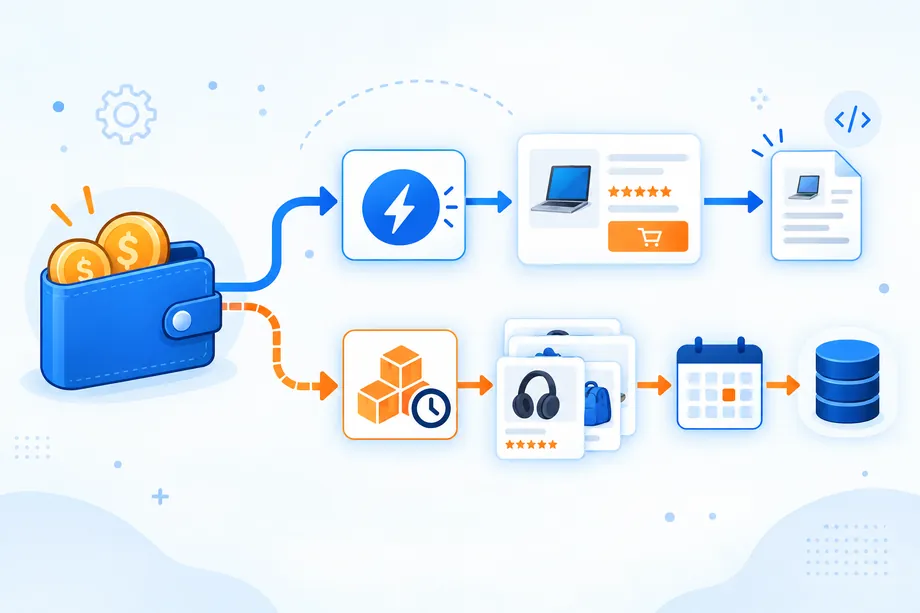
Real-Time is for immediate answers; Bulk is for asynchronous volume. The credit driver remains the operation, returned pages, and enabled options.
| Decision factor | Real-Time API | Bulk API |
|---|---|---|
| Response pattern | Synchronous JSON in the request response | Asynchronous submission, callback, then retrieval |
| Best use | On-demand lookup, live UI, development test | Scheduled refresh, large catalog, recurring monitoring |
| Credit planning | Count each product or page returned | Count each accepted item, page, and enabled option |
| Operational cost risk | Duplicate UI-triggered requests | Overlarge batches, missed results, or untracked retries |
| Best cost control | Cache short-lived answers and debounce actions | Deduplicate manifests and retry only affected items |
Use Real-Time when an answer has a person or application waiting for it. A buyer comparing two sourcing options can request current listing facts immediately. A seller's repricing screen can retrieve offer context before a change is approved. The Amazon Product Offers API is especially useful when the price alone is incomplete because fulfillment type, shipping, seller quality, coupon signals, and Buy Box ownership affect the commercial decision.
Use Bulk when freshness matters but no user needs to wait. Persist accepted identifiers, retrieve completed results promptly, and retry only affected items.
Real-Time Python example for one decision
This request suits a live product check. Keep the input small and validate the response fields before scheduling repeated work.
import requests
API_KEY = "YOUR_API_KEY"
ASIN = "B0CJB6V2L5"
params = {
"api_key": API_KEY,
"platform": "AMZ",
"operation": "DETAIL",
"domain": ".com",
"asin": ASIN
}
response = requests.get("https://realtime.easyparser.com/v1/request", params=params, timeout=30)
response.raise_for_status()
product = response.json()
print(product.get("title"))
Bulk Python example for scheduled volume
For a planned refresh, submit an explicit list, persist the returned identifiers, and make the callback handler enqueue result retrieval. The credit estimate should be created from the same input manifest before submission.
import requests
API_KEY = "YOUR_API_KEY"
payload = [{
"platform": "AMZ",
"operation": "DETAIL",
"domain": ".com",
"payload": {"asins": ["B0CJB6V2L5", "B0BR8J5M7X"]},
"callback_url": "https://api.example.com/easyparser/webhook"
}]
headers = {"api-key": API_KEY, "Content-Type": "application/json"}
response = requests.post("https://bulk.easyparser.com/v1/bulk", headers=headers, json=payload, timeout=30)
response.raise_for_status()
print(response.json())
Estimating Your Monthly Credit Needs
A reliable budget starts with the data decision, not the plan name. List every recurring question: Which ASINs need daily availability? Which competitors need offer-level data? Which keyword pages inform a purchase or listing decision? Which supplier identifiers require matching? Then convert each question into an operation and frequency.
Use this calculator:
Monthly credits = (standard DETAIL results + A+ DETAIL results x 2 + OFFER pages + SEARCH pages + PRODUCT_LOOKUP pages) x monthly run frequency
For workflows that run at different frequencies, calculate each line separately and add the totals. Do not multiply the whole formula by a single schedule if DETAIL runs daily but offer checks run weekly.
| Example workflow | Calculation | Estimated monthly credits | Why it is useful |
|---|---|---|---|
| Seller catalog health | 250 DETAIL x 30 days | 7,500 | Daily price, stock, and listing checks |
| Competitive offer watch | 250 OFFER x 2 runs x 4 weeks | 2,000 | Twice-weekly seller and Buy Box context |
| Buyer research funnel | 20 keywords x 2 pages x 4 weeks + 300 DETAIL | 460 | Discover first, then validate candidates |
| Supplier matching | 1,200 PRODUCT_LOOKUP + 1,200 DETAIL | 2,400 | Resolve identifiers and verify usable matches |
Cost Optimization Tips: Caching, Batching, and Intent
Cost optimization does not mean collecting less useful data. It means avoiding collection that cannot change a decision. The best Easyparser API credits strategy is to make freshness, scope, and action explicit before the request is sent.
1. Cache according to how fast a field can change
Cache stable attributes longer than price, stock, shipping, or Buy Box data. Store retrieval timestamps so a UI refresh does not recollect fields that cannot change the decision.
2. Use a two-pass funnel
Research buyers should begin with targeted SEARCH pages, score candidates, then enrich only the shortlist with DETAIL and OFFER. Sellers can start with low-cost catalog health signals, then request full offer data when a price movement, stock change, or Buy Box event crosses a threshold. The goal is not to suppress data. It is to reserve rich operations for decisions that are now likely to happen.
3. Deduplicate input before Bulk submission
Normalize ASINs, domains, and options before Bulk submission. Skip unchanged items within the freshness window and retry only the unsuccessful or rate-limited subset.
5. Clean identifiers before enrichment
When your source file contains UPC, EAN, or GTIN values rather than ASINs, use the Amazon Product Lookup API as a controlled matching step. Reject malformed or duplicate identifiers before you request full DETAIL data. This protects credit spend and gives both buyers and sellers a clearer audit trail from source record to Amazon listing.
Plan Comparison: Free vs Beginner vs Starter vs Advanced
The right plan is the smallest tier that covers your modeled volume with a sensible buffer, not the tier with the most impressive name. The current public pricing page lists a recurring 100-credit Demo plan, then paid packages that include Real-Time and Bulk access. Prices and package names can change, so check the live plan page before purchase or renewal.
| Plan | Monthly price | Included credits | Published effective price | Best starting use |
|---|---|---|---|---|
| Demo | $0 | 100 | Free test volume | Proof of concept and schema checks |
| Beginner | $49 | 100,000 | $0.49 per 1,000 results | Small production monitor or integration |
| Starter | $150 | 350,000 | $0.43 per 1,000 results | Multi-workflow monitoring and research |
| Advanced | $300 | 750,000 | $0.40 per 1,000 results | Growing catalog or agency-scale operations |
| Higher-volume plans | From $500 | 1M+ | Varies by package | Large teams and custom requirements |
Credit Calculator: How Many Credits Do You Need?
Use this short planning worksheet before enabling a new schedule:
- Define the unit: ASIN, keyword page, offer page, or identifier.
- Choose the operation: DETAIL, OFFER, SEARCH, PRODUCT_LOOKUP, or a documented Bulk equivalent.
- Set the optional cost drivers: A+ content, page depth, delivery context, and any additional operation.
- Set frequency: hourly, daily, weekly, or event-triggered.
- Calculate a base month: multiply each line by its expected runs.
- Add a controlled buffer: reserve capacity for retries, testing, and genuinely time-sensitive exceptions.
- Review monthly: compare forecast, accepted work, successful results, and business outcomes.
For a 500-ASIN seller workflow, daily DETAIL checks consume 15,000 credits in a 30-day month. If only 20 percent of those ASINs require weekly OFFER checks, add 100 x 4 = 400 credits. If 10 percent of the daily DETAIL set needs A+ content, count those 50 products at two credits instead of one, which adds 1,500 credits over the month. The full estimate is 16,900 credits, before any search or lookup work.
Getting the Most Value from Your Credits
The most valuable request is one that changes a decision. For buyers, that may mean validating availability, margin inputs, or seller competition before a sourcing commitment. For sellers, it may mean protecting a listing, identifying a Buy Box shift, detecting an out-of-stock competitor, or finding a catalog attribute that needs correction. In both cases, measure outcomes beside consumption.
Create a lightweight ledger with the date, operation, input, marketplace, pages, feature flags, credit estimate, actual result status, and downstream action. After a month, identify which jobs produced alerts, price changes, content fixes, approved products, or avoided manual work. Keep those. Reduce or slow the jobs that merely create rows without changing anything.
Easyparser API credits are most effective when the model is transparent before a workflow reaches production. Start with one-credit baseline operations, make pages and enhanced content deliberate, use Real-Time for immediate decisions, and move recurring volume to a tracked Bulk process. Once the workload is measured this way, pricing becomes a planning tool rather than a monthly surprise.
Start exploring Easyparser for free
Start Your Free Trial100 free credits, no credit card required.