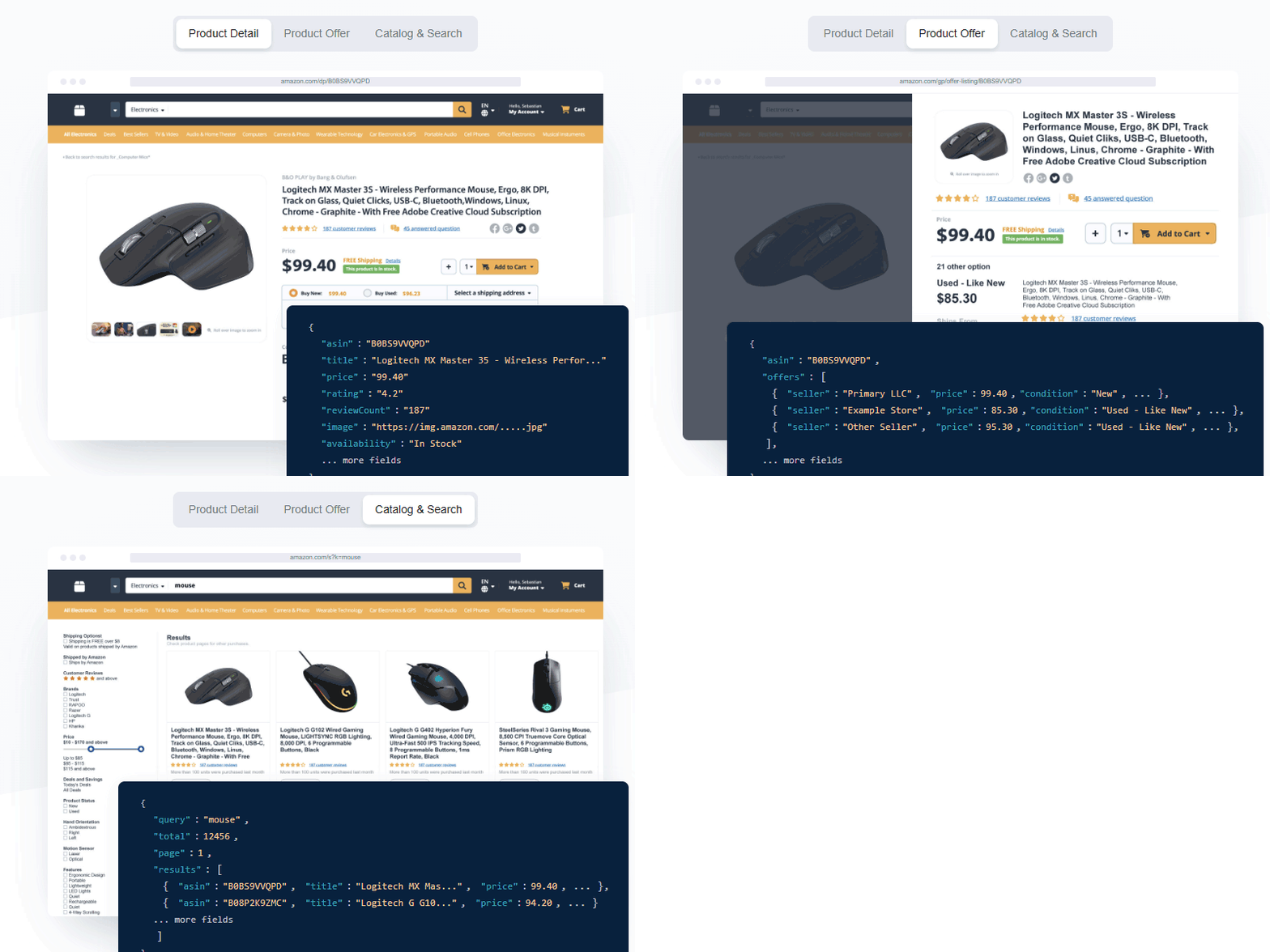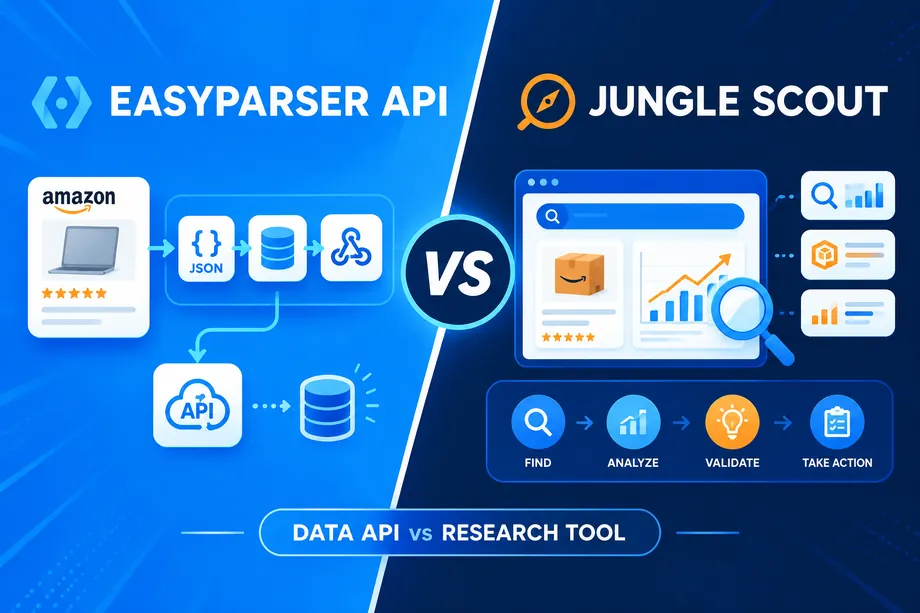

Free access is useful only when it answers a real question. Can an API return the fields your application needs? Does the data fit a seller workflow? Can a small proof of concept show a teammate or client the value? The Easyparser free tier is designed for those questions: it grants recurring monthly credits rather than a short, one-time trial window.
That matters for developers, Amazon sellers, analysts, and product teams. You can run a controlled test, inspect structured JSON, estimate usage, and decide whether to scale. This article focuses on the credit mechanics and practical scope of the free plan, while the separate getting-started guide covers the wider platform introduction.
What Is the Easyparser Free Tier?
Easyparser's free plan is the automatically assigned Demo plan. It includes 100 free credits per month, requires no credit card, and renews monthly. The current pricing page describes the unit simply: one credit equals one product result for the standard case. The free plan is not a stripped-down sample response. It is a way to use real API operations with the same structured JSON format available to paid accounts.
- 100 credits each month: A recurring test budget, not a seven-day countdown.
- No card required: You can explore without entering payment details.
- Real-Time and Bulk access: Test immediate requests and plan asynchronous, high-volume workflows.
- Structured output: Responses use standardized JSON so the same proof of concept can move into an app, spreadsheet process, or dashboard.
- No successful response, no credit charge: The current pricing FAQ states that unsuccessful operations do not deduct credits.
How the Easyparser Free Tier Credit System Works
For normal use, the rule is straightforward: each API request consumes one credit unless a documented option adds cost. This makes it possible to forecast a small test plan before you call the API. If you request a standard product detail for one ASIN, reserve one credit. If you retrieve the first page of a keyword search, reserve one credit. If you collect a default offer listing for one product, reserve one credit.
The details matter when you turn on features that retrieve more content. The Easyparser free tier follows the same documented consumption rules as other plans, so the free plan is a safe place to learn them. A product-detail request with A+ content enabled costs two credits because the enhanced brand content adds one credit. Pagination also scales cost by page, not by the number of rows you later decide to use.
Think in units of work, not endpoint names
An endpoint name alone does not always tell you the cost. For example, a SEARCH request for one page is one credit, but a multi-page SEARCH request uses one credit for every page. The same page rule applies to SEARCH, OFFER, and PRODUCT LOOKUP pagination. You may request up to five pages in one paginated call, yet the balance still changes by one credit per page retrieved.
Free Tier API Endpoints and Credit Costs
The table below summarizes the documented patterns that matter when you are working with 100 credits. It distinguishes the default request from the settings that increase consumption.
| API operation | Typical free-tier use | Standard credit cost | When the cost changes |
|---|---|---|---|
DETAIL | Retrieve an Amazon listing by ASIN or URL | 1 credit per request | a_plus_content:true costs 2 credits total |
OFFER | Review sellers, pricing, fulfillment, shipping, and Buy Box context | 1 credit per request | Paginated pages cost 1 credit each |
SEARCH | Capture the first page of a keyword or search-URL result set | 1 credit for one page | Each additional requested page costs 1 credit, up to 5 pages per request |
PRODUCT_LOOKUP | Resolve ASINs and product identifiers such as UPC, EAN, or GTIN | 1 credit per request | Paginated pages cost 1 credit each where applicable |
Bulk DETAIL | Plan a larger ASIN refresh through an asynchronous job | 1 credit for each ASIN | A+ content costs 2 credits for each ASIN |
Bulk SEARCH | Plan repeatable keyword or URL collection | 1 credit per URL or keyword page | Total equals the number of inputs multiplied by pages |
For catalog facts such as title, price, availability, images, brand, specifications, and variations, start with the Amazon Product Detail API. A standard detail call is a clean baseline because it shows the response structure and the credit cost at the same time. If your product page depends on enhanced brand modules, test one ordinary detail first and one A+ detail second so the two-credit difference is visible in your estimate.
Why pagination deserves its own budget line
It is easy to treat a five-page search as one experiment because it is sent in one request. Credit accounting is different: five pages use five credits. For a quick keyword viability check, page one is often enough. When the question is category depth, sponsored placement movement, or a long offer list, add pages deliberately and record the page count alongside the result.
That discipline prevents two common mistakes: assuming 100 credits always equals 100 HTTP requests, and assuming a single large response is free once the first page succeeds. Your free balance is most valuable when you can explain exactly why each request was made.
What You Can Do with 100 Credits
A 100-credit budget is large enough for a useful proof of concept, but small enough to encourage a focused scope. The following mixes are examples, not recommended quotas. Pick the one that matches the question you need answered.
| Test goal | Example allocation | Total credits | What you learn |
|---|---|---|---|
| Catalog enrichment validation | 80 standard DETAIL calls plus 10 A+ DETAIL calls | 100 | Whether core and enhanced product fields fit your data model |
| Competitor price snapshot | 50 DETAIL calls plus 50 OFFER calls for the same ASIN set | 100 | How listing data and seller-level competition complement each other |
| Keyword opportunity scan | 10 SEARCH pages plus 45 DETAIL calls plus 45 OFFER calls | 100 | Which search results deserve a closer pricing and seller review |
| Catalog matching proof | 60 PRODUCT_LOOKUP calls plus 40 DETAIL calls | 100 | Whether identifier resolution can clean a supplier or internal catalog |
| Pagination calibration | 20 keywords across 2 SEARCH pages each plus 60 DETAIL calls | 100 | How page depth changes your research coverage and spend |
The phrase Easyparser free tier appears often in searches for a free Amazon scraping API, but the practical answer is not simply "100 calls." It is 100 units of documented data collection that you can assign to individual products, pages, or identifier resolutions based on your own workflow.
Real Examples: What 100 Credits Gets You
Example 1: Validate a lightweight price-monitoring workflow
Choose 25 competing ASINs. Make one DETAIL request for each to establish title, current price, stock, and variation context. Then make one OFFER request for each to capture seller count, fulfillment type, shipping signals, and Buy Box context. You spend 50 credits and still have 50 credits left for a second observation, a location-specific comparison, or a different product group.
Use the Amazon Product Offers API when the price alone is not the decision. The seller offering the price, the fulfillment method, delivery details, and the Buy Box can change the commercial meaning of the same number.
Example 2: Test a keyword-to-product research funnel
Start with 10 one-page SEARCH requests for product-research keywords. That consumes 10 credits and returns structured organic and sponsored listings, prices, ratings, and positions. Select 45 promising ASINs for DETAIL and 45 for OFFER. At 100 credits total, you can test the full funnel: discovery, product validation, and competitive context.
This sequence is more instructive than downloading a large unfiltered list. It lets you verify field names, compare how sponsored and organic positions appear in the response, and decide which products deserve scheduled monitoring later.
Example 3: Reconcile a small supplier file
Suppose a supplier spreadsheet contains barcode values rather than ASINs. Run 60 PRODUCT_LOOKUP requests to resolve UPC, EAN, or GTIN values in both directions, then use 40 DETAIL calls to verify the listings you plan to map. The Amazon Product Lookup API is especially useful here because it connects product identifiers with title, brand, manufacturer, links, and image data.
The outcome is not just a conversion test. It is a small data-quality audit that reveals missing identifiers, duplicate matches, and the fields your own catalog will need to store.
Build a 100-Credit Proof of Concept Before You Scale
Use a short written test plan before you send the first request. It takes a few minutes and protects the free balance from accidental pagination, duplicate calls, and vague exploration.
- Name one decision: For example, "Can we identify a competitor's lowest fulfilled offer?" or "Can we map supplier UPCs to ASINs?"
- Choose the smallest representative sample: Ten to 25 ASINs, five to 10 keywords, or a short barcode list is usually enough to expose data-model issues.
- Assign a credit cap: Reserve a first tranche such as 20 credits for a basic request and a second tranche for a comparison, retry, or extra page.
- Record the inputs and output fields: Note the ASIN, marketplace domain, operation, page settings, timestamp, and the fields that matter to your decision.
- Evaluate the result before expanding: If the fields and freshness are right, calculate production frequency from the documented cost rules.
Here is a minimal Python request for a standard product detail. Use a test ASIN that represents the products you actually need to model. Keep the request simple at first so its expected one-credit cost is easy to confirm.
import requests
API_KEY = "YOUR_API_KEY"
ASIN = "B0FB21526X"
params = {
"api_key": API_KEY,
"platform": "AMZ",
"operation": "DETAIL",
"domain": ".com",
"asin": ASIN
}
response = requests.get("https://realtime.easyparser.com/v1/request", params=params)
response.raise_for_status()
product = response.json()
print(product.get("title"))
[MEDIA_PLACEHOLDER: A short screen recording that shows finding an API key in the Easyparser dashboard, setting a DETAIL request in the Playground, and checking the returned JSON before running a broader test.]
Do not paste a permanent production key into a shared notebook or commit it to source control. Store it in a secret manager or environment variable before you move beyond the proof of concept.

Use Real-Time Requests and Bulk Jobs for Different Questions
Real-Time is the right starting point when you need an immediate answer, are testing integration code, or are checking a small group of products interactively. You send a request and receive the parsed JSON in the response. That makes it ideal for validating fields and building a small UI prototype.
Bulk processing is designed for larger asynchronous tasks. You submit multiple operations in one job and receive the result through a callback or retrieve it later with job IDs. The credit logic still follows the units in the request: a bulk DETAIL costs one credit for every ASIN, while a bulk SEARCH costs one credit for every input URL or keyword page. The free plan can therefore help you model a bulk payload, but a paid plan becomes more practical when the job size or frequency grows.
A good handoff is to prove the field-level logic with Real-Time calls, save representative results, and then translate the exact operation and input format into a Bulk job. This avoids scaling a request shape that has not yet been validated.
From Free to Paid: When to Upgrade
Upgrade when the limitation is volume or frequency, not because the first 100 credits disappeared. If your use case needs only a monthly sample or a small demonstration, the recurring free budget may remain enough. If you need daily coverage of hundreds of ASINs, frequent keyword monitoring, several pages per search, or reliable scheduled bulk jobs, calculate the monthly request count before choosing a plan.
For example, checking 100 products with DETAIL once per day consumes about 3,000 credits in a 30-day month before you add offer data, A+ content, or extra pages. Monitoring the same 100 products with both DETAIL and OFFER daily requires about 6,000 credits. Those simple estimates are more useful than comparing plan names because they reflect the actual operation mix.
- Stay free: You are learning the response schema, validating an integration, or running a small monthly audit.
- Consider paid volume: You need repeatable daily or hourly monitoring, many ASINs, scheduled bulk jobs, or multiple data dimensions per product.
- Model extra settings first: Add A+ content and pagination to your estimate only when they are necessary to the outcome.
The current paid range begins with the Beginner plan at $49 per month for 100,000 monthly credits, then expands through higher credit tiers. Plan names and prices can change, so use the live pricing page when you are ready to purchase. The essential calculation remains the same: requests or pages multiplied by their documented credit cost multiplied by their monthly frequency.
Common Free-Tier Planning Mistakes
- Counting one paginated request as one credit: Count every page. A five-page range consumes five credits.
- Testing a non-representative listing: Use products with the variations, offers, or brand content your production workflow will actually encounter.
- Skipping offer data: A single price can hide seller, fulfillment, shipping, coupon, and Buy Box differences.
- Ignoring marketplaces and delivery context: Record the domain and any location settings used in your test so results can be interpreted later.
- Scaling before inspecting JSON: Validate field names, null behavior, and downstream transformations with a small sample.
- Forgetting failure handling: Build a response-status check and a retry policy into production workflows, even though unsuccessful operations do not deduct credits.
Start Small, Learn Precisely, Then Scale
The Easyparser free tier is most useful when it is treated as a controlled testing environment rather than a random bucket of calls. With 100 recurring credits, you can validate a product-data integration, compare seller offers, map identifiers, or build a focused keyword research funnel without a card or contract.
Begin with default one-credit operations, make pagination and enhanced content an explicit choice, and keep a simple request log. Once you know the input volume, the pages, and the fields that drive your decision, the upgrade calculation becomes transparent. That is the practical path from a free Amazon data API test to a dependable production workflow.
Start exploring Easyparser for free
Start Your Free Trial100 free credits, no credit card required.