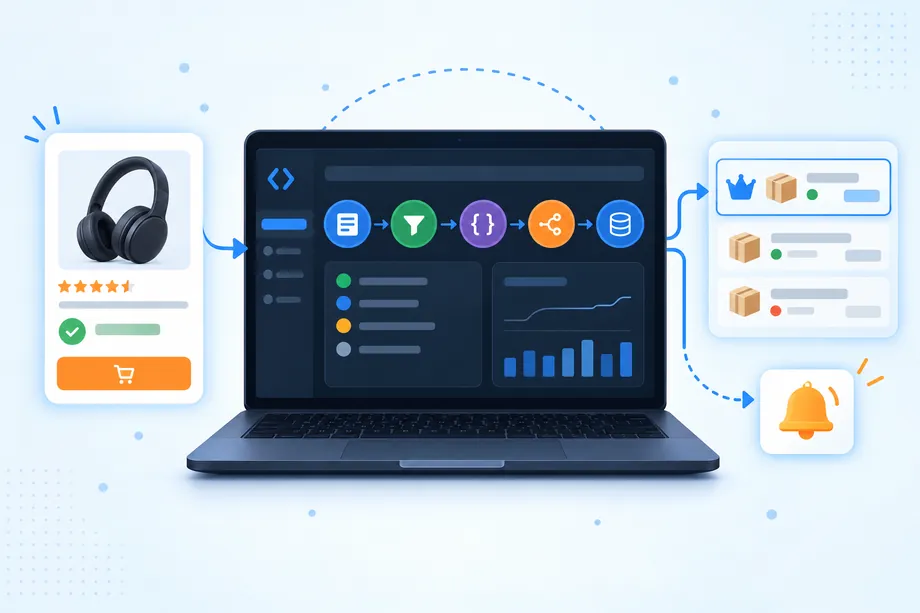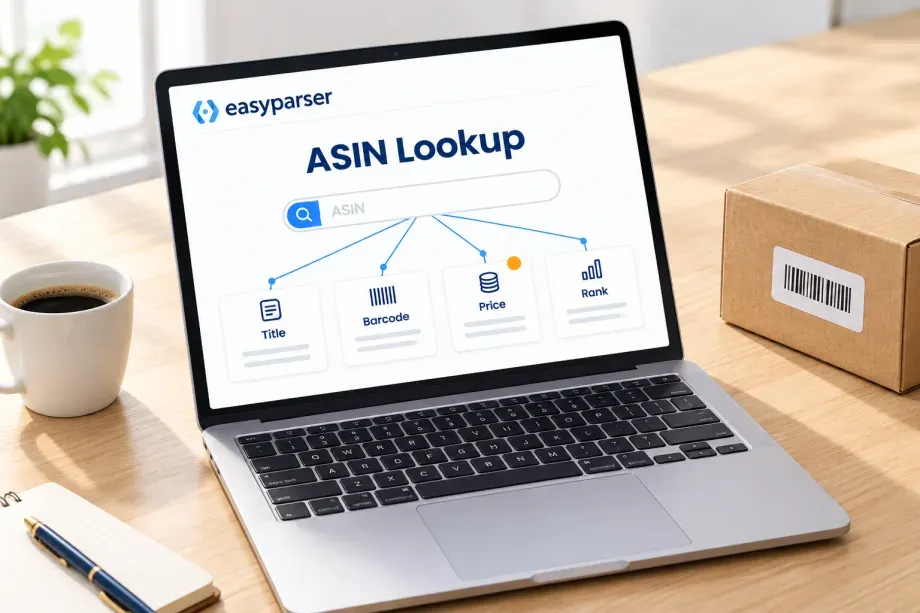
An ASIN lookup starts with a code like B00FLYWNYQ and ends with the facts about the product behind it: what it is, who makes it, which barcodes it carries, what it costs today, how it ranks and which variants sit next to it. Sellers do this when they vet a supplier list, analysts when they enrich a spreadsheet, developers when they build price trackers or catalog tools. This guide explains what a lookup by ASIN can return, the manual and programmatic ways to run one, where each method breaks, and a working example with real response fields.
If you are new to the identifier itself, our explainer on what an ASIN is and where to find it covers the basics. Here we focus on the next step: getting data out of it.
What an ASIN Lookup Returns
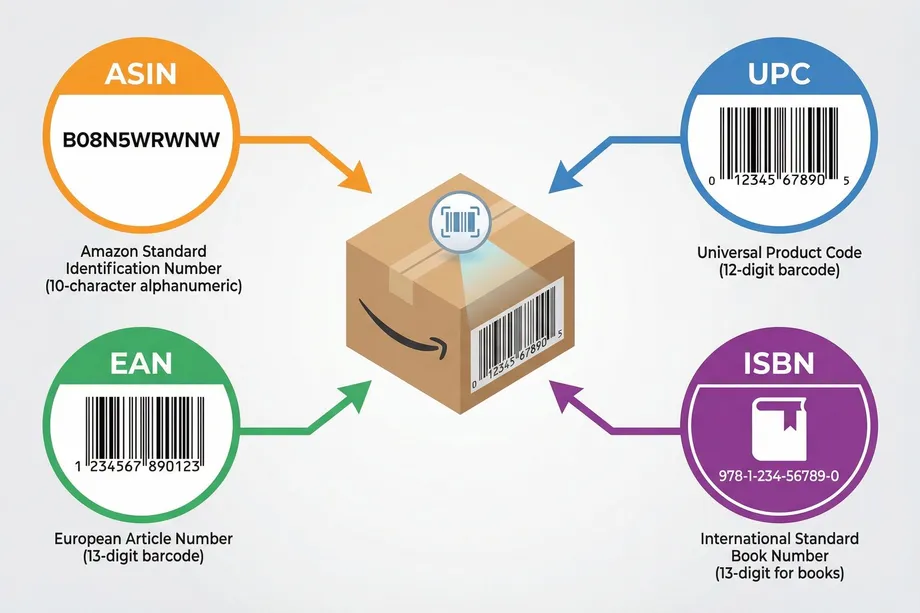
Amazon describes the ASIN as a unique 10-character alphanumeric code assigned to every product in its store. The code points to a product detail page, and that page is where the data lives. A useful lookup reads the page (or a catalog record behind it) and returns structured fields. They fall into two groups: fields that rarely change and fields that change every day.
| Field group | Examples | How often it changes |
|---|---|---|
| Identity | Title, brand, manufacturer, model number, category path | Rarely; edits by the brand or Amazon |
| Barcodes | UPC, EAN, GTIN, ISBN registered on the listing | Rarely |
| Family | Parent ASIN, variant ASINs and their size or color | When variants are added or split |
| Content | Bullets, description, images, videos, specifications | Occasionally |
| Offer | Buy Box price, availability, seller type, delivery promise | Many times a day |
| Demand signals | Best Sellers Rank, rating, review count, recent purchase badge | Daily or faster |
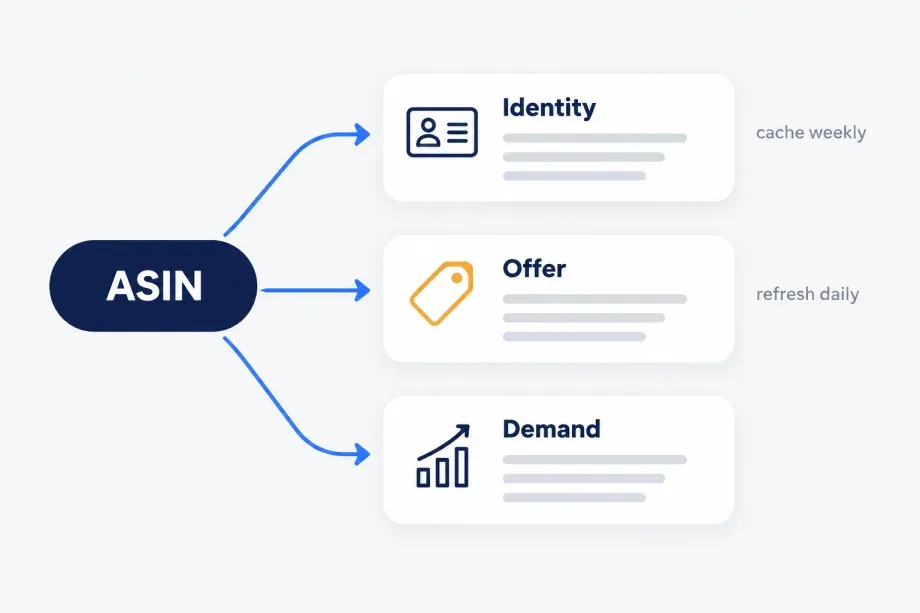
This split matters for design. Identity and barcode fields can be cached for weeks. Offer and rank fields are only true for the moment and the location you looked them up, so store them with a timestamp and the marketplace, never as a permanent attribute of the product.
Manual ASIN Lookup on Amazon
For one or two products, the browser is enough:
- Direct URL. Open
amazon.com/dp/followed by the ASIN. The same pattern works on every Amazon domain, for exampleamazon.de/dp/B00FLYWNYQ. - Search bar. Paste the ASIN into Amazon search. It usually returns the matching listing as the first result.
- Product details section. Scroll to "Product information" or "Product details" to read the ASIN, model number, rank and, on many listings, the UPC.
- Seller Central. Sellers can search an ASIN in the Add a Product flow or Manage All Inventory to see listing restrictions and catalog data for their own account.
The manual route has clear limits. It shows the page for your own delivery location and session, it gives you no structured output, and copying fields for a hundred ASINs takes hours and invites mistakes. Free online ASIN lookup tools speed up single checks, but most of them only build the product link or return a small snapshot, and few of them say when the data was captured.
Programmatic Options for ASIN Lookup
Once the list grows beyond a handful, you need an automated method. There are three families, each with a different trade-off.
1. Amazon SP-API Catalog Items API
Amazon's Selling Partner API has a Catalog Items API (version 2022-04-01). getCatalogItem returns one item by ASIN, and searchCatalogItems accepts up to 20 identifiers per call with identifiersType set to ASIN, EAN, GTIN, ISBN, JAN, MINSAN, SKU or UPC. You choose what comes back with includedData: attributes, classifications, dimensions, identifiers, images, productTypes, relationships, salesRanks, summaries and vendorDetails. Amazon's reference lists a default rate of 2 requests per second with a burst of 2, and each search accepts one marketplace ID.
The catch is access and scope. You need a registered developer profile, an authorized selling partner account and the usual OAuth and signing setup. The catalog record is also not the product page: live Buy Box price, delivery promise, review topics and badges come from other APIs (Product Pricing, for example) or are not exposed at all.
2. Build your own scraper
A do-it-yourself lookup fetches /dp/{ASIN} and parses the HTML. It works for prototypes and gives you every field the shopper sees. In production you will maintain parsers for several page layouts, handle CAPTCHAs and blocks, pin a delivery location so prices stay comparable, and fix selectors whenever Amazon changes the page. Read the marketplace's terms and your local rules before you scrape at scale; the trade-offs between web scraping and API access are worth weighing before you build.
3. A managed product data API
A third-party API fetches and parses the page for you and returns JSON. You trade per-request cost for no infrastructure, location control and stable field names. The questions to ask any vendor are the same: which marketplaces, which fields, how errors are reported, whether bulk jobs exist, and whether the response tells you which delivery location was applied.
| Method | Best for | Main limit |
|---|---|---|
| Manual lookup | One-off checks | No structure, does not scale |
| SP-API Catalog Items | Registered sellers and vendors who need catalog attributes | Authorization setup; no full offer or page data in one call |
| Own scraper | Prototypes, unusual fields | Blocks, layout changes, maintenance |
| Managed API | Teams that need page-level data for many ASINs | Per-request cost; vendor field coverage |
Pitfalls That Break ASIN Lookup Pipelines
- Marketplace mismatch. An ASIN that works on amazon.com may not exist on amazon.co.uk, or may point to a different seller set and price. Always store the domain next to the ASIN.
- Parent vs child ASINs. Parent ASINs group variants and usually have no price of their own. Look up the child (the specific size or color) when you need an offer. Check the parent_asin and variants fields before you store a price.
- Location-dependent offers. Price, availability and delivery date depend on the ZIP or city. Fix one location per marketplace so day-to-day changes are real changes.
- Barcodes are not one-to-one. One ASIN can list a UPC and an EAN for the same product, and one barcode can match several ASINs. Keep barcode values as text so leading zeros survive.
- Dead or merged listings. ASINs get suppressed or merged. Treat "not found" as a state to record, not as an error to retry forever.
- Bad input. Validate the format first: 10 characters, uppercase letters and digits. Most ASINs start with B0; book ASINs are usually the ISBN-10.
A Checklist Before You Automate
- Write down the fields you actually need, split into identity, offer and demand groups.
- Pick the marketplaces and one delivery location for each.
- Decide the refresh rate per group: weekly for identity, daily or hourly for offer and rank.
- Validate and de-duplicate the ASIN list, and keep the original row ID for joins.
- Define what "not found", "no Buy Box" and "out of stock" look like in your output.
- Store raw responses for a short period so you can re-parse without new requests.
- Start with 10 ASINs, check every field by hand against the live page, then scale.
ASIN Lookup with the Easyparser API
Easyparser offers two operations for this job. DETAIL returns the full product page as structured JSON, and PRODUCT_LOOKUP returns a short snapshot plus the registered barcodes, from an ASIN or from a UPC, EAN, GTIN, ISBN, JAN or MINSAN code. Both use the same real-time endpoint and work across 22 Amazon marketplaces through the domain parameter. The Product Detail API page lists the full field set.
Single ASIN: full product data
import requests
API_KEY = "YOUR_API_KEY" # from app.easyparser.com
ENDPOINT = "https://realtime.easyparser.com/v1/request"
def asin_lookup(asin, domain=".com"):
params = {"api_key": API_KEY, "platform": "AMZ",
"operation": "DETAIL", "asin": asin, "domain": domain}
r = requests.get(ENDPOINT, params=params, timeout=60)
r.raise_for_status()
d = r.json()["result"]["detail"]
bb = d.get("buybox_winner") or {}
return {
"asin": d.get("asin"), "title": d.get("title"),
"brand": d.get("brand"), "gtin": d.get("gtin"),
"price": (bb.get("price") or {}).get("value"),
"rating": d.get("rating"), "ratings_total": d.get("ratings_total"),
"bsr": d.get("bestsellers_rank"), "parent_asin": d.get("parent_asin"),
}
print(asin_lookup("B00FLYWNYQ"))
We ran this request for B00FLYWNYQ on amazon.com in November 2026. The response is read from result.detail. Key fields from that capture:
| Field | Value (Easyparser data, captured November 2026, amazon.com, 1 ASIN) |
|---|---|
title | Instant Pot Duo 6 Qt 7-in-1 Electric Pressure Cooker, Stainless Steel |
brand / manufacturer | Instant Pot / Instant Pot |
gtin | 810028585201 |
buybox_winner.price.value | 109.99 (USD, Buy New) |
rating / ratings_total | 4.7 / 186,683 |
bestsellers_rank | #108 in Kitchen & Dining, #1 in Electric Pressure Cookers |
parent_asin | B0GXKV5FHP |
variants | B00FLYWNYQ (6 Quarts), B06Y1YD5W7 (3 Quarts) |
marketplace_id | ATVPDKIKX0DER |
The response also carries the category path, images, bullets, specifications, review topics and the delivery location that was applied (here a default US ZIP code). Price and rank are a snapshot of that moment; your own run will show current values.
ASIN to barcode: Product Lookup
When you only need identity and barcodes, for example to match a supplier sheet, use Product Lookup with identifier_type set to ASIN. The same call accepts a UPC or EAN when you start from the other side.
params = {"api_key": API_KEY, "platform": "AMZ", "operation": "PRODUCT_LOOKUP",
"identifier_type": "ASIN", "identifier": "B00FLYWNYQ", "domain": ".com"}
res = requests.get(ENDPOINT, params=params, timeout=60).json()
for p in res["result"]["search_result"]["products"]:
print(p["asin"], p["model_number"], [i["value"] for i in p["identifiers"]])
# B00FLYWNYQ DUO 60 ['810028585201', '0810028585201']
For our sample ASIN the products array held one match, with identifiers listing UPC 810028585201 and EAN 0810028585201 and total_product_count equal to 1. A count above 1 on a barcode search means several listings share the code and need review.
Many ASINs: bulk jobs
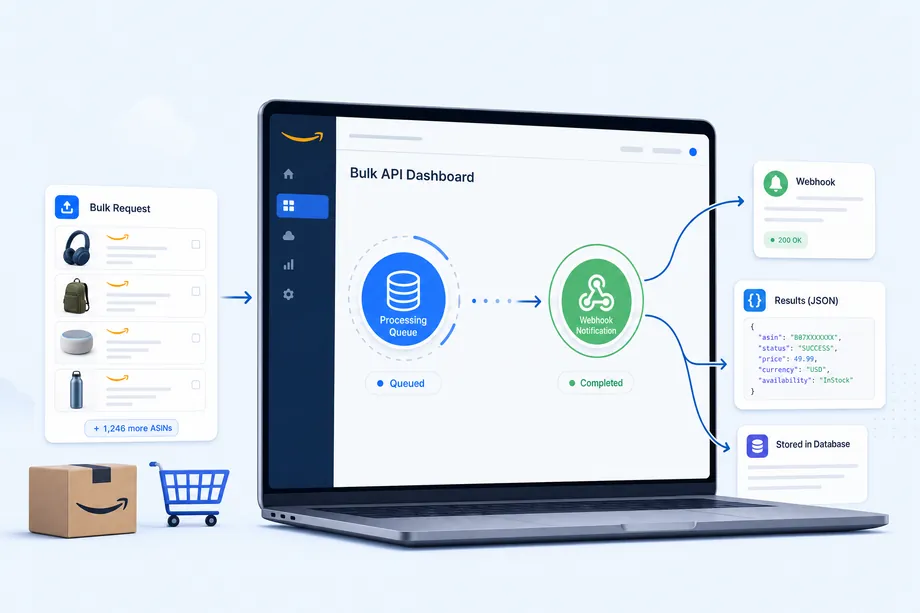
For lists of hundreds or thousands, send a bulk job instead of a loop. One request accepts up to 5,000 inputs; a webhook tells you when results are ready, and you fetch them from the Data Service.
job = [{
"platform": "AMZ", "operation": "DETAIL", "domain": ".com",
"callback_url": "https://your-app.example/webhooks/easyparser",
"payload": {"asins": ["B00FLYWNYQ", "B06Y1YD5W7"]}
}]
resp = requests.post("https://bulk.easyparser.com/v1/bulk",
headers={"api-key": API_KEY}, json=job, timeout=60)
print(resp.json()) # accepted items and their query IDs
Honest limits: the data reflects the public product page for the chosen marketplace and location, so seller-only facts such as your own fees or inventory stay in Seller Central. Fields that a listing does not show come back empty or listed under not_match, so your code should treat every field as optional.
Conclusion
An ASIN lookup is simple for one product and a data engineering task for a thousand. Decide which fields you need and how fresh they must be, fix the marketplace and location, and handle parent ASINs, shared barcodes and dead listings from the start. The SP-API fits registered sellers who need catalog attributes, a scraper fits experiments, and a managed API such as Easyparser fits teams that want page-level data for many ASINs without running the collection layer themselves. Whatever you choose, test a small sample against the live page before you trust the pipeline.
Sources
- What is an ASIN?, Amazon (accessed )
- Catalog Items API v2022-04-01 Reference, Amazon Selling Partner API (accessed )
- Detail, Easyparser Documentation (accessed )
- Product Lookup, Easyparser Documentation (accessed )
- Bulk Integration Overview, Easyparser Documentation (accessed )
Start building with the Easyparser API today
Start Your Free Trial100 free credits, no credit card required.